

Storage & Files · Lifetime deal
BigMind Data Recovery
Full system image backup and bare-metal recovery to local drives, with ransomware protection.
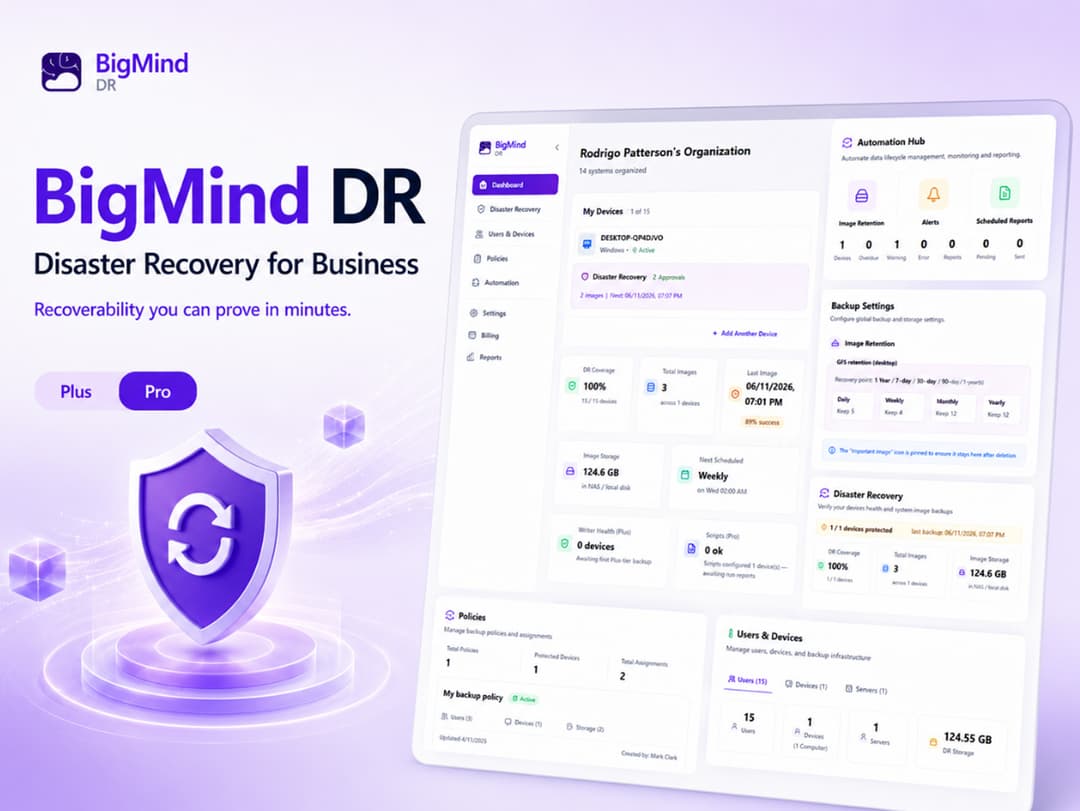
BigMind Data Recovery at a glance
- Platform
- Windows, Linux
- Refund
- The listing links to StackSocial's general return and refund policy. Deal specific terms were not shown.
- Note
- Lifetime updates. The listing shows no redemption deadline or stacking rules.
Our take
Is BigMind Data Recovery worth buying?
Based on the StackSocial listing, this is a lifetime system imaging tool that backs up to drives you own. It suits home and small office users on Windows or Linux. The fetched page did not show PC limits, refund details or a redeem window, so confirm those at checkout.
Good fit if
- You want a whole machine image, not only file backups.
- You prefer local backups over a cloud subscription.
- You want ransomware protection bundled with backup.
Skip it if
- You use a Mac.
- You need cloud storage included.
Which BigMind Data Recovery plan do you need?
Prices in USD, excluding tax.
| Plus Plan — 1 PC | Pro Plan — Multiple PCs | |
|---|---|---|
| One-time price | $39 | $59 |
| PCs | 1 | Multiple |
| Backup storage | Local, USB or NAS | Local, USB or NAS |
| Updates | Lifetime | Not stated |
| Recovery history | Not stated | 365 days |
Before you buy: StackSocial's terms and extra costs
- Refund. The listing links to StackSocial's general return and refund policy. Deal specific terms were not shown.
- Platform. Windows and Linux per the listing.
- Note. Lifetime updates. The listing shows no redemption deadline or stacking rules.
What is BigMind Data Recovery?
BigMind Data Recovery from Genie9 takes a full image of a computer, including the operating system, installed programs, settings and files. It supports bare-metal recovery to new hardware and restore of single files. Backups go to your own local drive, USB or NAS, and the product lists built-in ransomware protection. The deal is a lifetime license.
What BigMind Data Recovery says it does
- Full system image backup of the OS, apps, settings and files
- Bare-metal recovery, including onto new hardware
- Built-in ransomware protection
- Backups to a local drive, USB or NAS with no special hardware
Why BigMind Data Recovery
File-only backups leave you rebuilding a computer after a drive failure. A system image turns that into a restore, and local storage means no cloud fee. You manage your own backup drives, and the listing does not show per-plan PC limits.
How does BigMind Data Recovery work?
Redeem the license
Buy on StackSocial and redeem the code.
Install BigMind
Install it on the computers covered by your plan.
Pick a backup target
Choose a local drive, USB or NAS for the images.
Restore when needed
Restore single files or the whole system, even to new hardware.
Then it handles:
- Full system image backups
- Bare-metal recovery to new hardware
- Restoring individual files
- Ransomware protection
- Backups to a local drive, USB or NAS
- Recovery history on the Pro plan
Who is BigMind Data Recovery for?
Built for
- Home users who want a full machine backup
- Solo professionals and small offices
- People who want local backups instead of cloud storage
Not for
- Mac users, since the listing names Windows and Linux
- Buyers who want cloud storage included
- Anyone who needs PC limits and refund terms stated before buying
What is included in BigMind Data Recovery?
Backup
- Full system image OS, apps, settings and files
- Local targets drive, USB or NAS
- Advanced automation listed on the Pro plan
Recovery
- Bare-metal recovery restore even on new hardware
- File restore single files
- 365-day recovery history listed on the Pro plan
Protection
- Ransomware protection built in
- Lifetime updates
Video review
We have not reviewed BigMind Data Recovery on video yet.
Get notifiedBuyer reviews
No reviews yet. Bought BigMind Data Recovery? Add it to your workspace and share what it replaced.
Add to your workspaceBigMind Data Recovery questions
What does BigMind do?
It images a whole computer, including the OS, apps, settings and files, and can restore it to the same or new hardware or restore single files.
Where are backups stored?
On your own local drive, USB or NAS. No cloud storage is needed.
How do the two plans differ?
StackSocial lists Plus and Pro. The stored plan details say Plus covers 1 PC and Pro covers multiple PCs with 365-day history and advanced automation.
Does it run on Linux or Mac?
The listing names Windows and Linux. A Mac version is not mentioned.
What is the refund policy?
The page links only to StackSocial's general refund policy. Check it before buying.
Does it include ransomware protection?
Yes, built-in ransomware protection is listed.
Often compared with
These are other tools in the same space, not deals on GrabLTD.
- Acronis Cyber Protect
- Macrium Reflect
- AOMEI Backupper
- EaseUS Todo Backup
- Veeam Agent
Sources
Checked . Prices and terms on this page come from: