Productivity · Lifetime deal
BrandBay
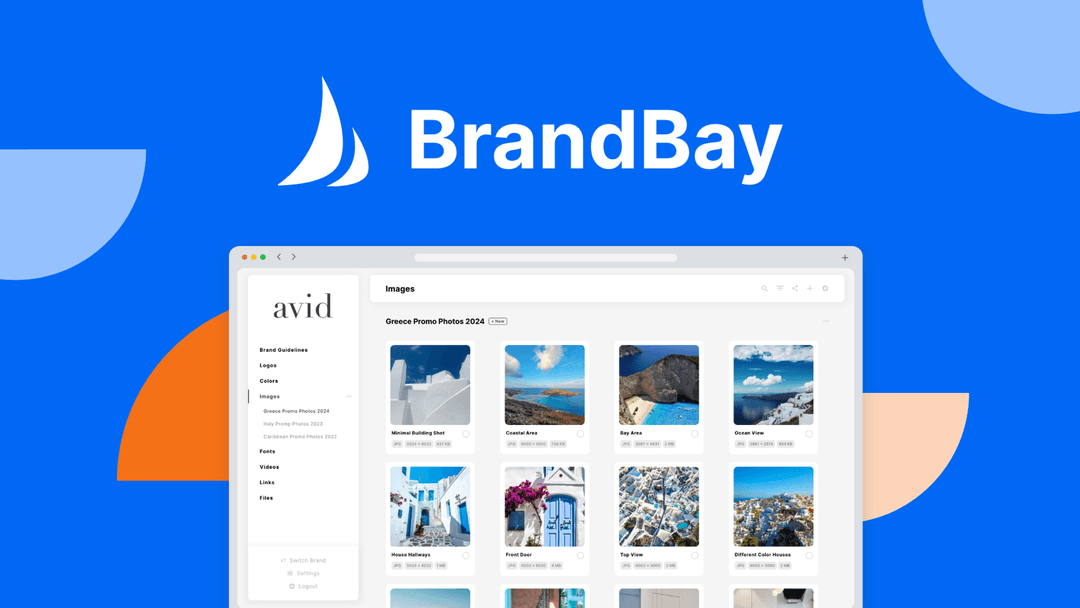
Brand asset manager with per-brand workspaces and white-labeled client portals.
BrandBay at a glance
- Platform
- Web, Chrome, macOS, Windows
- Upgrades
- No codes and no stacking. You can upgrade between tiers while the deal is live, and downgrade within 60 days of purchase.
- Support
- Email support with a response expected within 24 hours.
Our take
Is BrandBay worth buying?
Based on the AppSumo listing, BrandBay is a brand asset library with white-label client portals, and the entry tier covers 5 brands, 4 users and 100 GB. It suits agencies sharing brand kits with clients. AppSumo shows the deal as sold out.
Good fit if
- You hand brand kits to clients and want one branded link.
- You manage a handful of brands with a small team.
- You want a Chrome extension to capture assets.
Skip it if
- You need the deal today, since it shows as sold out.
- You need a design editor, not an asset library.
Which BrandBay plan do you need?
Prices in USD, excluding tax.
| Lifetime deal | |
|---|---|
| Brands | 5 |
| Users | 4 |
| Storage | 100 GB |
Before you buy: AppSumo's terms and extra costs
- Refund. Refundable within 60 days through AppSumo, covered by its We Got Your Back guarantee.
- Redeem. Activate your license within 60 days of purchase.
- Upgrades. No codes and no stacking. You can upgrade between tiers while the deal is live, and downgrade within 60 days of purchase.
- Support. Email support with a response expected within 24 hours.
- Platform. Web app, Chrome extension, macOS 10.11 or newer and Windows 7 or newer desktop apps.
What is BrandBay?
BrandBay is a brand asset manager for agencies and teams. You keep logos, colors, videos and code snippets in a workspace per brand, then share white-labeled client portals on your own domain. It adds team and client access levels, bulk upload, comments, password-protected assets, a Chrome extension and desktop apps. The deal is sold by AppSumo in tiers by brands, users and storage.
What BrandBay says it does
- Stores logos, colors, videos and code snippets in per-brand workspaces
- White-labeled client portals with custom branding and CNAME
- Chrome extension plus desktop apps for macOS and Windows
- Password-protected assets and team and client access levels
Why BrandBay
Brand files end up scattered across drives and chat threads. BrandBay gives each brand one home and a shareable portal. It is an asset library, not a design tool, and AppSumo shows the deal as sold out.
How does BrandBay work?
Redeem the code
Buy on AppSumo and activate within 60 days.
Create a brand workspace
Upload logos, colors, videos and snippets.
Set access and branding
Add your logo and domain, then invite team and clients.
Share the portal
Send clients a branded link or a password-protected asset.
Then it handles:
- Storing logos and brand colors
- Hosting videos and code snippets
- Sharing white-labeled client portals
- Bulk uploading assets
- Commenting on assets
- Capturing assets with the Chrome extension
Who is BrandBay for?
Built for
- Agencies handing brand kits to clients
- In-house teams with many brands
- Freelancers who want a branded asset portal
Not for
- Buyers who need the deal now, since AppSumo shows it as sold out
- Teams needing more than the listed brands, users and storage on the entry tier
- Anyone needing a design editor
What is included in BrandBay?
Brand workspaces
- Brand workspaces
- Custom collections and smart search
- Bulk upload and management
- Gradient colors and audio playback
Sharing and branding
- White label and CNAME
- Shared brand and asset pages
- Password-protected assets
- Team and client access levels
Apps
- Chrome extension
- Desktop apps macOS and Windows
- Asset comments and notes
Video review
We have not reviewed BrandBay on video yet.
Get notifiedBuyer reviews
No reviews yet. Bought BrandBay? Add it to your workspace and share what it replaced.
Add to your workspaceBrandBay questions
What is BrandBay?
A brand asset manager with per-brand workspaces and white-labeled client portals.
What are the entry tier limits?
Per the page, Tier 1 covers 5 brands, 4 users and 100 GB of storage.
Can I use my own domain?
The page lists custom branding, CNAME and white labeling across the listed tiers.
Which platforms does it run on?
Web, a Chrome extension, and desktop apps for macOS and Windows.
Is the deal available?
AppSumo shows it as sold out, with a notify option.
Can I stack codes?
No. The page says no codes and no stacking. You choose a tier and can upgrade while the deal is live.
Often compared with
These are other tools in the same space, not deals on GrabLTD.
- Brandfolder
- Frontify
- Bynder
- Brandpad
- Google Drive
Sources
Checked . Prices and terms on this page come from: