Productivity · Lifetime deal
ContentRadar
Repurpose content into engaging LinkedIn & X posts
Which ContentRadar plan do you need?
Prices in USD, excluding tax.
| Plan A | Plan B | Plan C | Plan A | |
|---|---|---|---|---|
| Includes | All features above included; 30 AI Generations (Repurposed Content) / month; 2 Social Accounts Connected; 1 Workspace; 50 Published Posts/workspace/month; Schedule 10 posts in advance/week | All features above included; 300 AI Generations (Repurposed Content) / month; 8 Social Accounts Connected; 3 Workspaces; 100 Published Posts/workspace/month; Schedule Unlimited posts in advance | All Features above included; 1000 AI Generations (Repurposed Content / month; 30 Social Accounts Connected; 10 Workspaces; 150 Published Posts/workspace/month; Schedule Unlimited Posts in advance | All features above included; Unlimited AI Generations (Repurposed Content / month); 90 Social Accounts Connected; 20 Workspaces; 200 Published Posts/workspace/month; Schedule Unlimited Posts in advanceA |
What is ContentRadar?
Looking to boost your presence on LinkedIn and X *without* having to create *MORE* content and work for yourself?
Just published a blog post? Transform it into dynamic social media snippets.
What about YouTube videos? Watch them convert into engaging threads.
Got large PDFs? Break them down into bite-sized posts.
Even your Notion notes can become eye-catching content.
Or whip up fresh content with AI, revive older posts, or generate stunning LinkedIn carousels.
Whether you’re a busy founder, a social media manager, or a freelancer handling clients, ContentRadar helps you repurpose content smarter.
Overview
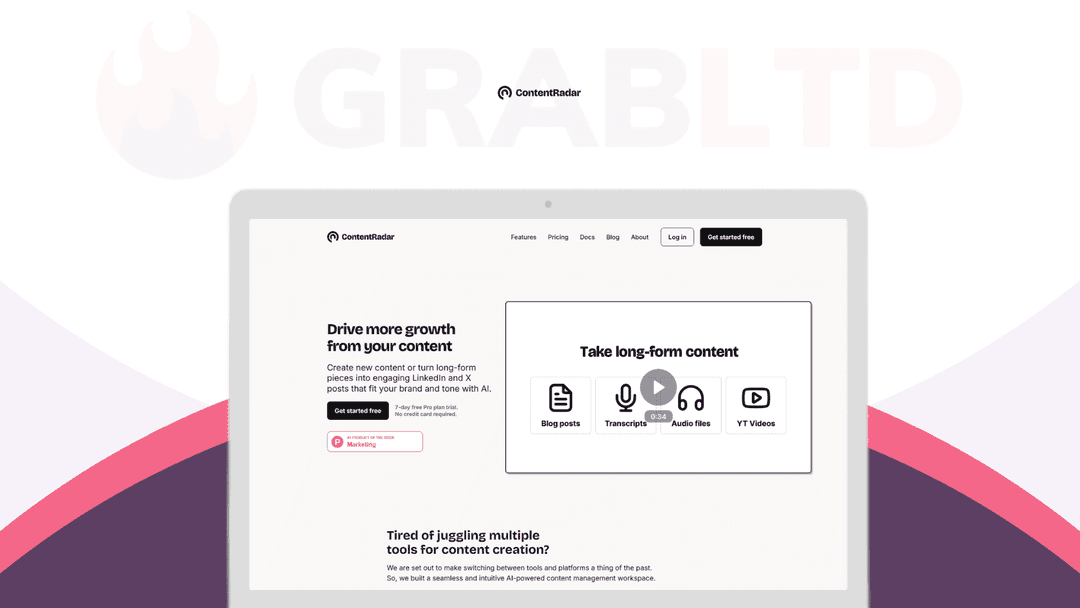
Create new content or turn long-form pieces into engaging LinkedIn and X posts that fit your brand and tone with AI.
Getting started with ContentRadar is simple:
1. Start by connecting your LinkedIn / X Account and adding team members to your workspace
2. Repurpose your first piece of content: Choose from sources like Text, URL, YouTube Video, Direct Notion Page, Audio File (mp3), or PDF.
3. Schedule posts to the calendar or publish directly
4. How’s your content performing? Check the analytics (for Linkedin & X).
5. Bonus: Convert source content into a LinkedIn Carousel (and post it directly)
Why Choose ContentRadar?
Let’s look at how ContentRadar can keep your content game strong without eating up your day.
- Save Time: Automate the content creation process to get more done without spending hours on it. - Reach More People: Share content easily on different platforms to connect with a bigger audience. - Be Consistent: You’re not posting enough and ignoring the importance of consistency on LinkedIn and X. - Boost Engagement: Turn complex info into bite-sized posts that grab attention and get people talking. - Simplify Workflow: Manage everything in one place making it easier to plan and approve content. - Better Focus: Spend less time on posting logistics and more on engaging. - Get Creative Help: Hit a wall? Use AI to come up with new ideas and tweak content quickly.
Who Needs ContentRadar?
While everyone should be repurposing content, these are the more common use cases:
1) Freelancers – Boost your productivity while landing more gigs and keeping clients happy.
2) Founders / Solopreneurs – Build your personal brand and grow your influence through content automation.
3) Social Media Pros – Connect accounts, streamline approvals, and repurpose content to focus on growth.
4) Agency Owners – Streamline content management for multiple clients with automation and repurposing.
5) LinkedIn & X Influencers – Maximize your impact to keep your followers coming back for more.
Repurpose like a pro. Get Content Radar today.
Features Included in All Plans
- Unlimited Users - Linkedin Carousels - Publishing and Repurposing Content - Scheduling - Shared Content Calendar
Video review
We have not reviewed ContentRadar on video yet.
Get notifiedBuyer reviews
No reviews yet. Bought ContentRadar? Add it to your workspace and share what it replaced.
Add to your workspaceContentRadar questions
What is ContentRadar?
ContentRadar is an AI-powered content repurposing tool that turns blog posts, YouTube videos, PDFs, audio files, and Notion pages into ready-to-publish LinkedIn and X (Twitter) posts, carousels, and threads.
Which platforms does ContentRadar publish to?
ContentRadar supports publishing and scheduling directly to LinkedIn and X (Twitter), with a shared content calendar for team coordination.
Does ContentRadar support team collaboration?
Yes. ContentRadar includes shared workspaces and a team content calendar so multiple users can collaborate on the same content pipeline.
What content sources can ContentRadar repurpose?
You can feed ContentRadar a URL, plain text, YouTube video link, Notion page, PDF, or MP3 audio file, and it will generate social-ready posts from any of them.
Does ContentRadar include analytics?
Yes. ContentRadar provides LinkedIn analytics to monitor post engagement and reach, helping you understand what content performs best.
Is the ContentRadar lifetime deal still available?
No. The ContentRadar lifetime deal was sold through RocketHub and is no longer available for purchase. The product may have moved to a recurring subscription model. Check contentradar.ai for current pricing.
Often compared with
These are other tools in the same space, not deals on GrabLTD.
- Taplio
- Publer
- Hypefury
- Buffer
- Lately