Productivity · Lifetime deal
Easynote
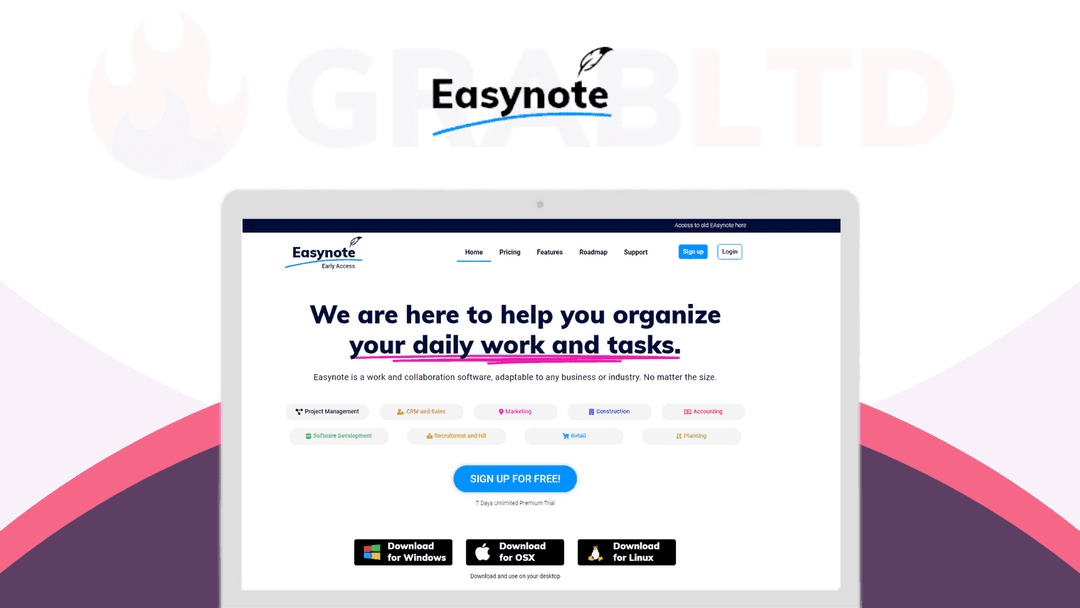
Easynote is a grid-based project and team management app with 50+ templates, unlimited widgets, and one-click imports from Asana, Trello, and monday.com. Lifetime deal from $149.
Which Easynote plan do you need?
Prices in USD, excluding tax.
| Plan A | |
|---|---|
| Includes | Use Code ES10 For 10 %; OFF10-Lifetime Users; 1 GB File Uploads; 20 GB Storage; Real-time notifications; Link sharing; Unlimited Tasks and projects; Unlimited Team members |
What is Easynote?
Most project tools bury the work under features you'll never touch, then ask you to spend a week in tutorials before the team gets anything done. Easynote takes the opposite bet: a grid-based workspace clean enough to set up in minutes, built so your team starts collaborating the same afternoon instead of slogging through onboarding and community forums first.
What Easynote actually does
Easynote runs your projects from a single grid instead of a rigid hierarchy, and it pulls in work from the tools you're already using so you're not rebuilding everything by hand. You set up projects and tasks in minutes, invite your team, and the day-to-day work lives in one place.
- Organise projects in Easyview, a flat grid that mirrors how people actually think - Add unlimited widgets to any project and rename them to fit your workflow - Import existing work from monday.com, Asana, Trello, or Excel in minutes - Search across everything instantly with Anysearch - Get notified the moment a teammate changes something - Start from over 50 industry templates instead of a blank screen
The features that matter
A few pieces do most of the heavy lifting, and they're the reason the app stays out of your way once a project is running.
- Easyview — a grid layout instead of nested folders, giving you an overview of tasks and data at a glance. - Widgets — add an unlimited number, rename them freely, and organise work the way you would in a spreadsheet. - Anysearch — one search box that finds any task or note across every project, instantly. - Easy Notifications — alerts on any change a teammate makes, so the team stays current without a standup.
How it fits in your stack
The pitch Easynote makes is consolidation: it claims to do in one app what people often spread across more than ten, and the import tools for monday.com, Asana, Trello, and Excel are there to make switching painless rather than a fresh start. You move your existing boards in, keep working, and drop the subscriptions you were stacking on top of each other. Whether that trade is worth it depends on how much you lean on any single one of those tools today.
Who it's built for
Easynote suits small teams who've outgrown a shared spreadsheet but don't want to spend a week learning enterprise software. If you currently juggle one app for tasks, another for notes, and a third for files, the appeal is collapsing all of that onto one screen that anyone on the team can pick up without training. It's a weaker fit for teams that need deep Gantt charts or heavy resource planning, because that isn't what this is trying to be, and pretending otherwise would only set you up for disappointment.
The deal
Lifetime access starts at $149 for the Plan A tier, a single payment instead of another monthly project-tool bill that quietly renews forever. If a clean grid and one-app consolidation is what you're after, you can [grab it on DealMirror](https://grabltd.com/recommends/easynote/).
Video review
We have not reviewed Easynote on video yet.
Get notifiedBuyer reviews
No reviews yet. Bought Easynote? Add it to your workspace and share what it replaced.
Add to your workspaceEasynote questions
Is the Easynote lifetime deal still available?
No. The Easynote lifetime deal is archived and no longer available for purchase. You can review the product details here for reference, but the offer has ended.
What is Easynote and what does it do?
Easynote is a grid-based project and team management app. It lets you organise tasks in a flat Easyview grid, add unlimited widgets, import data from monday.com, Asana, Trello, or Excel, and search everything instantly with Anysearch.
How many users did the Easynote lifetime deal support?
The lifetime deal covered up to 10 users on a one-time payment, making it well-suited for small teams without a per-seat monthly bill.
What views and layouts does Easynote offer?
Easynote's core layout is Easyview, a flat grid that mirrors how people naturally organise work. You can also switch to a Kanban board view, and add unlimited custom widgets (status, timeline, deadline, progress, people, etc.) to each project.
Can I import my existing projects into Easynote?
Yes. Easynote supports one-click imports from monday.com, Asana, Trello, and Excel, so you can migrate your current boards without rebuilding from scratch.
Does Easynote have mobile apps?
At the time of the deal Easynote did not have an iOS app, which was a common complaint in user reviews. An iOS app was on the roadmap but had not shipped. Android coverage may differ — check the vendor's current app store listings.
What are the best subscription alternatives to Easynote?
Popular alternatives include monday.com, Asana, ClickUp, and Notion. monday.com and ClickUp in particular offer similar grid and board-style views at various subscription tiers.
Often compared with
These are other tools in the same space, not deals on GrabLTD.
- monday.com
- Asana
- ClickUp
- Trello
- Notion