Design · Lifetime deal
Elementor
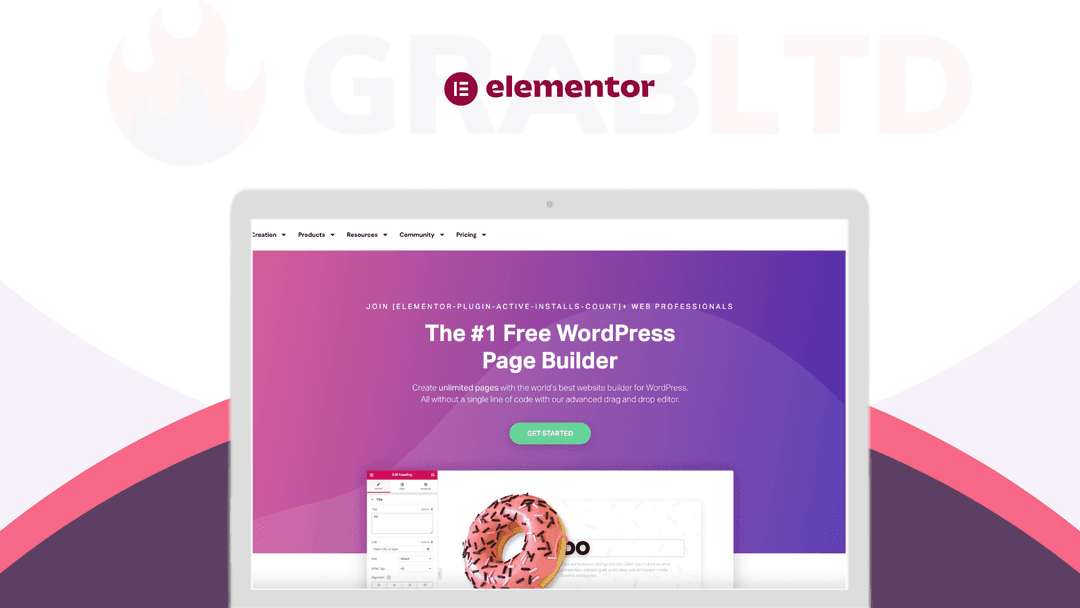
Elementor helps you build your content and website using simple drag and drop controls with a live visual preview.
Which Elementor plan do you need?
Prices in USD, excluding tax.
| ESSENTIAL PLAN | ADVANCED PLAN | EXPERT PLAN | AGENCY PLAN | |
|---|---|---|---|---|
| Includes | 1 Pro Website Activation; 100+ Basic & Pro Widgets; WooCommerce Store Builder; Form Builder; 300+ Basic & Pro Templates; Landing Page Builder; Marketing Tools; Theme Builder; Pop up Builder; Premium Support | 3 Pro Website Activation; 100+ Basic & Pro Widgets; WooCommerce Store Builder; Form Builder; 300+ Basic & Pro Templates; Landing Page Builder; Marketing Tools; Theme Builder; Pop up Builder; Premium Support | 25 Pro Website Activation; 100+ Basic & Pro Widgets; WooCommerce Store Builder; Form Builder; 300+ Basic & Pro Templates; Landing Page Builder; Marketing Tools; Theme Builder; Pop up Builder; Premium Support | 1000 Pro Website Activation; 100+ Basic & Pro Widgets; WooCommerce Store Builder; Form Builder; 300+ Basic & Pro Templates; Landing Page Builder; Marketing Tools; Theme Builder; Pop up Builder; Premium Support |
What is Elementor?
Elementor helps you add advanced styling, layout, and design elements to your WordPress content *without requiring you to know code*. In the new Elementor Pro version, you can even design your entire WordPress theme *also without needing to know any code*.
On a more specific note, Elementor is a visual drag and drop page builder plugin. There are two parts to that description, so let’s parse each:
- Visual means that when you design your content, you see exactly what your visitors will see. There’s never any confusion about how your page will look once you publish it. - Drag and drop means that you can move around various design elements – like buttons, forms, or images – just by dragging and dropping them. No code required!
The end result is a tool that helps you make your WordPress site look *the way you want it to* without the need to learn code.
There are a lot of WordPress page builders that offer a visual, drag-and-drop interface, though, so what makes Elementor stand out and why is it so successful?
Elementor features:
- Lots of content elements — these are the building blocks of your page. They’re what you “drag-and-drop” to make your design. - Responsive design — most people browse the web on smartphones, so it’s important that your designs look great on all devices. Elementor’s designs are responsive by default and you get lots of options to control how it works. - Templates — staring at a blank page is scary! Elementor comes with hundreds of professionally designed templates so that you don’t have to start from scratch. - Style options — you get tons of detailed style options to make your design pixel-perfect *without* resorting to custom CSS (though you can do that too). - Convenience — you get lots of handy tools like right-click support, a quick find tool, and more to help you build great-looking pages *faster*. - Theme Builder — with the Pro version, you can design your entire WordPress theme using Elementor - Dynamic content — you can include dynamic content from custom fields and plugins like ACF, Pods, and Toolset. - Popup Builder — with the Pro version, you can also design all types of popups using the same visual, drag-and-drop interface. - WooCommerce Builder — if you’re building an eCommerce store, you can design your WooCommerce store using Elementor and include products in your other designs.
Video review
We have not reviewed Elementor on video yet.
Get notifiedBuyer reviews
No reviews yet. Bought Elementor? Add it to your workspace and share what it replaced.
Add to your workspaceElementor questions
Is the Elementor annual deal on GrabLTD still available?
No. The Elementor annual deal listed here is archived. Elementor is an active product but it sells direct at elementor.com — this archived listing represents a past promotional price, not the current offer.
What is Elementor?
Elementor is a visual drag-and-drop page builder plugin for WordPress. It lets you design pages, posts, and your entire WordPress theme using a live editor without writing any code. It has over 17 million active installations, making it the most widely used WordPress page builder.
What is the difference between Elementor Free and Elementor Pro?
The free version includes core drag-and-drop editing, a library of basic widgets, and responsive design controls. Elementor Pro adds the Theme Builder (design headers, footers, archive pages), Popup Builder, WooCommerce Builder, Form Builder with integrations (Mailchimp, ActiveCampaign, etc.), dynamic content from custom fields, and motion effects.
How much does Elementor Pro cost now?
As of 2025/2026, Elementor Pro starts at $59/year for the Essential plan (1 site). The Advanced plan is $99/year, Expert is $199/year, and Agency (up to 1,000 sites) is $399/year. No lifetime deal is currently offered.
Does Elementor work with WooCommerce?
Yes. Elementor Pro includes a dedicated WooCommerce Builder that lets you design product pages, shop pages, cart, and checkout using the same drag-and-drop interface.
What are the main alternatives to Elementor?
Key alternatives include Divi (by Elegant Themes), Beaver Builder, Bricks Builder, and the native WordPress block editor (Gutenberg). Divi and Bricks in particular have strong followings among developers seeking more performance-focused builders.
Is Elementor still being actively developed?
Yes. Elementor remains actively developed with regular updates. It has introduced AI-powered features and continues to expand its template library and widget set.
Often compared with
These are other tools in the same space, not deals on GrabLTD.
- Divi Builder
- Beaver Builder
- Bricks Builder
- Gutenberg (WordPress block editor)
- Breakdance