Productivity · Lifetime deal
LightPDF
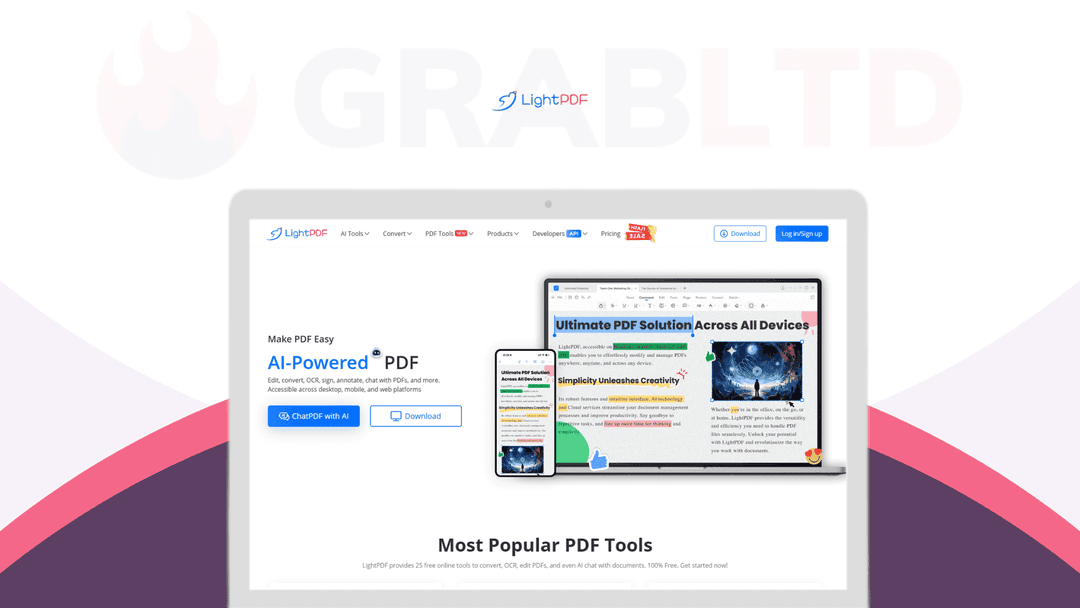
LightPDF is your all-in-one solution for managing PDFs with ease.
Which LightPDF plan do you need?
Prices in USD, excluding tax.
| Plan A | |
|---|---|
| Includes | Lifetime deal with extra 40000 credits; For Windows, iOS and Android; Multi-File Formats Supported: PDF, Word, Excel, PowerPoint, JPG, PNG, URL, TXT, even scanned files etc.; Multi-Language Support: 20+ languages; Edit PDF; Convert PDF; Page management Forms; Merge; Compress; Protect; Print; Cloud & Share; Priority support |
What is LightPDF?
Looking for a cost-effective and efficient solution for managing multiple PDF documents?
Whether you're a student juggling schoolwork, a professional with deadlines, or simply someone looking to organize their digital life, LightPDF is here to make your life easier.
LightPDF is your all-in-one solution for managing PDFs with ease. Whether you're on the web, Windows, Android, or iOS, our advanced yet user-friendly software has you covered.
From editing to converting, securing to optimizing, and everything in between, LightPDF simplifies even the most complex of tasks.
Our comprehensive suite of PDF tools includes features such as form creation, batch processing, and cloud synchronization, making your workflow seamless and efficient. With our secured cloud-based platform, your documents are always safe and accessible across all your devices.
Perfect for individuals and businesses alike, LightPDF offers an affordable and effective solution for all your PDF needs. And with our AI tools including Chat with PDF Files, AI Summarizer, AI Analysis, PDF Translation, and Convert PDF to Mindmap, taking your document management to the next level has never been easier.
Manage your PDFs like a pro with LightPDF!
Make PDF Easy
LightPDF provides 25 free online tools to convert, OCR, edit PDFs, and even Al chat with documents. 100% Free.
Edit PDF
- Add, modify, or delete text, images, links, and shapes - Customize text properties, including font, size, style, and color - Replace or extract images and edit backgrounds, headers, footers, and watermarks - Manage pages by inserting, rotating, deleting, extracting, replacing, or splitting them.
Convert Files
- Convert PDFs to and from Word, Excel, PPT, TXT, PNG, JPG, Long Image, and PDF/A - Support batch conversion to handle multiple files efficiently - Maintain formatting and quality during conversions.
Secure & OCR
- Perform OCR to extract text from scanned images and PDFs in 20+ languages - Convert scanned documents into editable/searchable formats - Redact sensitive information and secure files with password protection
E-Sign
- Add digital signatures for document security and legality - Manage handwritten, image-based, typed, or digital signatures - Apply signatures to multiple pages with one click.
Annotate
- Highlight, underline, strikethrough, comment, and more - Add shapes like arrows, circles, and rectangles for markups - Customize colors and thickness for annotations
Forms
- Create and fill in forms directly within PDFs - Add fields like text boxes, checkboxes, and combo boxes - Import/export form data with ease and customize field appearances
Organize PDF
- Merge, split, extract, insert, replace, and crop PDF pages - Compress PDFs to optimize file size without losing quality
AI Tools
- ChatPDF: Engage interactively with PDF, Word, Excel, PPT, TXT, Epub, URLs, and scans to extract insights and locate key information - Al Summarizer: Summarize multiple files simultaneously, providing concise overviews without manual effort - AI Analysis: Perform in-depth analysis across various file types to uncover patterns, understand data, and make decisions - PDF Translation: Translate documents into 20+ languages while preserving layout and ensuring accuracy - AI Create Mindmaps: Automatically transform PDFs into mind maps for easy visualization and organization of complex ideas.
Video review
We have not reviewed LightPDF on video yet.
Get notifiedBuyer reviews
No reviews yet. Bought LightPDF? Add it to your workspace and share what it replaced.
Add to your workspaceLightPDF questions
Is the LightPDF lifetime deal still available?
No. The LightPDF lifetime deal that was offered on Dealify has expired and is no longer available for purchase. LightPDF now sells monthly and annual subscriptions directly at lightpdf.com/pricing. There is also a free tier with limited features.
What can LightPDF do with PDF files?
LightPDF covers the full PDF workflow: edit text and images, convert PDFs to and from Word, Excel, PPT, PNG and more, OCR scanned documents in 20+ languages, add digital signatures, annotate with highlights and comments, merge or split pages, and compress files.
Does LightPDF include AI features?
Yes. The paid plan includes ChatPDF (chat with documents), AI Summarizer, AI Analysis, PDF Translation into 20+ languages, AI Mind Map generator, AI Watermark Remover, and an AI PDF Generator. AI features consume credits which are bundled with paid plans.
What platforms does LightPDF support?
LightPDF works on Web, Windows, Mac, iOS, and Android. One premium account covers all five platforms simultaneously — files sync via the cloud so you can switch devices mid-task.
How does OCR work in LightPDF?
Upload a scanned image or PDF and LightPDF will extract searchable, editable text in over 20 languages. The result can be saved as a searchable PDF or exported to Word, making archival and editing of paper documents straightforward.
Does LightPDF have an affiliate program?
Yes. LightPDF runs an affiliate program accessible at lightpdf.com/affiliate. Commissions and terms are detailed on that page after registration.
What are the best alternatives to LightPDF?
Adobe Acrobat Pro is the industry standard. PDF Expert (Mac/iOS) is a strong lightweight option. Smallpdf and PDFelement are popular cross-platform choices with comparable feature sets.
Is LightPDF secure for sensitive documents?
LightPDF uses 256-bit SSL encryption in transit and at rest, auto-deletes files after processing, and holds ISO/IEC 27001, ISO/IEC 27701, and GDPR certifications. Enterprise and regulated-industry users should review their full privacy policy before uploading sensitive data.
Often compared with
These are other tools in the same space, not deals on GrabLTD.
- Adobe Acrobat Pro
- PDFelement
- Smallpdf
- PDF Expert
- Foxit PDF Editor