Email · Lifetime deal
Mailman
Prioritize Emails, Block Unimportant Ones, Set Delivery Slots, & More! This Gmail Plugin Minimizes Interruptions & Increases Your Productivity!
Which Mailman plan do you need?
Prices in USD, excluding tax.
| Lite plan | Standard Plan | |
|---|---|---|
| Includes | Snooze your inbox; Single inbox support; Activity logs; Custom delivery scheduling; Custom Do-Not-Disturb period; VIP lists; Unlimited reviewing | Snooze your inbox; Multiple inbox support; Activity logs; Custom delivery scheduling; Custom Do-Not-Disturb period; VIP lists; Unlimited reviewing |
What is Mailman?
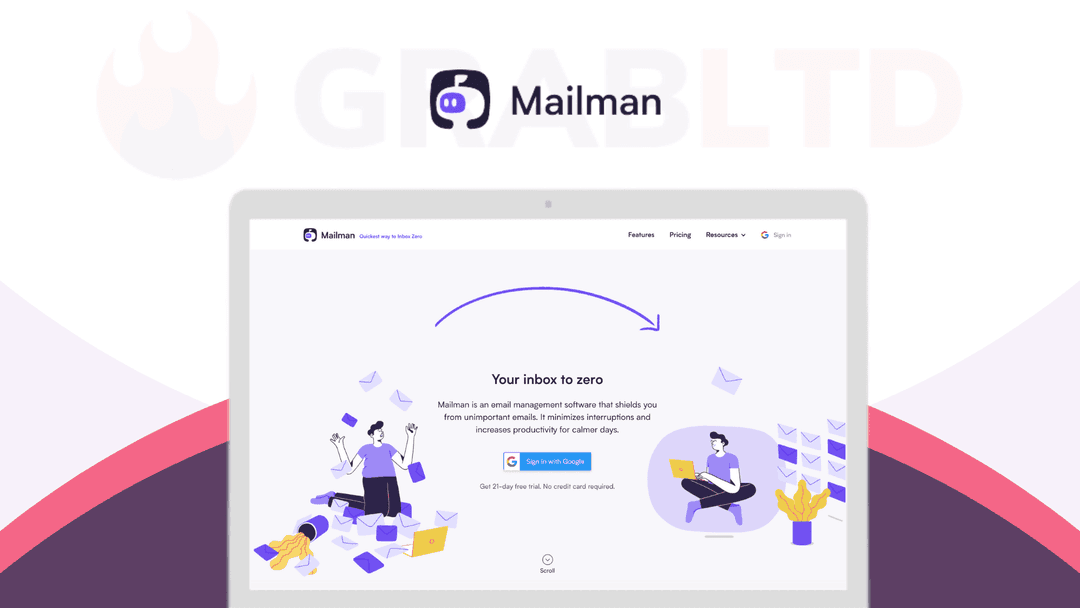
[Mailman](https://go.grabltd.com/mailman) protects you from your inbox — minimizing interruptions and making your days more productive.
Anybody with your email address can start sending you unsolicited emails. [Mailman](https://go.grabltd.com/mailman) allows you to control who can send you emails and when.
1. VIPs – Configure VIPs in your account so that their emails land in your inbox immediately.
2. Batch Delivery – All non-VIP emails are delivered to you in batches at your defined time slots. No more interruptions throughout the day.
3. Screener – Screen emails from the first-time senders. With Mailman, you’ll never see another unsolicited email in your inbox again.
4. Do-Not-Disturb – Set the times when no new emails should come in. The #1 feature to disconnect from work while working from home.
[Mailman](https://go.grabltd.com/mailman) is an email management software that shields you from unimportant emails. It lets you block any emails from senders you haven’t emailed with before, plus annoying newsletters, notifications, and other distractions.
You can add important senders, domains, or keywords to the VIP list, and they’ll bypass our filters to ensure that you immediately see the things you need to.
Instead of constantly getting new emails, Mailman can deliver them every few hours to let you focus. Set Mailman to deliver your email at hourly intervals, a set number of times per day, or at specific times.
Unlike email apps, Mailman plugs straight into Gmail, so you don’t need to switch email apps and risk losing features you depend on. It minimizes interruptions and increases productivity for calmer days.
- Do Not Disturb Mode. Set up a Do Not Disturb time to hold back all of your email during that window - Delivery Slots. Set Mailman to manage emails & deliver them at hourly intervals, a set number of times per day, or at specific times - Block Unimportant Emails. Block any emails from senders you haven’t emailed with before, plus annoying newsletters, notifications, & other distractions - VIP List. Add important senders, domains, or keywords to the VIP list - Easy Plugin. Use it with your favorite email client; Gmail, Apple Mail, Spark, Mailbird, Polymail, or Superhuman
*Reviews*
- #5 Product of the Day on *[Product Hunt](https://www.producthunt.com/posts/mailman-2)* - TechCrunch: *“Mailman’s new Gmail assistant aims to tame your inbox”* - The American Reporter: *“The beauty of this app is that it has a very unique and tailored set of features that all users have been asking for unlike any other app that’s available in the market. It truly reduces the distractions that are presented by emails. It enables its users to make better use of their email software by achieving inbox zero.”*
Get a lifetime deal to Mailman now!
Video review
We have not reviewed Mailman on video yet.
Get notifiedBuyer reviews
No reviews yet. Bought Mailman? Add it to your workspace and share what it replaced.
Add to your workspaceMailman questions
Is this deal still available?
No. The Mailman lifetime deal for $69.99 has expired and is no longer available for purchase. This is an archived deal kept for reference. Mailman itself continues to operate as a subscription service at mailmanhq.com, starting at $10/month (or $8/month billed annually).
What does Mailman do?
Mailman is a Gmail plugin that lets you control when and which emails land in your inbox. It works by sitting between Gmail's servers and your inbox, holding back messages until your chosen delivery window. Core features include scheduled Delivery Slots, Do Not Disturb mode, a VIP list that bypasses all filters, and a Screener that blocks first-time senders and sends you a daily digest to review them.
Which email clients does Mailman work with?
Mailman requires a Gmail or Google Workspace account at its core, but it surfaces mail in any client connected to that account — Gmail in the browser, Apple Mail, Spark, Mailbird, Polymail, and Superhuman are all supported.
How do Delivery Slots work?
You configure specific times of day (or a set number of times per day) when Mailman releases held email to your inbox all at once. Between those windows, new mail is queued invisibly so it cannot interrupt your focus.
What is the Do Not Disturb mode?
Do Not Disturb lets you define time blocks — evenings, weekends, or any custom window — during which all incoming email is held back completely. Mail resumes delivery automatically when the DND period ends.
What is the VIP list?
The VIP list lets you whitelist specific senders, domains, or subject keywords so those messages always bypass Mailman's filters and arrive in your inbox immediately, regardless of any DND or delivery-slot settings.
Is Mailman still actively maintained?
Yes. As of mid-2026 Mailman operates as a live subscription SaaS at mailmanhq.com. The company moved away from lifetime deals and now charges $10/month or $8/month on an annual plan.
Are there ongoing subscription alternatives if I want similar features today?
Yes. SaneBox ($7/month) is the closest subscription alternative offering AI-powered inbox triage, trainable folders, Do Not Disturb, and broad email client support. Clean Email and Mailstrom are other solid options.
Often compared with
These are other tools in the same space, not deals on GrabLTD.
- SaneBox
- Clean Email
- Mailstrom
- Spark
- Hey Email