Design · Lifetime deal
Mass Watermark
Post Processing Workflow Made Easy with Intelligent Watermark Placement, Image Resizing & Optimization, EXIF Info Addition, and More!
Which Mass Watermark plan do you need?
Prices in USD, excluding tax.
| PC | MAC | |
|---|---|---|
| Includes | Exclusions or restrictions:; Free Minor upgrades; User has provision to deactivate the key in case of system change or upgrade using the deactivate option, so that the same key can be used again for lifetime; In cases like system crash where key deactivation cannot be done, the reissue of key is limited to 5 times (5 system crashes) and is only possible within a time span of 3 years; Max number of devices: 1; Version: 2 | Exclusions or restrictions:; Free Minor upgrades; User has provision to deactivate the key in case of system change or upgrade using the deactivate option, so that the same key can be used again for lifetime; In cases like system crash where key deactivation cannot be done, the reissue of key is limited to 5 times (5 system crashes) and is only possible within a time span of 3 years; Max number of devices: 1; Version: 1 |
What is Mass Watermark?
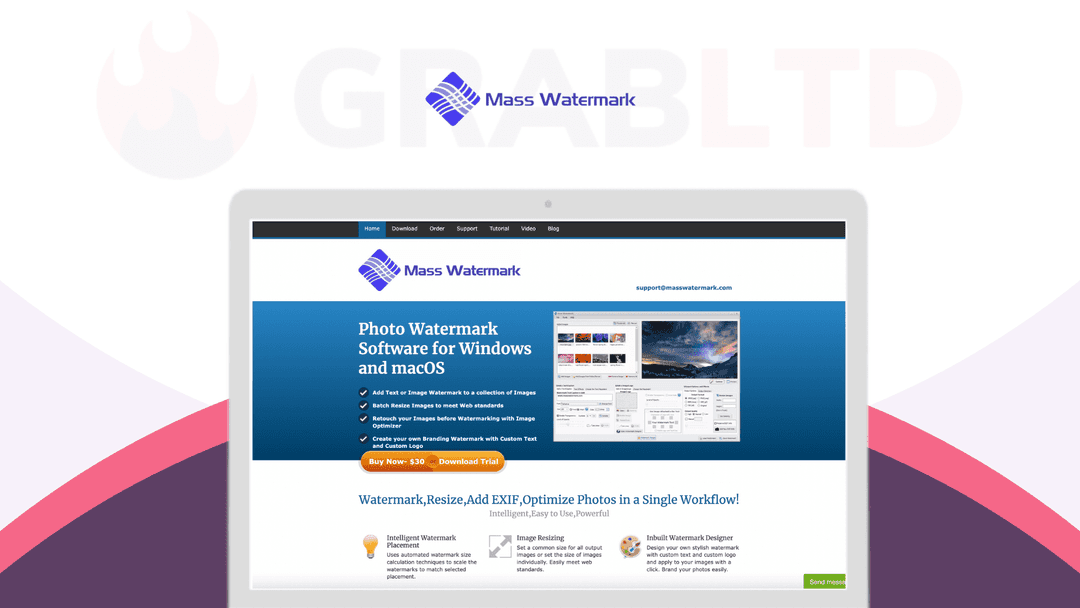
Mass Watermark is designed to make your post-processing workflow easy and efficient. The powerful and easy-to-use user interface allows you to quickly watermark hundreds of photos with minimal effort. Watermarking, resizing, adding EXIF, optimizing, uploading to Picasa/Flickr, and more are integrated into a single workflow. You can even brand your photos easily with the inbuilt watermark designer and QR code watermark generator.
- Intelligent watermark placement. Uses automated watermark size calculation techniques to scale the watermarks to match selected placement - Image resizing. Set a common size for all output images or set the size of images individually - Inbuilt watermark designer. Design your own stylish watermark with custom text & custom logo and apply to your images with a click
Image optimization
- Improve the quality of your photos before they are watermarked by using various image optimization effects provided - The effects can be applied to your images individually before watermarking - Add EXIF info. Optionally add EXIF Information like copyright, comments, author etc to all watermarked Images
Crop/rotate/resize
- Crop out the desired portion from an image & use it as the watermark - Resize & rotate images
Direct upload to Google Photos
- Directly upload watermarked images to your Google Photos web album after watermarking - Add photos to existing albums or create new album - Direct upload to Flickr. Upload images directly to your Flickr Galleries after watermarking with few clicks
QR code watermark
- Generate & add your QR Code as a watermark - The QR Code can contain your name, your business name or your website URL - User will be redirected to your website when they scan the QR Code watermark using their mobile phone - Intuitive & powerful UI. Simple, straightforward, & easy to use interface
Softpedia:*"Add one or more images, create various watermark templates, add text and logos in a few easy and quick steps with adjustable output quality."*
The Photo Brigade:*"It’s an intuitive, easy to use program that’s great when you need to mark multiple images. It also allows you multiple options for text placement, effects, and transparency."*
Video review
We have not reviewed Mass Watermark on video yet.
Get notifiedBuyer reviews
No reviews yet. Bought Mass Watermark? Add it to your workspace and share what it replaced.
Add to your workspaceMass Watermark questions
Is the Mass Watermark lifetime deal still available?
No. The lifetime deal sold through StackSocial has expired. Mass Watermark may still be available directly from the developer's website, but the discounted lifetime deal pricing is gone.
What is Mass Watermark?
Mass Watermark is a desktop application for Windows and macOS that lets you batch watermark, resize, optimize, and process hundreds of photos at once using text, logo, or QR code watermarks.
What types of watermarks can I add with Mass Watermark?
You can add text watermarks, image/logo watermarks, QR codes containing your website or business info, and choose overlay or tiled patterns for stronger protection across the image.
Does Mass Watermark support batch processing?
Yes, batch processing is the core feature. You can watermark hundreds of images in a single workflow, including automatic watermark size scaling based on placement rules.
What other image processing features does it include?
Beyond watermarking, Mass Watermark can resize images, add EXIF metadata, optimize file sizes, and (in older versions) upload directly to photo-sharing platforms.
What operating systems does Mass Watermark support?
Mass Watermark runs on Windows 7, 8, 10, and 11, as well as macOS from version 10.10 (Yosemite) up through macOS 13 (Ventura).
What are the best alternatives to Mass Watermark?
Watermarkly (web-based), Visual Watermark, and uMark are popular alternatives for batch watermarking. Adobe Photoshop and Lightroom also support batch watermark workflows for professional photographers.
Often compared with
These are other tools in the same space, not deals on GrabLTD.
- Visual Watermark
- Watermarkly
- uMark
- Lightroom (batch export with watermark)
- iWatermark+