

Sales & CRM · Lifetime deal
OptimusDesk
Your customers, quotes, appointments and daily work—connected in one workspace.
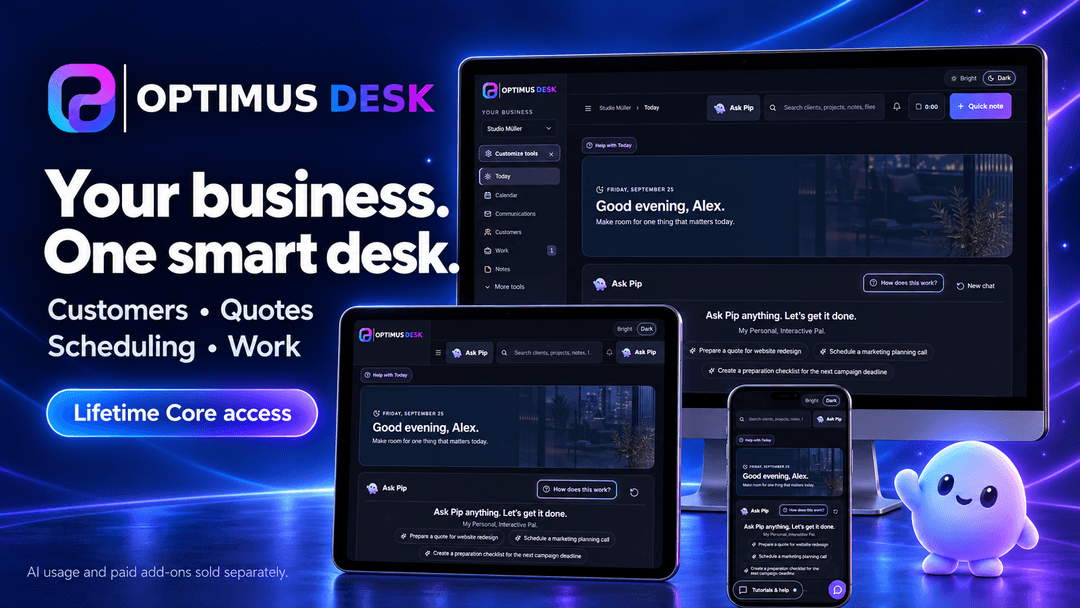
OptimusDesk at a glance
- Platform
- Web, iOS, Android
- Note
- Lifetime Core access for one business workspace, within your purchased tier’s user and storage limits. The workspace owner counts toward the total user allowance.
- Redeem
- Each code is single-use and must be activated on an eligible workspace without an existing paid Core or lifetime license. Codes cannot be stacked to increase users, workspaces or storage.
- Upgrades
- Higher tiers and paid add-ons are not automatically included with this purchase.
- Support
- Product support is available at support@optimusdesk.app.
- Product support
- Email support / Helpdesk / Chat
Which OptimusDesk plan do you need?
Prices in USD, excluding tax.
| Lifetime Core — Tier 1 | Lifetime Core — Tier 2 | Lifetime Core — Tier 3 | |
|---|---|---|---|
| One-time price | $39 | $59 | $89 |
| Core access | Lifetime | Lifetime | Lifetime |
| users Total users, including owner | 1 | 2 | 3 |
| Business workspaces | 1 | 1 | 1 |
| File storage | 1 GB | 2 GB | 3 GB |
| Customer management | Included | Included | Included |
| Projects, jobs and task boards | Included | Included | Included |
| Quotes, agreements and e-signatures | Included | Included | Included |
| Email and calendar features | Included | Included | Included |
| Notes and time tracking | Included | Included | Included |
| Product catalog and non-payment reports | Included | Included | Included |
| Monthly AI credit allowance | Not included | Not included | Not included |
| Invoicing and payment collection | Separate paid products | Separate paid products | Separate paid products |
| Social and Pip Nitro | Separate paid products | Separate paid products | Separate paid products |
| Product support | Email support / Helpdesk / Chat | Email support / Helpdesk / Chat | Email support / Helpdesk / Chat |
Before you buy: OptimusDesk's terms and extra costs
- Note. Lifetime Core access for one business workspace, within your purchased tier’s user and storage limits. The workspace owner counts toward the total user allowance.
- Redeem. Each code is single-use and must be activated on an eligible workspace without an existing paid Core or lifetime license. Codes cannot be stacked to increase users, workspaces or storage.
- Upgrades. Higher tiers and paid add-ons are not automatically included with this purchase.
- AI usage cost. No recurring subscription fee for the included Core access. Cashflow, Social, Pip Nitro and AI usage are separate. No monthly AI credit allowance or Founders credit bonus is included. Core can be used manually without purchasing AI credits.
- Platform. Access OptimusDesk through a web browser on desktop, tablet or phone.
- Support. Product support is available at support@optimusdesk.app.
What is OptimusDesk?
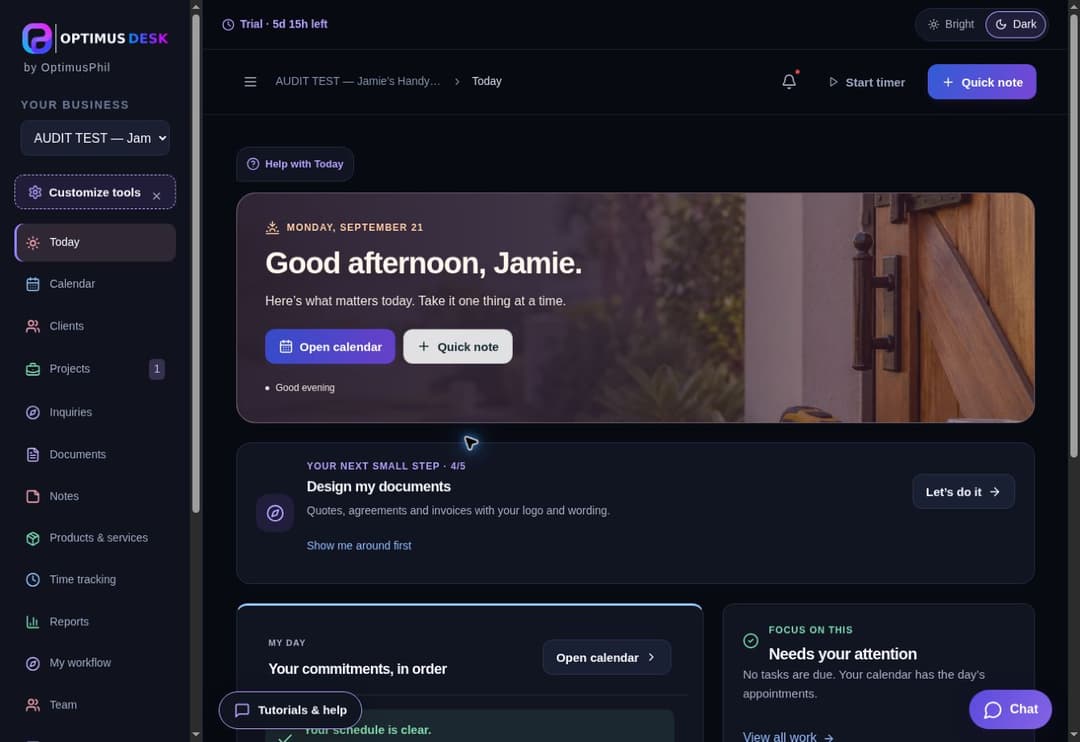
OptimusDesk is a business workspace for solo operators and small service teams. Manage customers, prepare quotes and agreements, collect electronic signatures, schedule appointments and organize projects and tasks. Keep notes, files and time records connected to your work, with a daily overview that helps you see what needs attention.
What OptimusDesk says it does
- Keep customer details and related work together.
- Prepare quotes and agreements without rebuilding each document.
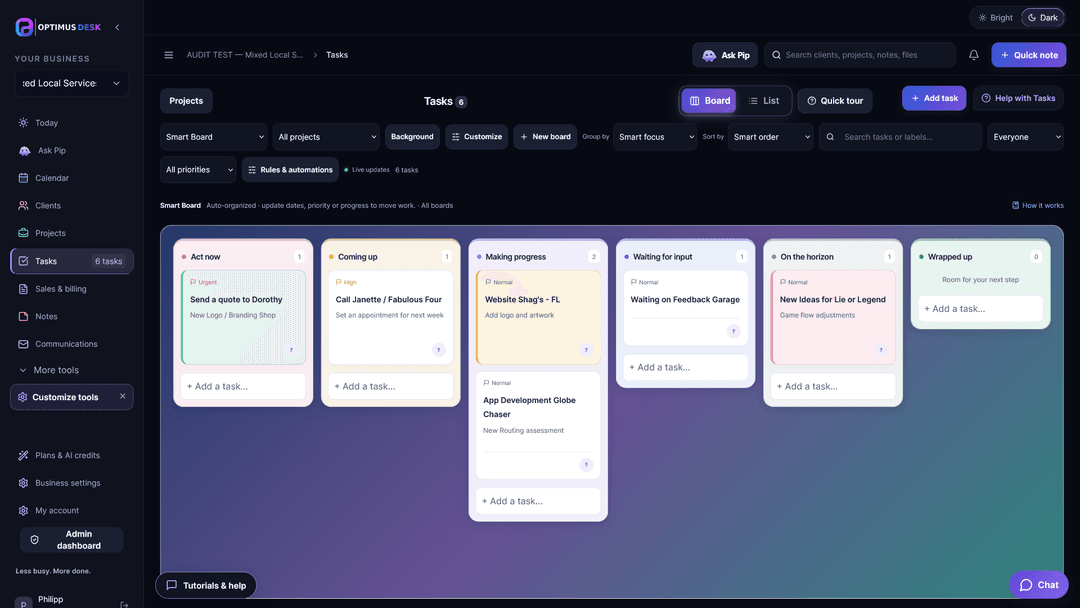
- Organize tasks visually and keep deadlines visible.
- See appointments, commitments and follow-ups in one workspace.
- Choose lifetime Core access for yourself or a small team.
- Modern kanban smart board, calendar and AI powered upgrades (optional)
Why OptimusDesk
Running a small business often means juggling customer details, emails, appointments and scattered to-do lists. OptimusDesk brings that information together so you can follow the work from the first inquiry through delivery, keep track of commitments and spend less time piecing everything together.
How does OptimusDesk work?
Set up your workspace
Add your business information and invite teammates within your plan’s user allowance.
Add your customers
Keep contact details, notes, files and related work together.
Prepare and plan the work
Create quotes and agreements, schedule appointments and organize projects and tasks.
Manage your day
Check your daily overview, update progress and capture notes and time as you work.
Then it handles:
- Keeps customer details, notes, files and related work together.
- Tracks quotes, agreements and electronic signatures.
- Brings appointments, tasks and follow-ups into your daily overview.
- Organizes project progress, time records and completion notes.
Who is OptimusDesk for?
Built for
- Solo business owners managing customer work.
- Cleaning businesses, landscapers, handymen and local contractors.
- Consultants, freelancers, real estate agents and creative service providers.
- Small service teams needing shared customer and task information.
Not for
- Buyers seeking invoicing and payment collection within the Core deal; those require Cashflow.
- Buyers seeking unlimited users, unlimited storage or included monthly AI credits.
What is included in OptimusDesk?
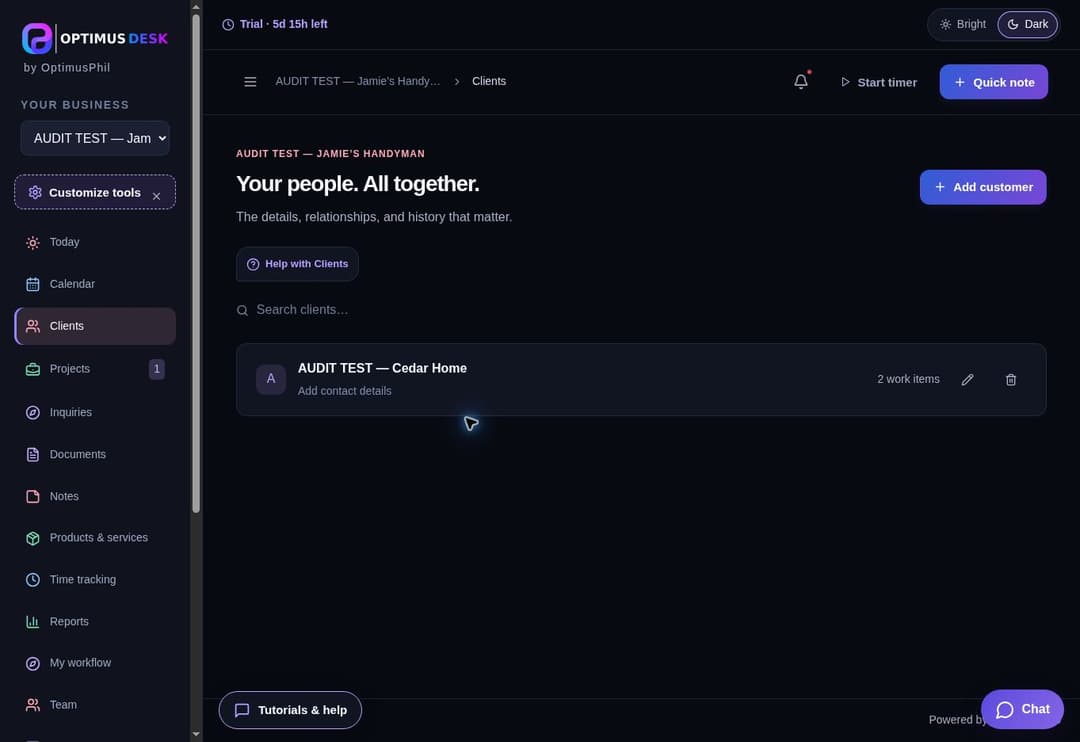
Customer management
- Customer records with contact information.
- Notes and files connected to customer work.
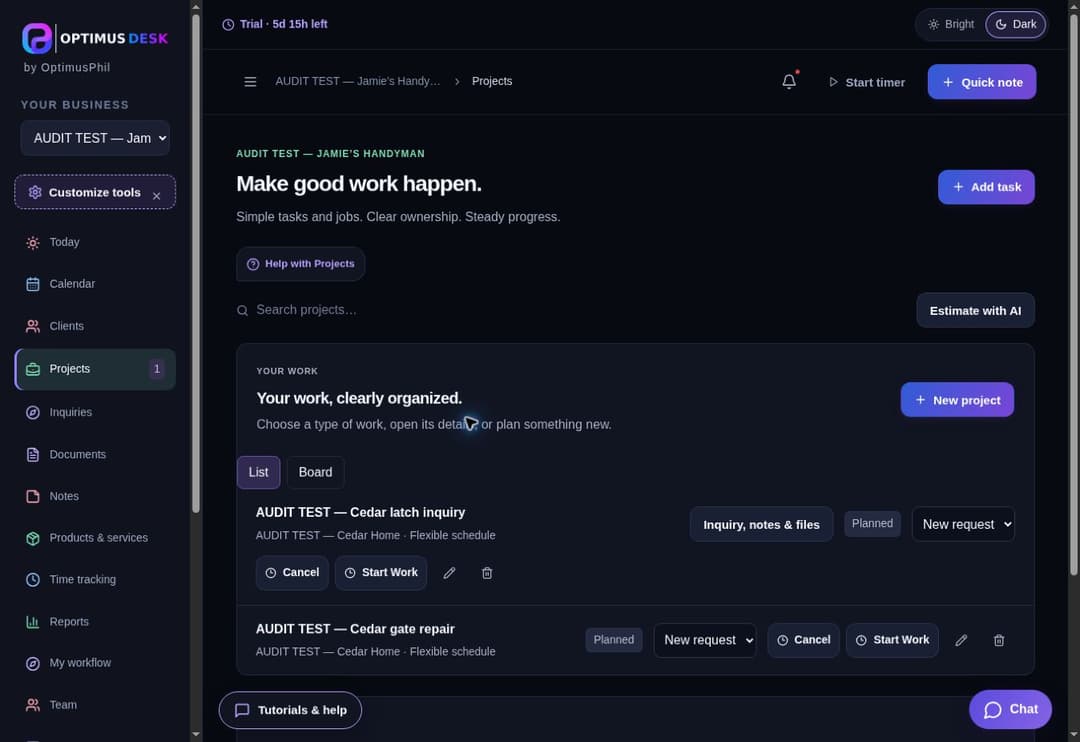
- Projects and jobs organized around each customer.
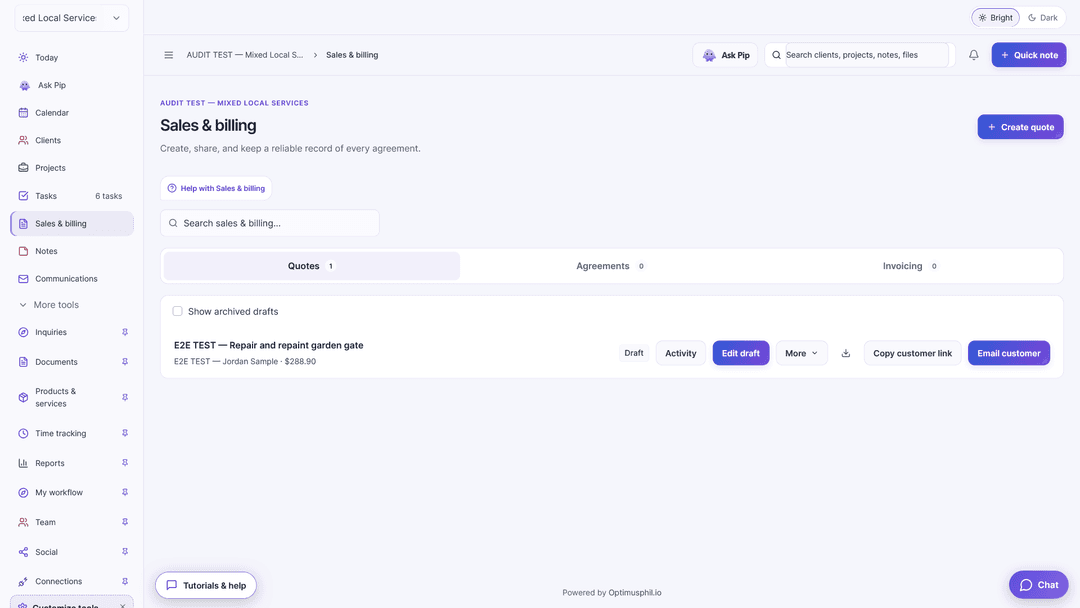
Quotes and agreements
- Create and manage quotes.
- Prepare agreements and collect electronic signatures.
- Connect approved work with projects and next steps.
Daily work and scheduling
- Smart task boards and list views.
- Calendar and appointment management.
- Daily overview of commitments and follow-ups.
- Notes and time tracking.
Connected workspace
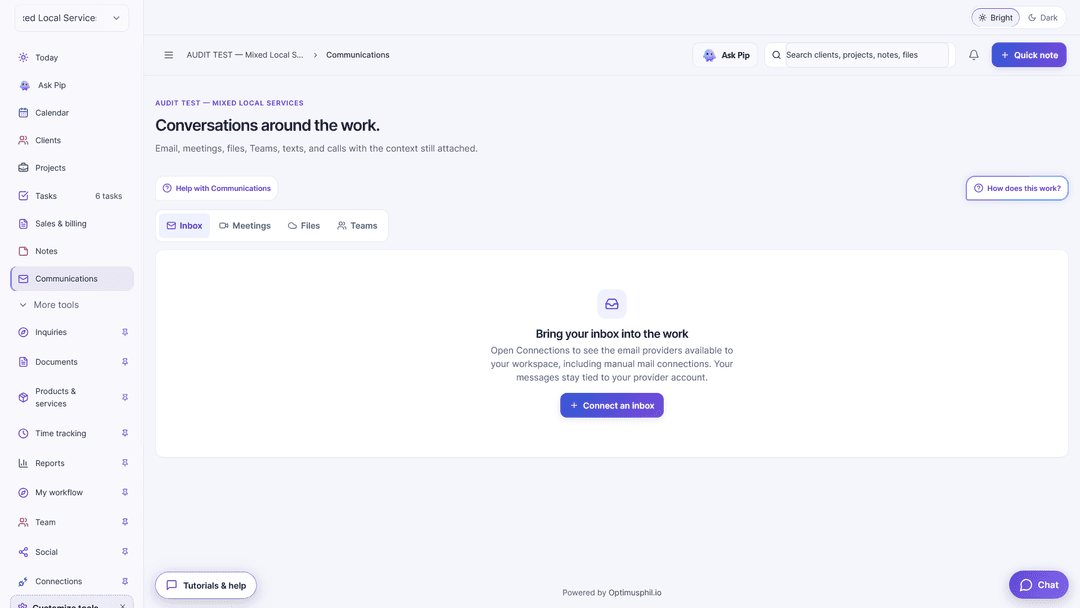
- Email features.
- Product and service catalog.
- File organization.
- Non-payment reporting.
Video review
We have not reviewed OptimusDesk on video yet.
Get notifiedBuyer reviews
No reviews yet. Bought OptimusDesk? Add it to your workspace and share what it replaced.
Add to your workspaceOptimusDesk questions
Can I use OptimusDesk without AI?
Yes. Core features work manually. Pip provides optional assistance with drafts, checklists and planning; AI usage is separate.
Are invoices and payments included?
Invoicing, payment collection and payment tracking require Cashflow, a separate paid add-on.
How do the tiers differ?
The tiers provide different user and storage allowances. Each includes one workspace and the same Core features.
Can my assistant or colleague join me?
Yes. Tier 2 covers two people including the owner, and Tier 3 covers three.
Can I combine multiple codes?
No. Codes cannot be stacked to increase users or storage. Choose the tier that fits your team.
How do I get support?
Email support@optimusdesk.app.
Often compared with
These are other tools in the same space, not deals on GrabLTD.
- Honeybook
- ClickUp
- HubSpot
- monday.com
- Zoho CRM
- Trello