Productivity · Lifetime deal
PDF Reader Pro
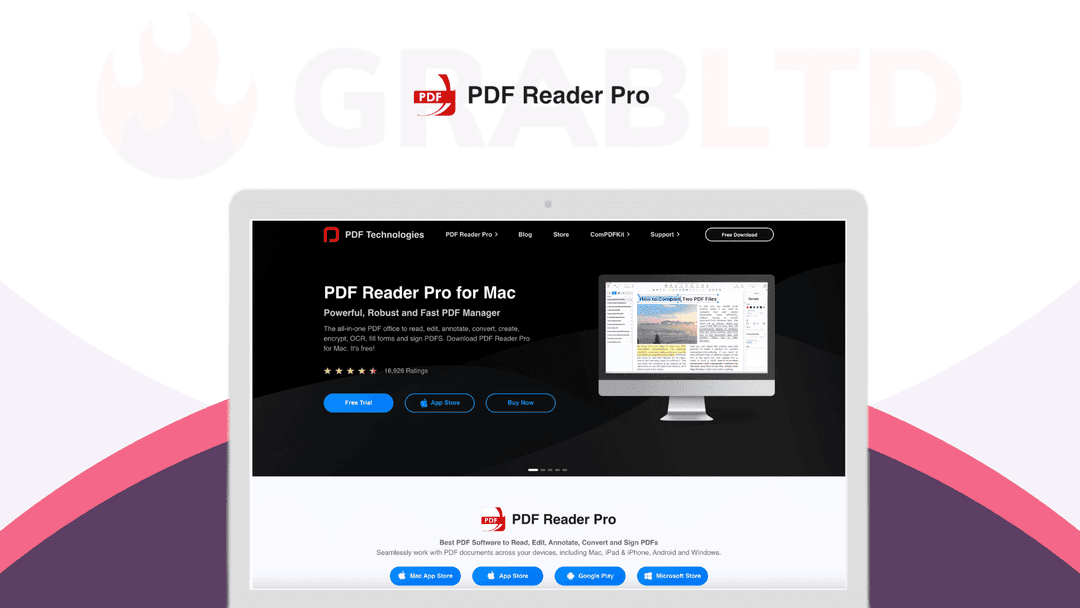
PDF Reader Pro is a powerful, robust & blazingly fast PDF management program with an impressive set of functionalities.
Which PDF Reader Pro plan do you need?
Prices in USD, excluding tax.
| Plan | |
|---|---|
| Includes | Read; Annotate; Edit Pages; OCR; Convert; Fill Forms; Premium 24/7 Support; Lifetime Updates and Support FREE |
What is PDF Reader Pro?
PDF Reader Pro creates an advanced reading experience with bookmark and search functions, as well as a night mode that’s easier on your eyes. You can Insert, add, and replace images and texts in your PDFs and even use markup tools to highlight, strikeout, underline, and more right on the PDF.
PDF Reader Pro is a PDF powerhouse that will fulfill all your document needs. Building on solid features such as Annotation, Edit, Form filling, OCR, Convert, Create, Sign, Bookmark and protect your PDF files, PDF Reader Pro allows you to maneuver through your PDF files.
PDF Reader Pro is a powerful, robust & blazingly fast PDF management program with an impressive set of functionalities.
PDF Reader PRO comes with the Night Mode feature, adjusting the brightness of the screen to ensure an enjoyable reading experience even in a dark environment.
Carry just your PDFs and make your presentations with them under the Presentation Mode. Make your work effortless and more productive now with lighter PDFs!
Read
- Reading Modes – Multi-tab viewing, full-screen, page-fit, horizontal or vertical orientation, auto-scroll. - Presentation – Slideshow Mode to present your PDF as PPT. - Night Mode – Night mode supported for a long time reading to comfort eyes. - Easy Navigation – Create, Edit and Search outlines to easily navigate through the whole file. - Bookmark – specific pages or sections of PDFs.
Annotate
- Classic Tools – Annotate and mark up PDF with tools to highlight, underline, strikethrough, freehand, text box, anchored note, rectangle, circle, shape and etc. - Continuous Annotations – Add comments continuously. - Sign – Create multiple signatures for any situations with trackpad, keyboard or images. - Stamps – Customize your PDF with custom, image, and dynamic stamps. - Link – Add hyperlinks to redirect other destinations, and edit your links as you like. - Table – A table consists of rows and columns of cells. You can add header and footer rows when you create the table.
Fill Forms
- Create & Edit Forms – Create fillable PDF Forms from interactive field objects, such as buttons, checkboxes, radio buttons, list boxes, and drop-down lists. - Fill out any PDF forms – Work with static PDF forms created in Adobe Acrobat.
Pdf Converter Pro
- Export from PDF to Microsoft Word (.docx), PowerPoint (.pptx), Excel (.xlsx), RTF, Text, HTML, Image, CSV, and more Offline. - Convert to PDF from images imported from Scanner and TXT files.
Page Editor
- Merge & Split – Split documents into multiple documents or combine multiple pages into a new single, searchable PDF. - Extract – Extract the desired pages to create a new PDF. - Append – Insert another file (entire files or specific page ranges) into the existing file. - Rotate, delete, replace, and crop pages.
Pdfs Editing
- Watermark – Add fantastic watermarks to keep your documents safe and professional. - Header & Footer – Label each page of your PDF document with fully customized page numbers. Change anything desired: font type, size, color and position in the bundle. - Bates number – Identify and retrieve information from your legal documents. Add a unique prefix or suffix which can be a set number, case number, firm name or date. - Background – Change the background (color or image) of the PDFs to comfort your eyes after long-time reading. - Flatten – Flatten PDF to make the contents static. - Booklet – Booklet puts the side of your pages by side re-sorted for booklet printing, no matter what printer you have. - Poster – Poster divide large PDF page(s) into multiple smaller pages. - Multiple – You can print more than one page of a PDF on a single sheet of paper.
OCR
- Convert scanned PDF files or pictures into editable and searchable PDFs or TXT files. 50+ languages supported! - OCR helps extract texts from scanned PDF forms or images.
Secure Files
- You can also password-protect sensitive documents and authorization to edit, copy, modify or print PDFs.
Compress
- Reduce PDF size to make your documents much lighter.
Listen (Text-to-Speech)
- Ever feel tired of reading large files? Try Text-to-Speech (TTS) and let PDF Reader Pro Edition read the doc to you with 40+ different languages.
Share
- Upload files to Dropbox, iCloud Drive with one click.
Video review
We have not reviewed PDF Reader Pro on video yet.
Get notifiedBuyer reviews
No reviews yet. Bought PDF Reader Pro? Add it to your workspace and share what it replaced.
Add to your workspacePDF Reader Pro questions
Is the PDF Reader Pro lifetime deal still available?
No. The PDF Reader Pro lifetime deal listed here is archived and is no longer available through this page. PDF Reader Pro continues to be available on its own website and through the Mac App Store, primarily on subscription terms.
What platforms does PDF Reader Pro support?
PDF Reader Pro runs on macOS, Windows, and Android. The lifetime deals sold via StackSocial were platform-specific — separate licences existed for Mac and Windows.
What are the core capabilities of PDF Reader Pro?
PDF Reader Pro covers reading, annotation, form creation and filling, OCR (50+ languages), page editing (merge, split, extract, rotate), PDF conversion to Word/Excel/PPT/HTML/CSV, redaction, watermarks, Bates numbering, and password protection.
Does PDF Reader Pro include OCR?
Yes. The OCR engine supports 50+ languages and converts scanned PDF files and images into searchable, editable PDFs or text files. It can also extract text from scanned forms.
What presentation and reading modes are included?
PDF Reader Pro features a Slideshow/Presentation Mode for displaying PDFs like a PowerPoint, a Night Mode for eye-friendly reading in low light, auto-scroll, multi-tab viewing, and customisable zoom and page orientation.
How does PDF Reader Pro compare to Adobe Acrobat?
Users report that PDF Reader Pro handles the majority of tasks they previously relied on Adobe Acrobat for, at a significantly lower cost. Adobe Acrobat Pro runs around $19.99/month; the PDF Reader Pro lifetime deal was priced at around $24.97.
Does it include text-to-speech?
Yes. PDF Reader Pro includes a Text-to-Speech (TTS) feature supporting 40+ languages, so the app can read documents aloud — useful for accessibility or listening while multitasking.
What are the best alternatives for ongoing PDF management?
Adobe Acrobat Pro is the industry standard. PDFelement by Wondershare is a solid cross-platform alternative with a one-time purchase option. UPDF adds AI-powered PDF analysis. For basic annotation on Mac, Preview is free.
Often compared with
These are other tools in the same space, not deals on GrabLTD.
- Adobe Acrobat Pro
- PDFelement
- UPDF
- Nitro PDF Pro
- Foxit PDF Editor