Email · Lifetime deal
SecureMyEmail
Gmail, Outlook, Microsoft 365, & More — Send and Receive Encrypted Personal or Business Emails To and From Anyone!
Which SecureMyEmail plan do you need?
Prices in USD, excluding tax.
| Plan A | |
|---|---|
| Includes | SecureMyEmail for Windows and Mac; 5 Personal or Work Email Addresses; Set self-destruct times for additional security; Mac, Windows, iOS, & Android is included |
What is SecureMyEmail?
We all love email. Easy, efficient, and ubiquitous – we trust it with so much. Too much, in fact. Email was never designed for the security and privacy needs of today’s internet. It’s commonly hacked, easily tapped, and major providers scan and read your email as a normal course of business. This leaves your personal and business data badly exposed. Sadly, email security solutions have always been complicated, expensive, or both.
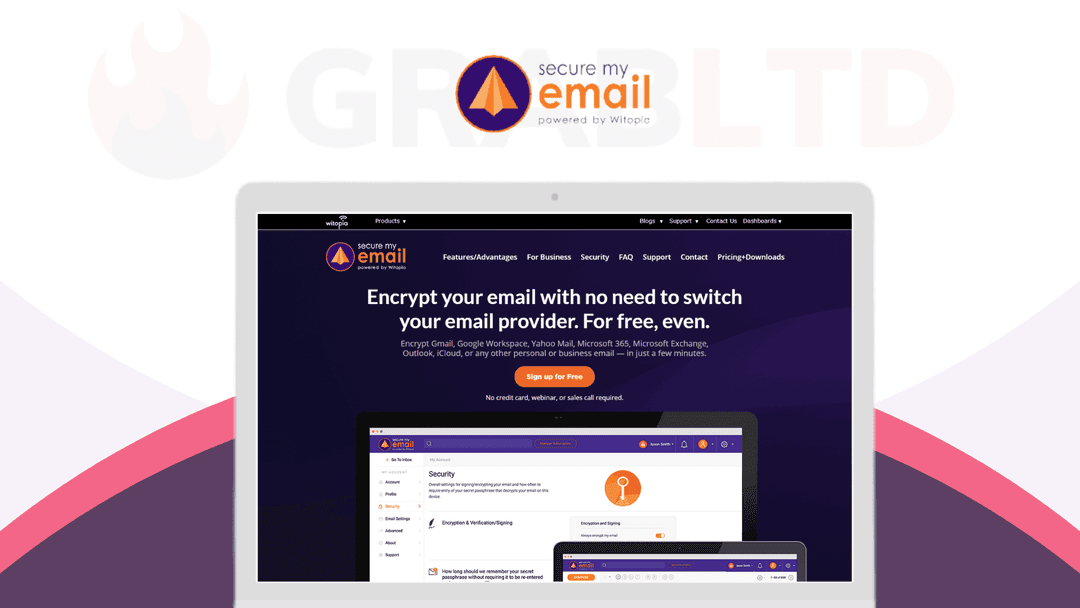
SecureMyEmail by Witopia – Modern end-to-end encryption for your Gmail, G Suite, Yahoo Mail, Microsoft 365, Exchange, or most any other personal or business email — in just a few minutes.
Witopia fixes it with SecureMyEmail. This app provides end-to-end encryption (and other modern security features such as self-destructing messages) for ANY IMAP-enabled email addresses, including major providers such as Gmail, G Suite, Yahoo, and Microsoft. You can send and receive encrypted emails and files to and from anyone with a valid email address. They don’t have to be a SecureMyEmail customer.
With your privacy and security in mind, SecureMyEmail uses true end-to-end asymmetrical encryption; this means that your email is encrypted before it leaves your device. No one, not even your email provider, ISP, hacker, or Witopia, can ever access your emails or attachments.
- Setting up encrypted email for your Gmail, Yahoo Mail, Outlook, Exchange, Office 365, Hotmail & more is automated - True “zero-knowledge” end-to-end encryption; only you can access your emails & files - Digitally “sign” your emails to verify them & prevent spear-phishing and other email impersonation fraud - Email with non-users will still be encrypted end-to-end and you can even set self-destruct times for additional security - Native software for Mac, Windows, iOS, & Android is included - Every individual SecureMyEmail account includes use for up to five (5) personal or work email addresses at no additional cost
ProPrivacy: *“The service is true to its word, being incredibly easy to use and offering a seamless setup process.”*
Get lifetime access to SecureMyEmail now!
Video review
We have not reviewed SecureMyEmail on video yet.
Get notifiedBuyer reviews
No reviews yet. Bought SecureMyEmail? Add it to your workspace and share what it replaced.
Add to your workspaceSecureMyEmail questions
Is the SecureMyEmail lifetime deal still available?
No. This deal has expired and is archived. SecureMyEmail by Witopia is still an active product, but it now sells on monthly ($3.99/month), annual ($29.99/year), or its own one-time pricing — not through this deal page.
What is SecureMyEmail and how does it work?
SecureMyEmail by Witopia adds true end-to-end encryption to your existing email accounts — Gmail, Outlook, Yahoo, Microsoft 365, Exchange, and any IMAP provider. Messages are encrypted on your device before they leave, so not even your email provider, ISP, or Witopia can read them.
Do my recipients need to have SecureMyEmail installed to read encrypted messages?
No. You can send encrypted emails to anyone with a valid email address. Recipients without a SecureMyEmail account can still access the message securely. You can also set self-destruct timers on messages for added security.
How many email addresses does one account cover?
Each individual SecureMyEmail account covers up to five personal or work email addresses at no extra cost.
What platforms does SecureMyEmail support?
Native apps are available for Mac, Windows, iOS, and Android. The service works with Gmail, Outlook, Exchange, Office 365, Yahoo, Hotmail, and most IMAP-enabled accounts.
Is there a free plan available?
Yes. Witopia offers a free tier limited to a single Gmail, Yahoo, or Microsoft email address with no other feature restrictions — useful for testing before committing to a paid plan.
What security standards does SecureMyEmail use?
SecureMyEmail uses asymmetric (public-key) end-to-end encryption in a zero-knowledge model, meaning only you hold the keys. It also supports digital email signing to prevent spear-phishing and impersonation.
Often compared with
These are other tools in the same space, not deals on GrabLTD.
- Proton Mail
- Tuta (Tutanota)
- Hushmail
- StartMail