Productivity · Lifetime deal
TinyCommand
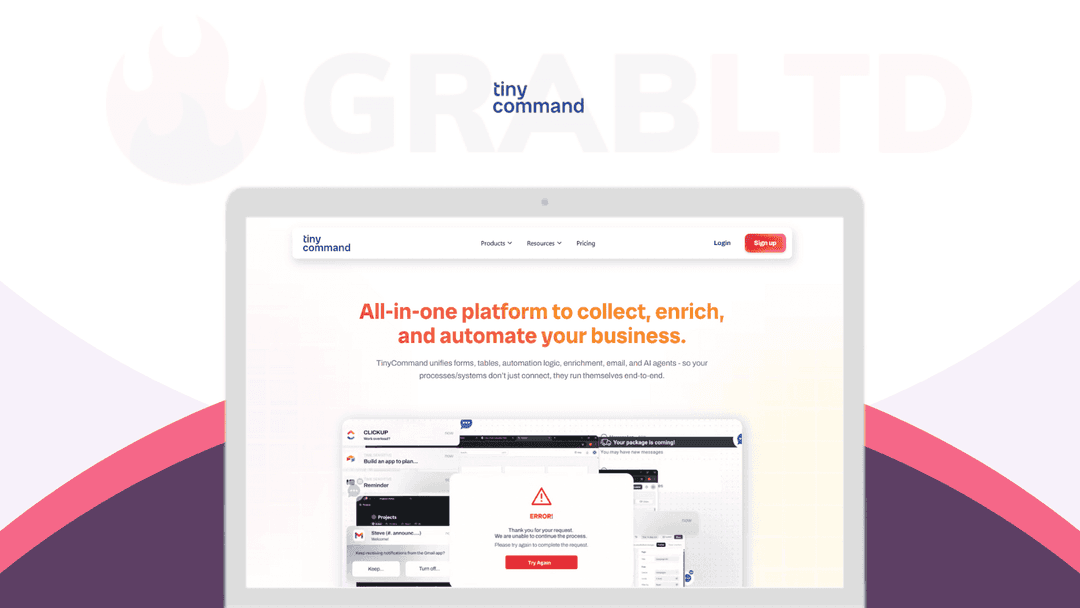
TinyCommand is the all-in-one workspace where your forms, workflows & data live together.
Which TinyCommand plan do you need?
Prices in USD, excluding tax.
| Plan A | Plan B | Plan C | |
|---|---|---|---|
| Includes | All features above included; 10K Workflow Executions/month; 1 Workspace; 3 Users; 15 Days Execution History; 5MB File Upload Size | All features above included; 50K Workflow Executions/month; 5 Workspaces; 3 Users; 30 Days Execution History; 10MB File Upload Size | All features above included; 250K Workflow Executions/month; Unlimited Workspaces; 20 Users; 90 Days Execution History; 25MB File Upload Size |
What is TinyCommand?
TinyCommand is the all-in-one workspace where your forms, workflows & data live together. Build a form, automate what happens next, & store everything seamlessly.
TinyCommand has 5 core modules that work together:
1. TinyForms: Turn every form into an action plus capture data, trigger workflows, and personalize experiences instantly.
API-powered and fully customizable: collect data, enrich it, and trigger actions seamlessly.
Real-time logic: Conditional questions that react instantly
Custom branding: Every pixel, exactly how you want it
Dynamic APIs: Connect APIs between questions for live validation
Workflow triggers: Automate tasks the moment forms are submitted
2. TinyTables: Store, enrich, and automate — all from one connected hub.
Live sync: Instantly updates across forms and workflows
Built-in enrichment: Auto-fill missing lead data using AI
Ideal customer discovery: Build your top prospect list with AI.
Native integrations: Works seamlessly with every TinyCommand tool
3. TinyWorkflows: Connect apps, add logic, and put your processes on autopilot.
Visual builder: Simple, powerful drag-and-drop canvas
Human in loop: Add approvals and checkpoints anywhere
AI assistance: Get smart workflow suggestions as you build
Multiple triggers: Start flows from TinyCommand, connected apps, or webhooks
4. TinyEmails: Send personalised messages that feel human, right from your workflows.
AI-crafted messages: Personalised emails written for you
Data-driven timing: Sends at the perfect time, every time
Fully customizable: Design and brand with zero code
Seamless integration: Works natively across your automations
5. TinyAgents: Add specialized agents to learn your process & work at scale so you never need prompting twice.
Prebuilt expertise: Ready-to-use agents for instant results
Customizable logic: Configure tasks your way
Plug & Play: Drop into any workflow in seconds
Always connected: Syncs with your data, forms, and emails
Why Choose TinyCommand?
- Faster time-to-value: Launch forms, automations, and data flows in one place. No lengthy setup or multi-tool orchestration required. - Better lead-to-revenue conversion: Instant routing, AI qualification, and CRM updates shrink the gap between “lead captured” and “lead closed.” - Lower total cost of ownership: Replace multiple subscriptions and maintenance overhead with one unified stack. - Cleaner, more reliable data: A native data layer means fewer duplicates, consistent fields, and easier reporting without manual patchwork. Along with enrichment, - Scales with your processes: Start simple, add complexity as you grow without re-platforming or gluing together new tools. - Gives non-technical teams superpowers: Marketers and agencies can build and iterate automations without waiting on engineering sprints - Easier experimentation: Spin up new flows, adjust logic, and test ideas quickly then keep what works, kill what doesn’t.
Who Needs TinyCommand?
TinyCommand can be used by the following along with their use-cases.
1) Sales Teams
- Lead capture to CRM: Form fills auto‑qualify, route to the right rep, and create deals. - Speed to lead: Send a tailored first email and Slack alert in seconds. - Outbound at scale: Pull a lead list, enrich, and generate personalized messages. - Demo requests: Score interest, assign owner, send calendar link automatically. - Event leads: Scan or import lists and sync to CRM with instant follow‑up.
2) Startups and Small Business Owners
- Contact and quote forms: Send replies, create tasks, and track status. - Bookings and appointments: Collect details, confirm by email, and add to calendar. - Simple CRM: Store customers in tables and track notes and next steps. - Invoices and forms: Collect info and trigger invoice or payment workflows with your tools. - Website leads: Route to email or Slack and log everything for later.
3) Marketing Agencies
- Client intake: Collect goals, budget, and assets, then kick off project tasks. - Lead routing for clients: Capture leads and push to the client CRM with alerts. - Reporting updates: Pull campaign data and send clean weekly summaries. - Content pipeline: Brief intake, assign tasks, track approvals, and publish. - Feedback loops: Send NPS or review requests and flag clients who need attention.
4) Customer Support Teams
- Support intake: Ask the right questions and route tickets by topic or priority. - AI answers: Handle common questions and escalate only the tricky ones. - Status updates: Send automatic confirmations and resolution notes. - Returns and exchanges: Approvals, labels, and refunds triggered in one flow. - CSAT and NPS: Survey, flag unhappy users, and create follow‑up tasks.
5) HR Teams
- Job applications: Collect resumes, screen with forms, and auto‑email next steps. - Interview flow: Schedule interviews and notify panelists without back and forth. - Onboarding: Gather documents, assign tasks, and track completion. - PTO and approvals: Route requests to managers and update a shared calendar. - Policy acknowledgments: Send forms and record who signed and when.
6) Coaches and Trainers
- Discovery calls: Intake form scores fit and sends a booking link. - Program applications: Review responses and enroll accepted clients automatically. - Session reminders: Confirm times and send reminders by email or SMS. - Homework and progress: Collect submissions and track milestones in tables. - Group cohorts: Manage signups, send schedules, and share materials on time.
Get lifetime access to TinyCommand today!
Video review
We have not reviewed TinyCommand on video yet.
Get notifiedBuyer reviews
No reviews yet. Bought TinyCommand? Add it to your workspace and share what it replaced.
Add to your workspaceTinyCommand questions
Is the TinyCommand lifetime deal still available?
No. This deal through RocketHub has been archived and is no longer available for purchase here. TinyCommand is still an active product available on a subscription basis starting at $19/month, and a free plan is also offered at tinycommand.com.
What is TinyCommand?
TinyCommand is an all-in-one automation workspace combining five core modules: TinyForms (data capture with conditional logic), TinyTables (native database storage), TinyWorkflows (visual workflow automation), TinyEmails (personalised email sending), and TinyAgents (AI agents that learn and repeat your processes).
Who is TinyCommand built for?
It targets sales teams, marketing agencies, startups, HR teams, customer support teams, and coaches who want to replace multiple point tools (form builder, database, automation, email) with a single connected platform.
How does TinyCommand compare to tools like Zapier or Make?
Unlike Zapier or Make which focus only on connecting external apps, TinyCommand includes a native database and form builder alongside automation. This means data stays in one place without needing to route it through multiple external services.
What integrations does TinyCommand support?
TinyCommand integrates natively with Airtable, Google Workspace, HubSpot, Stripe, and WhatsApp, and connects to 200+ additional apps via its workflow engine.
What does TinyCommand cost now?
TinyCommand offers a free plan and paid plans starting at $19/month for the full platform. The RocketHub lifetime deal that appeared on GrabLTD is no longer active.
What are the best alternatives to TinyCommand?
Close alternatives include n8n (self-hosted automation with a database), Airtable (database + automations), and Typeform combined with Zapier. For all-in-one form + workflow tools, also consider Fillout or Jotform with Zapier.
Often compared with
These are other tools in the same space, not deals on GrabLTD.
- n8n
- Airtable
- Jotform
- Make (Integromat)
- Fillout