Productivity · Lifetime deal
VivoMeetings
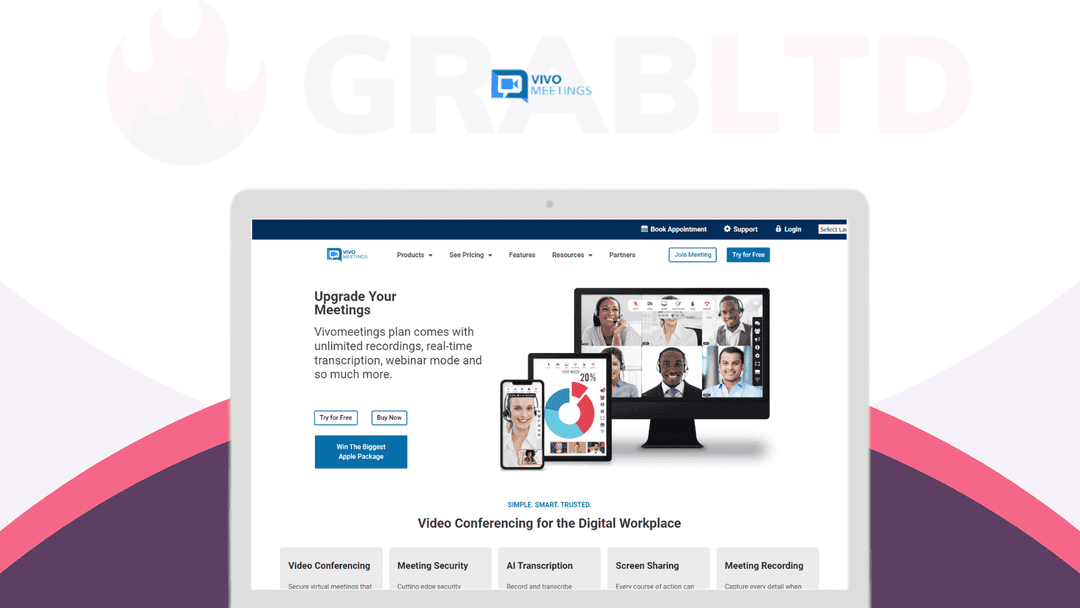
Cloud video conferencing with webinars, recording and live streaming.
VivoMeetings at a glance
- Platform
- Web, Mac, Windows, iOS, Android
- Note
- The DealMirror listing is marked Expired. Confirm it is still available before buying.
- Upgrades
- The page says you can stack up to 7 codes. Each license includes one host, so extra hosts need more licenses.
- Support
- Email and chat support on most plans.
Our take
Is VivoMeetings worth buying?
Based on the DealMirror listing, this is a tiered lifetime meeting platform sized from 12 up to 300 attendees, with one host per license. The page is marked Expired, so the deal may be gone. Confirm availability before buying.
Good fit if
- You want a one-time payment conferencing tool.
- You run webinars or live streams.
- You need meetings above the free limits of other tools.
Skip it if
- The deal is still marked expired.
- You need several hosts on one license.
- You need team chat or webinar registration today.
Which VivoMeetings plan do you need?
Prices in USD, excluding tax.
| Plan A | Plan B | Plan C | Plan D | |
|---|---|---|---|---|
| Attendees | Up to 12 | Up to 50 | Up to 100 | Up to 300 |
| Hosts | 1 | 1 | 1 | 1 |
| Codes stacked | 1 | 3 | 5 | 7 |
Before you buy: DealMirror's terms and extra costs
- Note. The DealMirror listing is marked Expired. Confirm it is still available before buying.
- Refund. 30-day money-back guarantee for regular buyers, 60 days for DealMirror Prime members.
- Upgrades. The page says you can stack up to 7 codes. Each license includes one host, so extra hosts need more licenses.
- Support. Email and chat support on most plans.
- Platform. Mac, Windows, iOS and Android. Participants can also join through Safari.
What is VivoMeetings?
VivoMeetings is a cloud video conferencing platform with screen sharing, recording, breakout rooms and webinar mode. Plans are sized by attendees, from 12 up to 300, and live streams can reach 10,000 viewers. The DealMirror listing now shows as expired, so this deal may no longer be available.
What VivoMeetings says it does
- Up to 300 video participants and 10,000 viewers per live stream (VivoMeetings's figure)
- AI transcription and AI meeting summaries (VivoMeetings's figure)
- One host per lifetime license
- Stack up to 7 codes
Why VivoMeetings
A lifetime meeting plan replaces a recurring conferencing bill. It covers the usual meeting tools plus webinar mode and streaming. The main catch is that each license includes a single host, and the listing is marked expired.
How does VivoMeetings work?
Redeem the code
Redeem your DealMirror code if the deal is still available.
Create the account
Set up a VivoMeetings host account.
Schedule a meeting
Invite attendees by link or SMS.
Meet and present
Share your screen, use the whiteboard and breakout rooms.
Record
Record the session and use AI transcription afterward.
Then it handles:
- Video and audio meetings
- Webinars and live streams
- Screen sharing and whiteboard
- Breakout rooms and polling
- Recording and AI transcription
- Custom branding
Who is VivoMeetings for?
Built for
- Small teams that want a one-time payment conferencing tool
- Trainers running webinars
- Organizers who need larger plans up to 300 attendees
Not for
- Anyone who needs a deal that is confirmed available, since the page is marked expired
- Teams needing several hosts on one license
- Users who need team messaging or webinar registration, which are roadmap items
What is included in VivoMeetings?
Meetings
- HD video and audio conferencing
- Screen sharing and annotation
- Breakout and waiting rooms
- Polling and online whiteboard
Events and recording
- Webinar mode
- Live streaming YouTube and RTMP
- Recording and AI transcription
- SMS meeting invites
Administration
- Custom branding
- Account administration
- Enhanced security options
Video review
We have not reviewed VivoMeetings on video yet.
Get notifiedBuyer reviews
No reviews yet. Bought VivoMeetings? Add it to your workspace and share what it replaced.
Add to your workspaceVivoMeetings questions
What is VivoMeetings?
A cloud video conferencing platform with screen sharing, recording, webinar mode and live streaming, available on Mac, Windows, iOS and Android.
Is the deal still available?
The DealMirror page marks it as Expired. Check availability before relying on it.
How many people can join?
It depends on the plan, from 12 attendees upward. The vendor says the platform supports up to 300 video participants and 10,000 viewers per live stream.
How many hosts do I get?
One host per lifetime license. More hosts need more licenses.
Can I stack codes?
The listing says up to 7 codes can be stacked.
What is the refund policy?
30 days for regular buyers and 60 days for DealMirror Prime members.
Often compared with
These are other tools in the same space, not deals on GrabLTD.
- Zoom
- GoTo Meeting
- Microsoft Teams
- Google Meet
- Webex
Sources
Checked . Prices and terms on this page come from: