Productivity · Lifetime deal
Webinar.gg
Browser-based webinars with one-link joining, polls, Q&A and unlimited attendees.
Webinar.gg at a glance
- Platform
- Web
- Note
- The AppSumo listing shows Sold out with a notify option.
- Upgrades
- You can upgrade while the deal is live and downgrade within 60 days of purchase.
- Support
- The founder is expected to respond within 24 hours. Documentation and FAQs are available.
Our take
Is Webinar.gg worth buying?
Based on the AppSumo listing, the deal is sold out. Our stored plan matches License Tier 1, which allows 4 webinars a month with unlimited attendees. The plan table and founder post disagree on webinar caps, and Tier 3 appears to be a listing error.
Good fit if
- You run a few webinars a month for large audiences.
- You want attendees to join with no install.
- You are a new user who qualifies for the deal.
Skip it if
- The deal is still sold out.
- You need more than the monthly webinar cap.
- You already have a Webinar.gg account.
Which Webinar.gg plan do you need?
Prices in USD, excluding tax.
| Lifetime deal | |
|---|---|
| Webinars per month | 4 |
| Attendees | Unlimited |
| Webinar duration | Unlimited |
Before you buy: AppSumo's terms and extra costs
- Note. The AppSumo listing shows Sold out with a notify option.
- Refund. Refunds are available for 60 days through AppSumo.
- Redeem. Activate within 60 days. For new users only, meaning no prior accounts, trials or paid plans.
- Upgrades. You can upgrade while the deal is live and downgrade within 60 days of purchase.
- Support. The founder is expected to respond within 24 hours. Documentation and FAQs are available.
- Platform. Web based. Attendees join from any modern browser.
What is Webinar.gg?
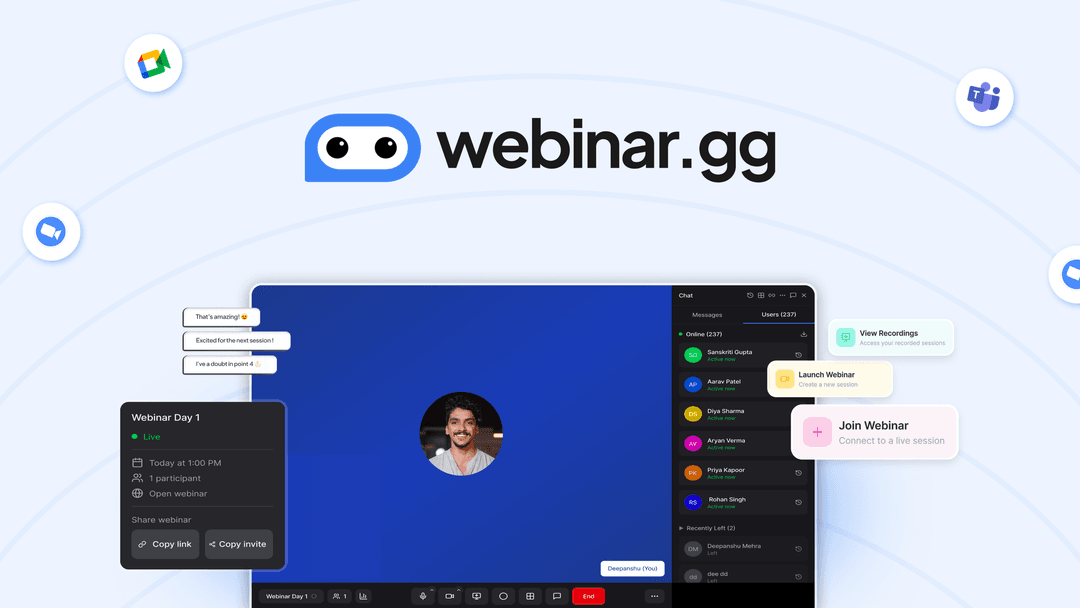
Webinar.gg runs live webinars in the browser, so attendees join from one link with nothing to install. Hosts get chat, Q&A, polls, moderation, access control, recording and analytics. The AppSumo plans cap webinars per month but list unlimited attendees and unlimited duration. The listing currently shows as sold out.
What Webinar.gg says it does
- Attendees join from any modern browser with a single link and no installs (Webinar.gg's figure)
- Unlimited attendees and unlimited webinar duration on the shown plans
- End-to-end encryption for webinar communications, per the FAQ (Webinar.gg's figure)
- Lifetime access including future plan updates
Why Webinar.gg
Webinar tools often charge per attendee and lose viewers at download screens. This one has no attendee cap on the listed plans and no install step. The catch is a monthly webinar cap, and the deal is sold out on AppSumo.
How does Webinar.gg work?
Activate the code
Activate your AppSumo code within 60 days of purchase.
Create a session
Schedule or start a webinar from the host dashboard.
Share the link
Send attendees a single join link.
Run the room
Moderate with mute, spotlight, chat, Q&A and polls.
Review results
Use recordings and one-click reports afterward.
Then it handles:
- Live browser-based webinars
- Q&A, polls and quizzes
- Moderating attendees
- Invite-only or passcode access
- Recording and scheduling
- Attendance and engagement reports
Who is Webinar.gg for?
Built for
- Hosts running regular webinars without per-attendee fees
- Teams who want attendees to join with no install
- Trainers needing polls and Q&A
Not for
- Hosts who need more webinars a month than their plan allows
- Existing account holders, since the deal is for new users only
- Buyers who cannot buy, since the deal is sold out
What is included in Webinar.gg?
Hosting
- HD low-latency streaming
- Scheduling and auto-recording
- Screen annotation
Engagement
- Live chat and Q&A
- Polls and quizzes
- Mute and spotlight
Access and reports
- Login, passcode or invite-only access
- Real-time attendee list
- Analytics dashboard one-click reports
Video review
We have not reviewed Webinar.gg on video yet.
Get notifiedBuyer reviews
No reviews yet. Bought Webinar.gg? Add it to your workspace and share what it replaced.
Add to your workspaceWebinar.gg questions
What is Webinar.gg?
A browser-based webinar platform where attendees join from a single link, with chat, Q&A, polls and recording.
Is the deal available?
The AppSumo page shows it as sold out, with a way to be notified if it returns.
How many webinars can I run?
Tier 1 lists 4 webinars a month and Tier 2 lists 10. The founder post says unlimited webinars, which conflicts with the plan table.
Is there an attendee limit?
The shown plans list unlimited attendees and unlimited duration.
Who can buy it?
New users only, with no prior accounts, trials or paid plans.
What is the refund policy?
Refunds are available for 60 days. Activate your code within 60 days.
Often compared with
These are other tools in the same space, not deals on GrabLTD.
- Zoom Webinars
- Demio
- Livestorm
- WebinarNinja
- BigMarker
Sources
Checked . Prices and terms on this page come from: