Cloud storage is one of the easiest bills to ignore. A few dollars a month for 2 TB feels trivial, until you add it up over three years and find you have paid more than a budget laptop costs. The question worth asking is simple: at what point does a one-time storage deal beat the monthly plan you already have?
This guide does the sums for Dropbox and Google One, then looks at three lifetime storage deals listed on GrabLTD. The prices come from the product pages and the public list prices of the monthly plans. Where a figure is uncertain, it is marked.
The monthly baseline
Dropbox Plus, with 2 TB for one person, lists at $9.99 a month on Dropbox's plans page (list price, October 2026). The page does not say whether that is the annual or the monthly rate, so if you pay month to month your bill may be higher. Google One's 2 TB plan has long listed at about $9.99 a month too, but Google's plans page varies by country, so treat that figure as approximate. Check the current price on the provider's own plans page before you decide.
Over 36 months, that gives you these totals:
| Plan | Monthly price | Cost over 36 months | Cost per TB over 36 months |
|---|---|---|---|
| Dropbox Plus, 2 TB | about $9.99 | about $360 | about $180 |
| Google One, 2 TB | about $9.99 | about $360 | about $180 |
Call it $360 for 2 TB over three years. A lifetime deal has to cost less than that to win on price within 36 months, or it needs a reason to exist beyond money.
Three lifetime deals and what they cost
Icedrive is the most mainstream of the three. It mounts as a virtual drive on your computer, so the files take no local disk space. The lifetime plans add zero-knowledge client-side encryption, which the free tier lacks. Personal costs $399 (regular $599) for 500 GB, and Personal+ costs $699 (regular $1,049) for 2 TB. Both include two devices with three sync pairs each, and 14 days of versioning up to 30 versions. The page lists web, Windows, Mac, Linux, iOS and Android, and a full 30-day money-back guarantee.
Here is the number that matters. At $699, Personal+ costs nearly twice 36 months of either monthly plan. It breaks even at about 70 months, close to six years. The lifetime case with Icedrive is therefore a five-to-six-year case. If you expect to change tools or drop the storage in two years, the subscription is cheaper. The page also warns that vendor prices can sit above the stored tier prices, so confirm the figure before you buy.
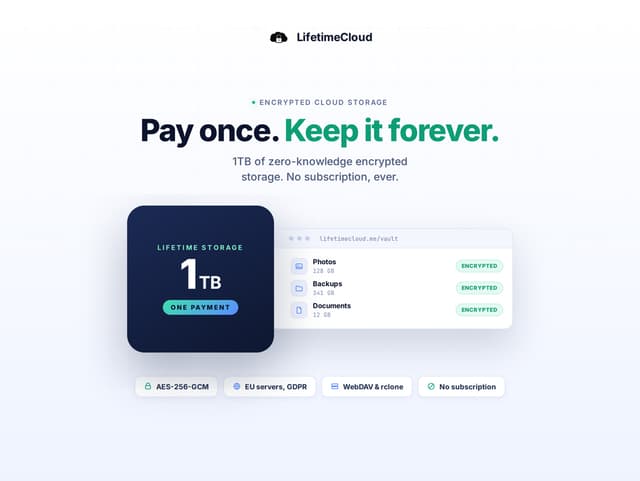
LifetimeCloud Secure Storage is the cheapest per terabyte, and the least like Dropbox. The 1 TB plan on the GrabLTD listing costs $39.99 (regular $199). The page also shows a 2 TB plan at $74.99 (regular $398). Files are encrypted in the browser with AES-256-GCM before they leave your device, and the servers are in Italy. It also includes one year of version history, a built-in file editor, sharing, and family sharing for up to five members. The limits you need to know are a 1.5 GB cap per file and no native desktop sync apps. It runs in a browser on desktop, Android or iOS.
At the $74.99 2 TB price, you pay the same as about seven and a half months of a $9.99 monthly 2 TB plan. That is a fast break-even if the service keeps working. The risk is the vendor. The deal is sold through StackSocial, and the page gives no vendor support details beyond StackSocial's contact pages. Refunds are store credit only, and only for licences you have not redeemed.
FileLu is built for people with large media libraries and for developers. The 1 TB Premium plan costs $149 (regular $350) on the GrabLTD listing. The page says there are no caps on file size, file count or download speed on that tier. It supports S3-compatible access with regional endpoints, plus WebDAV, rclone, rsync and FTP. The deal page also lists 2 TB at $249, 4 TB at $449 and 8 TB at $649, though it states the limits only for the 1 TB plan, so check the others before you buy. At $149, the 1 TB plan costs about 15 months of a $9.99 plan. The 2 TB option at $249 costs about 25 months.
What you give up
A lifetime plan does not come with the rest of the subscription. Dropbox and Google One both sit inside a larger set of tools: Google Docs and Sheets editing in the browser, the integrations with other apps, and sharing links that many people already know how to use. Icedrive lists Icedrive Docs as "coming soon", so there is no built-in document editing yet, and FileLu is storage and transfer rather than a shared document workspace. If your work depends on several people editing the same document, keep the subscription.
Your phone and laptop habits matter too. Icedrive's lifetime plans allow two devices with three sync pairs each, which is fine for a personal laptop and a phone but tight for a family or a studio. LifetimeCloud's lack of native desktop sync means every file moves through the browser, which is slow for a large folder you edit every day. FileLu lists automatic backup and sync, plus whole-folder downloads, so check that those features work the way you need inside the refund window.
The opinion here is simple. Pay for lifetime storage when the data is archival or private and you will still need it in five years. Keep the monthly plan when the files are active, shared or part of a workflow that depends on the app.
Keep at least two copies
Whatever you choose, never keep only one copy of anything important. A lifetime deal lowers the monthly cost, not the risk of a vendor disappearing, changing its terms or losing your account. Keep a second copy of your important folders somewhere else, such as an external drive you update once a month or a second cloud account you use only for backups.
The encryption on these services adds a second rule. With zero-knowledge encryption, the provider cannot recover your files for you if you lose the password or the key. Store your credentials in a password manager and test that you can log in from a fresh device before you move your archive over.
The vendor risk deserves its own thought. A monthly plan from a large provider is a bet on that provider's pricing. A lifetime plan is a bet on the vendor staying open for years, and the three deals here come from three different companies, two of them sold through deal marketplaces. Before you upload a large archive, download one folder back to your computer and check that it opens. Keep the download routine in your calendar, not in your memory.
How to decide
Start with the number of years you expect to keep the account. If you are sure you will use it for five years or more, the lifetime plans pay off, and LifetimeCloud's 2 TB price is the strongest on the page. If you might change tools within two years, stay on the monthly plan you already have.
Size matters as much as price. Take a family photo archive of 1.2 TB as an example. It does not fit on the 500 GB Icedrive plan, so you would need Icedrive Personal+, LifetimeCloud's 2 TB plan or FileLu's 2 TB plan on the vendor page. Those options cost $699, $74.99 and $249 respectively, which makes LifetimeCloud the cheapest fit on paper. It also has the 1.5 GB per-file limit, so check that your largest video files fit before you choose it. A cheap plan that rejects your biggest files is not cheap.
Then check what you use the storage for. Shared work, live documents and team folders belong with the subscription. Private archives, photos and media libraries are where a lifetime plan makes the most sense, and FileLu's protocol support is a real advantage for anyone who already uses rclone or S3.
If you are moving off Dropbox, the Dropbox to Icedrive switching guide walks through the plan choice and the move itself. Compare the lifetime options side by side on the product pages before you buy, and remember the refund window and the redeem window on each one. You can find the other live deals on the storage page.
Related product pages
- Icedrive: encrypted lifetime storage with a virtual drive, 500 GB or 2 TB.
- LifetimeCloud Secure Storage 1 TB: browser-based encrypted storage for a single payment.
- FileLu: lifetime cloud storage with S3, WebDAV and rclone access.