
Most design software is built for people who design every day. If you need a visual once a week, such as a banner for a menu, a social preview for a blog post or a larger copy of a photo, a monthly suite can feel like paying for a gym you visit twice a year. The lifetime tools below are for that kind of job.
Each one is listed on GrabLTD, and the facts come from the deal pages as checked on 1 October 2026. Where a page leaves out a limit, this guide says so. Browse the design deals on GrabLTD for more options in the same area.
Social preview images with OpenGraph
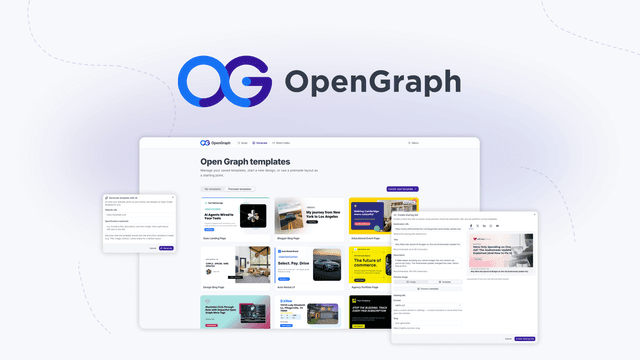
OpenGraph makes branded preview images for links, the pictures that appear when someone shares your page on social media or in a chat. You build a template once, on a 1200 by 630 canvas, then fill in variables for the title, image, price or call to action. The deal page says the AI can build a starting template from your site's colours, fonts and logo, and it lists a WordPress plugin.
This is a lifetime purchase, not a subscription. The Starter tier costs $59 one-time, excluding tax, and includes 500 OG images, 2 templates, 25 short links a month, 10 AI generations a month and one custom domain. The Growth tier at $159 and the Scale tier at $299 are more generous, but the page gives no numbers for them. Custom domains must be subdomains, and root domains are not supported.
For a small site, the 500-image allowance is the number to watch. A blog that publishes a few posts a month will use it slowly. A shop with thousands of product pages will not, and it should read the higher tiers before buying. Decide first which pages need their own image. The variable approach works best when every page shares one layout, so a site with three page types needs three templates, and each one counts toward your allowance. The deal is for new users only, and both the redeem window and the refund window are 60 days, through AppSumo.
Upscaling photos offline with Cerebrum Scale
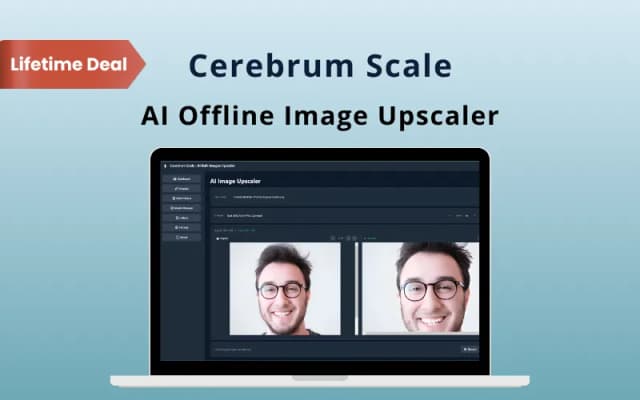
Cerebrum Scale is a Windows app that enlarges images by 2x or 4x using AI models running on your own computer. The deal page says the files never leave the machine and the app works offline. That matters if you handle client photos or product shots that you are not allowed to upload to web services.
It has three models, General, Anime and Photo, plus a batch queue for whole folders with pause and resume. A tile-based mode handles large files, and a before and after preview has zoom. It reads PNG, JPG, JPEG, BMP and WebP, and writes PNG, JPG and WebP.
The price is $11 one-time, and it covers 2 PCs with commercial use. The page states no usage limits, but it is a personal licence that needs Windows 10 or 11. It is not suited to Mac or Linux users, and it is not a retouching tool. Codes cannot be stacked, the offer is for new users only, and the coupon code is valid for 30 days after purchase. The deal page lists a 30-day refund.
The page says the app works fully offline, which also means it is only as fast as your graphics card. It lists no minimum GPU specification, so check your PC against the app's requirements before you buy, and ask the vendor if you are unsure.
The opinion here is that this is the easiest purchase in this guide to justify, provided you run Windows. A one-off enlargement is a poor reason to keep a monthly subscription, and a tool that keeps the file on your own machine is worth more than a fancier interface.
Storybooks and comics with IllustratorMagic
IllustratorMagic writes a story, draws the artwork and lays out the pages in one browser process. It is aimed at children's books, comics and colouring books. Characters stay the same from page to page, and you can personalise them, for example to look like a real child. Four art styles are offered: watercolour, 3D cartoon, clay animation and sketch. The export is a 300 DPI PDF with typography and drop caps.
The Pro Plan is $39.99 one-time, excluding tax. The deal page shows a regular price of $499. The limit is 1,000 books in total and 20 per month, with unlimited devices and updates. It runs in Chrome, Safari, Edge or Firefox and needs an internet connection.
The redeem window is 30 days, and the offer is for new users only. An unredeemed licence can be returned for store credit within 30 days of purchase. Once redeemed, the sale is final. Twenty books a month is plenty for a parent or a teacher. It is a tight ceiling for a self-publisher who wants to release a series in one month.
A team asset library with Crafttor
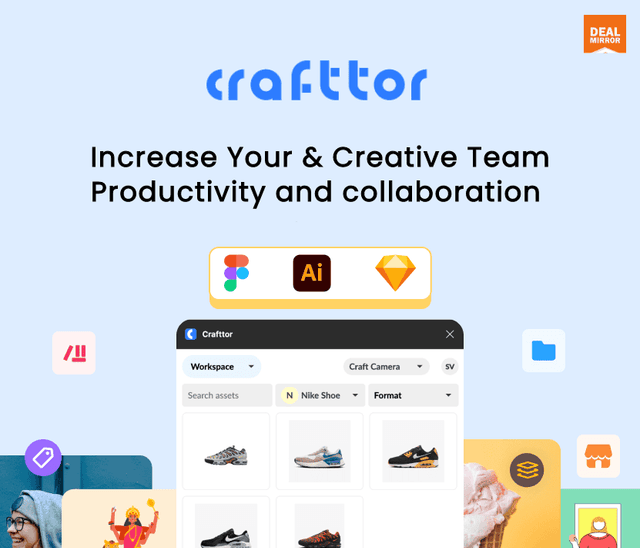
Crafttor is different from the other three. It is a shared library where a design team stores, tags and versions its assets, and its Figma and Illustrator plugins pull those assets straight into the design app. It is built for teams, not for a person designing alone, so if you work by yourself, skip this section.
The three tiers are $99, $199 and $299 one-time. Tier 1 includes 1 admin, 3 seats, 2 workspaces and 40 GB. Tier 2 has 2 admins, 5 seats, 3 workspaces and 100 GB. Tier 3 has 3 admins, 10 seats, 5 workspaces and 1 TB, and its version history runs to 60 days where the others run to 30. The Content Library is listed as coming soon, so do not buy for it yet.
Redeem within 60 days. The refund window is 30 days for regular DealMirror buyers and 60 days for Prime members, according to the deal page.
The opinion: if your team keeps losing the final logo file or argues about which version is current, the seat limit is the first thing to check. If there are only two of you, a shared library is hard to justify. A team of two usually solves the same problem with a shared folder and clear file names, at no cost.
A small workflow with two of these tools
Here is an illustrative sequence, a way the tools could fit together rather than a tested workflow. Say you run a cafe and need a menu banner, a social preview for the menu post, and a larger copy of a phone photo of a new dish.
Start by enlarging the photo with Cerebrum Scale on a Windows PC, using the Photo model at 2x. Keep the original file, and save the output in the format your banner printer asks for. Then open OpenGraph, build a template on the 1200 by 630 canvas, and point the image variable at the enlarged photo. The title variable takes the menu name, so the same template can serve the next menu too.
The banner itself is a job for a general layout tool. None of the four tools here does that job well, but the enlarged photo is ready for it.
Most people in this group do not need a full design suite. They need a repeatable visual for one job, and a lifetime price suits that kind of job well.
The thread through all four is the limit. Image counts, book counts, seat counts and device counts decide whether a lifetime price is a bargain, so read those figures before you pay.
Mind the order of operations with IllustratorMagic. Its unredeemed licence can go back for store credit within 30 days, and once you redeem it the sale is final, so read the limits before you redeem, not after.