HubSpot is very good software. That is exactly the problem.
It is good in the way a fully loaded enterprise platform is good: every object connects to every other object, the reporting is deep, and a 12-person revenue team can run their whole motion inside it. You are probably not a 12-person revenue team. You are one founder, maybe two, and you opened a HubSpot account because the free CRM looked generous and everyone said to start there.
The free tier really is generous. Then you try to send a real marketing email, or build an automation past a single step, or remove the HubSpot branding from a form, and you meet the wall. The jump from free to Marketing Hub Professional is one of the steepest price cliffs in SaaS, and it tends to arrive right when you have enough contacts to care. So here is the opinion this whole piece rests on: HubSpot is the right answer when ten or more people log in daily and lean on the shared pipeline. For a solo or two-person team it is overbuilt and overpriced, and the free tier's caps will bite you within about six months of taking it seriously.
The good news is that the work HubSpot does for a small team splits cleanly into three jobs, and each job has a lighter, cheaper home. You do not need one platform. You need a CRM you will actually open, a way to send email, and the glue that connects them.
What you are actually replacing
Strip the marketing language off HubSpot and a small founder uses maybe a quarter of it. You track deals and contacts. You send a newsletter and the occasional sequence. You want the form on your site to drop a new lead straight into the pipeline without you copy-pasting. That is the job.
Everything else in the platform, the attribution reporting, the custom objects, the playbooks, the conversation intelligence, is built for teams whose problem is coordination across many people. Your problem is the opposite. Your problem is that you are doing all of it yourself and an extra tab is an extra thing to forget. The cost math is worth saying out loud before we look at tools. A marketing platform at €30 a month is €1,080 over three years, and that is the cheap tier; the professional plans run several times higher. A lifetime tool bought once for under a hundred dollars wins that comparison before you have written a single email, as long as it does the job well enough.
That caveat matters. "Well enough" is doing a lot of work in that sentence, and it is where the honest comparison lives.
The CRM: pick the one you will open daily
HubSpot's CRM is the part people are most reluctant to leave, because the free version genuinely works and the UI is excellent. Match that UI and you give up nothing real.
Salescamp is the closest like-for-like for a founder under a hundred customers. Pipeline view, contact records, a shared team inbox so client email threads live next to the deal, and light reporting. It is not trying to be a revenue-operations suite, which is the point. You can see your deals, move them between stages, and not feel like you are flying a plane. If your sales motion is conversation-led and you want the inbox and the pipeline in one place, this is the swap.
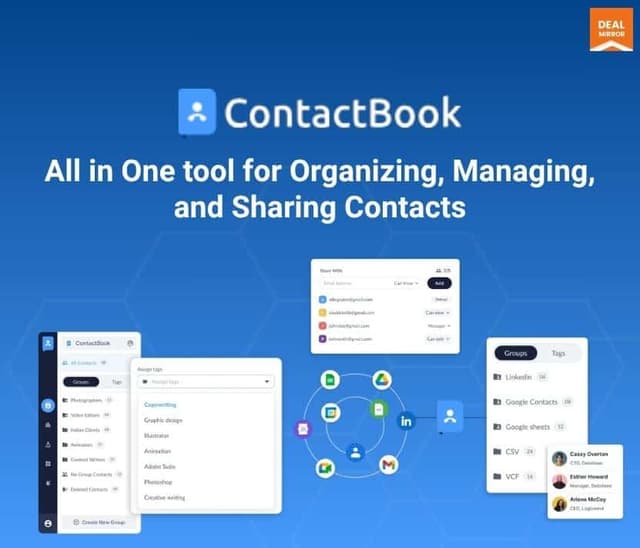
Where your need is more about holding and organising a growing contact list than running a sales pipeline, ContactBook sits in a different spot. It treats contacts as the centre of gravity, shared address books, tags, notes, follow-up reminders, rather than deals flowing down a funnel. A consultant or service business with a few hundred relationships to nurture often wants that shape more than a sales pipeline they will leave half-empty.
Neither tool will match HubSpot's reporting depth. You will not get multi-touch attribution or forecast dashboards. Ask yourself honestly whether you have ever opened those reports. Most founders under their first hundred customers never do, because the answer to "where are my deals" fits on one screen.
The email problem, and why it is separate now
Here is the part people get wrong when they leave HubSpot. They look for one tool that does CRM and email and automation, find that the all-in-one lifetime options are mediocre at all three, and conclude the migration is not worth it. The fix is to stop looking for one tool.
Email sending is its own discipline. Deliverability, list hygiene, and sending reputation are hard problems, and a tool that treats email as a bolt-on feature usually has worse inbox placement than one built around it. So for the newsletter and broadcast side, use a dedicated sender rather than whatever email feature ships inside your CRM. This is the one category where I would tell a founder to be picky about the tool's core focus, because a cheap all-in-one that lands your launch email in spam has cost you far more than it saved.
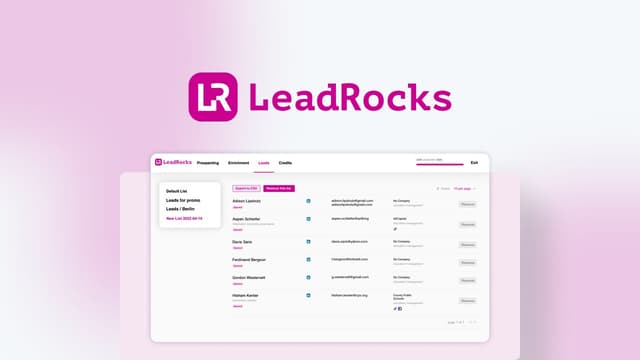
For finding and enriching the leads that feed all of this, LeadRocks covers the prospecting end that HubSpot bundles into its higher tiers. B2B contact lookup, enrichment, and list building, exported straight into your CRM. It is a narrow tool that does one job, which is exactly the trade you are making across this whole stack: several focused tools instead of one platform that does everything adequately.
Browse the rest of the sales and CRM lifetime deals and you will notice the pattern. None of them is HubSpot. Each of them is one slice of HubSpot done by people who only build that slice.
The glue: this is what makes the stack feel like one tool
A pile of separate tools is worse than HubSpot unless they talk to each other. This is the step founders skip, and it is the step that decides whether the swap feels clever or feels like a downgrade.
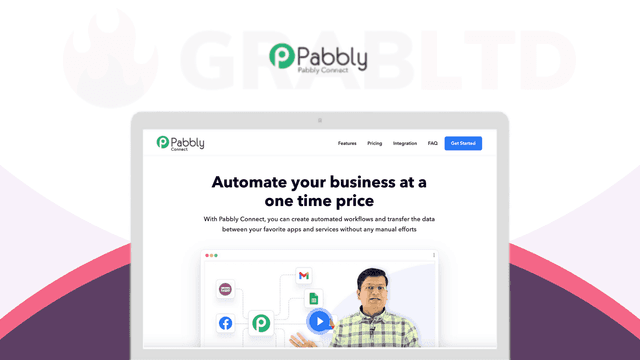
Pabbly Connect is the connective tissue. It is the lifetime answer to Zapier, and it is what turns four tools into one workflow. The automations you want are not exotic. A new form submission creates a contact in your CRM and tags it. A won deal adds the customer to your onboarding email sequence. A paid invoice posts a line to your team chat so you actually notice revenue. Each of these is a HubSpot workflow you would have paid Professional pricing to build; here they run in the background between tools you bought once.
Wire those up and the daily experience converges on what HubSpot gave you. A lead arrives, it lands in the pipeline, the right email goes out, and you did not touch a thing. The difference is the bill, and the fact that nothing forces an "enterprise sale" conversation when your contact count ticks past a threshold.
A worked example: the two-person consultancy
Make it concrete. Say you run a small consultancy with one partner, a few hundred contacts, and maybe twenty live deals at any time. On HubSpot you would outgrow the free tier the moment you wanted automated follow-ups and unbranded forms, which pushes you toward a paid Marketing Hub plan. Over three years that is a recurring four-figure line item before you count Sales Hub seats.
The replacement stack runs differently. Your pipeline and client threads sit in the CRM. Your monthly insight email goes out through a dedicated sender. A contact form on your site feeds Pabbly Connect, which creates the CRM record, tags it by service line, and starts a three-email nurture sequence. When a deal closes, another automation drops the client into an onboarding flow and pings your chat. You built all of that once, and it keeps running whether you are at your desk or on a call.
The contrast worth noticing is not the feature list. It is the renewal. The HubSpot version asks you for more money every year, and the amount climbs as your contact count grows, which is precisely the wrong incentive for a business trying to grow its list. The lifetime version asks once. Your growth costs you nothing extra on the tooling line, which is the whole reason a deal site like this one exists.
None of this means the stack is effortless. It means the effort is front-loaded into a weekend of setup instead of spread across a rising monthly invoice.
Where HubSpot still wins, and you should admit it
This is not a free win. Walk into it knowing what you give up.
You lose the single source of truth. When CRM, email, and automation live in three tools, a contact's full history is stitched together rather than sitting on one timeline, and debugging a broken automation means checking two apps instead of one. You lose HubSpot's onboarding polish and its enormous library of tutorials. And you lose the thing nobody advertises: the calm of one vendor, one login, one support queue. Running a stack means you are the integrator, and when something breaks at 11pm, that is your job.
For a team of ten that calm is worth thousands a year. For a founder watching every euro, it is not, because the hours you spend stitching tools together in year one are cheaper than the cash you do not have. That calculus flips as you grow. The honest version of this advice is that you may well end up on HubSpot eventually, once you have a real team and the price stops being the scary part. Buying lifetime tools now does not lock you out of that. It just means you are not paying enterprise rent during the years you can least afford it.
Start with the CRM you will open every morning. Add a real email sender for the list. Run Pabbly Connect between them so the whole thing behaves like one system. That stack costs you a few hundred dollars once and covers what a small founder actually does, which is roughly a quarter of what HubSpot is built to do and exactly the quarter you need.