Most people find their software bill by accident. A card statement shows a charge nobody remembers, or a renewal email lands the week before the money leaves the account. A subscription audit fixes that in about 45 minutes. You need a spreadsheet, three months of card and bank statements, and an hour when nobody will interrupt you.
The aim is not to cut everything. It is to make each recurring charge a decision you made on purpose.
A rough timetable keeps the audit from sprawling. Give the search of statements and inboxes about 15 minutes, the table about 10, the five questions about 10, and the decisions about 10. If you run out of time, stop at the decisions and finish the rest next week. A half-finished table is still better than none.
Find every subscription
Start with the places where money moves. Go through the last three months of card and bank statements and note every merchant that charges more than once. Then check the places where charges hide: the App Store and Google Play subscription pages, your PayPal history if you use it, and the billing section inside each tool you log into.
Search your inbox too. Words such as "receipt", "renewal", "your subscription" and "invoice" surface charges that statements label with a company's legal name rather than the product you use. A charge labelled with a parent company is easy to miss, so search for the tool name as well.
Pay attention to annual charges too. An annual plan appears once a year, so it rarely shows up in a monthly scan. Search your statements for the last 12 months rather than three when you look for yearly renewals, because a $149 charge from last October will not appear in a three-month window.
Write one line per payment and do not skip the small ones. A $9 charge that renews every month adds up to $108 a year, and it is the charge nobody notices. Small recurring bills are where most audits find their easiest savings, because they never trigger the question "is this still worth it?"
Build the table
Put everything into one table with six columns: tool, monthly cost, yearly cost, last time you used it, renewal date and the action you plan to take. A sample row looks like this, with a placeholder figure rather than a real price:
| Tool | Monthly cost | Yearly cost | Last used | Renewal | Action |
|---|---|---|---|---|---|
| Example email tool | $10 (placeholder) | $120 | Two weeks ago | 1st of each month | Compare with a lifetime plan |
Sort the table by yearly cost first, then by last used. Yearly cost matters more than monthly cost. A tool that feels cheap at $10 a month is a $120 bill that you approve once a year, and an annual charge is much easier to ignore than a monthly one that you see every time your bank app opens.
Keep the table honest. If you cannot find a figure, write "unknown" and fix it before you finish. A table with gaps is a to-do list, not an audit.
One more column helps more than people expect: the account or card each charge goes to. Two tools on two different cards are easy to forget, and a card you closed last year can still hold a subscription that quietly fails.
Ask five questions about each tool
Go through the table line by line and answer five questions. Keep the answers short.
- Did you open it in the last 30 days? If not, it is a cancellation candidate. Check the export options before you cancel.
- Would you buy it again today at this price? If the answer is no, the subscription has already lost the argument.
- Does another tool you already pay for do the same job? Duplicate scheduling, storage and form tools are common.
- Who else depends on it? A shared inbox or a client portal needs a different answer from a personal habit.
- What does cancelling cost? Note notice periods, export steps and any annual fee you have already paid.
Question five is the one people skip. A cancellation that needs a phone call or loses your files is not free, even when the monthly price is zero. Write the cancellation steps in the table next to the tool, so the decision and the way out sit together.
When you answer question two, be strict. Imagine the renewal notice arrives tomorrow at the same price. If you would feel relieved rather than annoyed, cancel. If you hesitate, that hesitation is the answer you need.
Decide: cancel, downgrade or switch
Each row ends in one of three actions. Cancel when nobody uses the tool. Downgrade when you use one feature and pay for ten. Switch when a one-time tool covers the same job well enough.
The third option is where lifetime deals come in. A pay-once tool makes the most sense for jobs that stay the same year after year: booking, email to a list you already have, simple automation and storage. Three examples from GrabLTD product pages show what that looks like in practice.
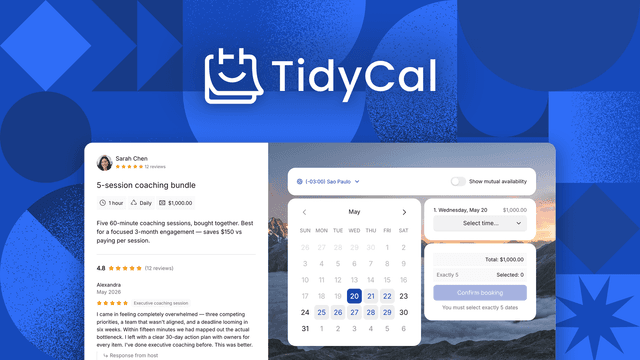
TidyCal is a scheduler. Its Individual plan is $29 one-time on the GrabLTD page, against a regular price of $144 shown there. It covers booking pages, paid sessions and review requests, and connects to Google, Office 365 and iCal. Check it against your current scheduler's features before you switch. On TidyCal, SMS reminders are limited to the U.S. and Canada, which may rule it out if your clients are elsewhere.
SendFox is an email tool for creators and newsletter writers. The lifetime tier is $29 with 5,000 contacts and 300,000 lifetime email sends. The page is clear about the limits. Double opt-in is mandatory on the lifetime plan, there is no SMTP access, and removing branding needs a monthly add-on. If your list is under 5,000 contacts and you do not need the add-on, it is a clean swap. If you do need the add-on, the cost is no longer one-time, and you should price that in.
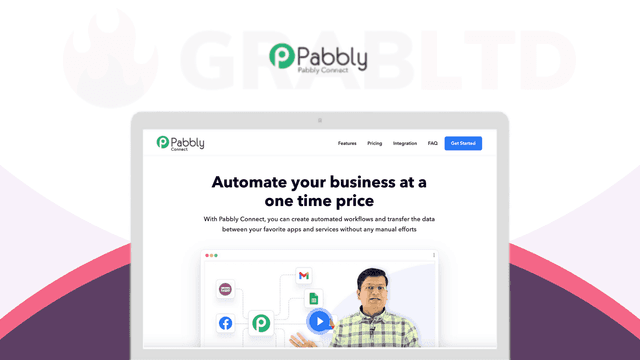
Pabbly Connect suits the monthly automation tool you use for simple workflows. Its Standard plan is $349 one-time, with 3,000 tasks a month and 10 workflows. Confirm the task limit on the plan table first, because the page says its figures may be out of date.
Storage is worth running the numbers on. Icedrive's Personal plan is 500 GB for $399 one-time on the GrabLTD page, so it only pays off if you would otherwise keep a similar plan for years. The page does not define "lifetime" in writing, so read the terms before you move your files across.
Here is an opinion you can argue with. Most audits should end with fewer tools, not with more lifetime deals. Buying three new one-time tools to replace three monthly ones only helps if you actually cancel the monthly plans. Cancel the old plan the day the new tool does its first real job, not weeks later when you remember.
Keep the list where you will see it
An audit is only useful if you repeat it. Put the table somewhere you open every quarter, and set a calendar reminder a week before each renewal date that matters. A renewal you learn about from a card statement is always too late.
Once the savings are real, decide what to do with them. Some people move the money straight into one lifetime deal they had been waiting on. Others leave it in the account on purpose, so the audit shows a visible gain each quarter. Either choice works, as long as the money is assigned rather than drifting back into a new subscription.
Lists tend to grow back, because trials turn into charges without a second look. Set a rule that any new trial gets a line in the table on the day you sign up, with its end date. That one habit prevents most of the drift.
GrabLTD's free buyer workspace can hold the same list. Sign up, then record the tools you own, what you pay for subscriptions and when they renew, so the table sits next to the deals you are considering. Add your first five tools today. You can refine the list later, but a rough list you keep beats a perfect one you never finish.
GrabLTD's links may be affiliate links. That means GrabLTD can earn a commission on some purchases, at no extra cost to you.