

Design · Lifetime deal
Kernel for Windows Data Recovery
Windows data recovery for deleted, formatted and RAW drives, with three scan modes and preview.
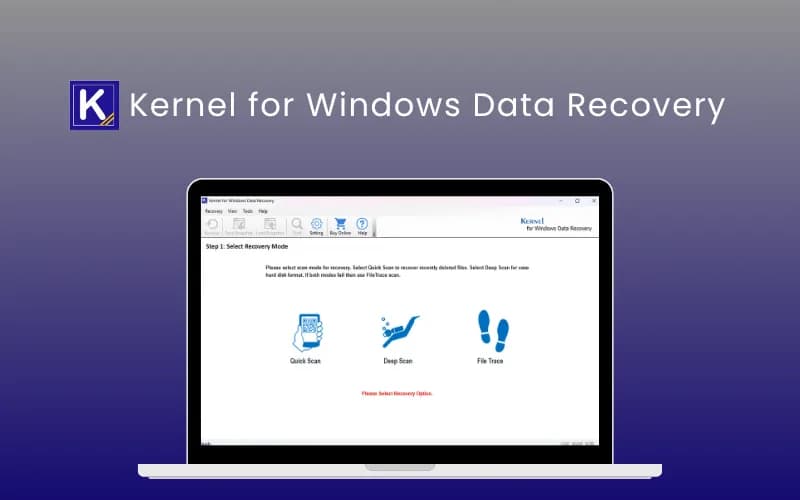
Kernel for Windows Data Recovery at a glance
- Platform
- Windows
- Support
- Free support and free updates, per the listing.
- Note
- The Home license is valid for 1 year and is for personal use only. Access is delivered manually by email. No redemption deadline is stated.
Our take
Is Kernel for Windows Data Recovery worth buying?
Based on the DealFuel listing, the $49 Home License is valid for 1 year and for personal use, so it is not a lifetime purchase. The Corporate and Technician licenses on the page are lifetime but cost more. Check which license you are buying.
Good fit if
- You need to recover files on a Windows PC now.
- You want to preview files before recovering.
- You only need personal use for a year.
Skip it if
- You expect lifetime access from the entry license.
- You use macOS or Linux.
- You need multi-machine business use on the Home plan.
Which Kernel for Windows Data Recovery plan do you need?
Prices in USD, excluding tax.
| Corporate License | Technician License | |
|---|---|---|
| One-time price | $99 | $199 |
| Regular price (DealFuel) | ||
| You save | $50 | $50 |
Before you buy: DealFuel's terms and extra costs
- Refund. 30 day refund, per the DealFuel listing.
- Support. Free support and free updates, per the listing.
- Platform. Windows only, from XP through Windows 11 plus Server editions.
- Note. The Home license is valid for 1 year and is for personal use only. Access is delivered manually by email. No redemption deadline is stated.
What is Kernel for Windows Data Recovery?
Kernel for Windows Data Recovery recovers deleted, permanently deleted, formatted, RAW and corrupted data from HDDs, SSDs, USB drives and SD cards. It supports NTFS, FAT, MBR and GPT and offers Quick Scan, Deep Scan and File Trace modes with file preview. The DealFuel listing sells it as three licenses. The Home license is valid for 1 year, not for life.
What Kernel for Windows Data Recovery says it does
- Recovers deleted, permanently deleted, formatted, RAW and corrupted data
- Three scan modes: Quick Scan, Deep Scan and File Trace
- Preview files before recovery
- Free trial saves up to 2 GB
Why Kernel for Windows Data Recovery
It handles cases where the Recycle Bin and File History do not help, such as a drive that shows as RAW. It runs on Windows only, and the Home license that matches our tier is valid for a year.
How does Kernel for Windows Data Recovery work?
Get the license
Access is delivered manually by email after purchase.
Install on Windows
Install the software on your Windows PC.
Choose a drive
Pick the damaged drive, partition or card.
Scan
Run a Quick Scan, Deep Scan or File Trace.
Preview and recover
Preview files and save the ones you need to a safe location.
Then it handles:
- Recovering deleted files
- Recovering from formatted or RAW drives
- Restoring documents, photos, video and email
- Reading HDDs, SSDs, USB drives and SD cards
- Previewing files before recovery
- Resuming scans from a snapshot
Who is Kernel for Windows Data Recovery for?
Built for
- Home users recovering lost files on Windows
- People with a RAW or corrupted drive
- Anyone who wants to preview files before paying for recovery
Not for
- Mac users
- Buyers who expect lifetime validity on the Home license
- Businesses that need a multi-machine license on the Home plan
What is included in Kernel for Windows Data Recovery?
Recovery
- Deleted and formatted data including permanently deleted
- RAW and corrupted drives
- File types documents, media, email, archives, databases
Scanning
- Quick Scan, Deep Scan, File Trace
- File preview
- Snapshot to resume scans
- Find-files option
Video review
We have not reviewed Kernel for Windows Data Recovery on video yet.
Get notifiedBuyer reviews
No reviews yet. Bought Kernel for Windows Data Recovery? Add it to your workspace and share what it replaced.
Add to your workspaceKernel for Windows Data Recovery questions
What does Kernel for Windows Data Recovery do?
It recovers deleted, formatted, RAW and corrupted data from hard drives, SSDs, USB drives and SD cards on Windows.
Is the Home license lifetime?
No. The DealFuel listing shows the Home License as valid for 1 year. The Corporate and Technician licenses are listed as lifetime.
Is there a free trial?
Per the listing, the free trial saves up to 2 GB of recovered data.
Which file systems are supported?
NTFS, FAT, MBR and GPT.
What is the refund policy?
A 30 day refund, per the listing.
Does it work on Mac?
No. It supports Windows only.
Often compared with
These are other tools in the same space, not deals on GrabLTD.
- Recuva
- EaseUS Data Recovery Wizard
- Stellar Data Recovery
- Disk Drill
- R-Studio
Sources
Checked . Prices and terms on this page come from: