
Lifetime text-to-speech deals can replace a monthly voice bill, but only if the character caps, commercial terms and refund rules fit the work you do. Voice tools are also easy to overbuy. A narration or a course lesson takes a few thousand characters of text, and a plan that is too big costs you every month until you notice.
This guide compares two text-to-speech deals on GrabLTD, AnyToSpeech and SpeakBreez, and points to a third tool for people who would rather record a human. Each one is described from its deal page. Read them side by side before you pick, because the cheapest headline price is not always the cheapest way to get the work done.
Two tools, two different jobs
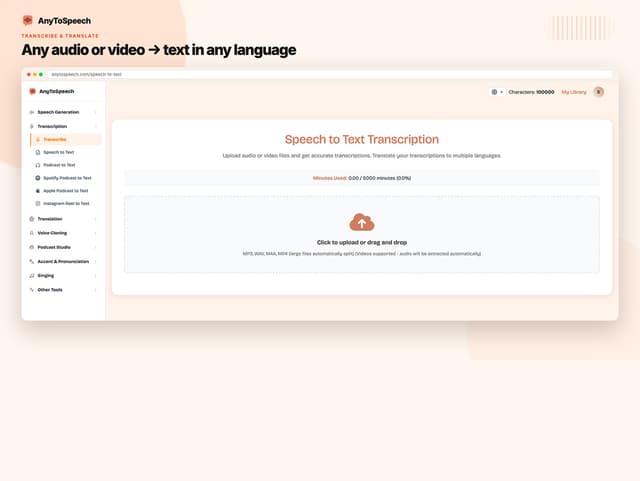
AnyToSpeech is a browser speech studio. Even the Hobby plan includes one saved voice clone, 200 transcription minutes a month and the two-speaker Podcast Studio; only Podcast Series needs a higher tier. The Hobby plan is $39.99 one-time, against a regular price of $249 on the deal page.
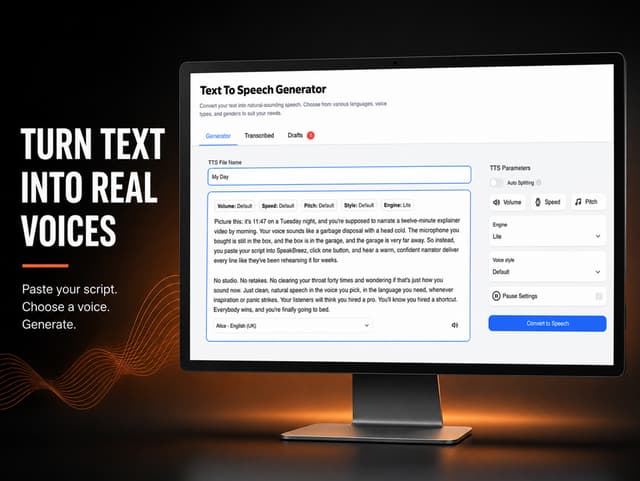
SpeakBreez is a plainer text-to-speech studio. You paste a script or upload a document, choose a voice, adjust speed and pitch, then export MP3 or WAV. Its Tier 1 plan is $29.99 one-time, against a regular price of $199.99.
If you currently pay a premium voice service each month, the numbers are worth a look. ElevenLabs lists its Starter plan at about $6 a month for 30,000 credits and its Creator plan at about $22 a month for 121,000 credits (list prices, October 2026; check the current price). For its multilingual models one character costs one credit. AnyToSpeech Hobby gives 50,000 characters a month for one payment, so it covers more text than Starter's allowance. Starter is also cheap enough that three years costs about $216, so the lifetime plan needs a few years of use to pay off against it. The ElevenLabs to AnyToSpeech switching guide has the full cost comparison and the migration steps.
Do the math in characters, not minutes
Voice tools bill in characters, and the numbers look large until you convert them. A common speaking pace is about 150 words a minute. At roughly six characters per word, including spaces, a ten-minute narration is about 9,000 characters. That is a rough estimate, but it is close enough to plan with.
On that basis, AnyToSpeech Hobby's 50,000 characters a month covers five or so ten-minute narrations. SpeakBreez Tier 1's 200,000 characters covers about 22. Take a course of twelve lessons, each eight minutes long. That is about 86,000 characters, which is more than the Hobby cap in a single month but well inside SpeakBreez Tier 1.
A weekly podcast intro and outro, read over and over, can use far fewer characters than you expect. A better test is your own last three scripts. Count the characters in each, add them up, and compare the total with the cap for a month, not for a single file.
Keep a buffer as well. Tests, retakes and rejected takes all use characters too. As a rule of thumb, leave a fifth of the monthly cap unused, so one bad take does not block the next recording. The buffer is the difference between a tool that helps you publish and one that stops you mid-week.
Here is the opinion this guide rests on: buy the smallest plan that covers one month of real scripts. A bigger cap is wasted until the scripts exist. Plans look generous on paper, and recording volume usually comes in below the plan.
Voices, languages and cloning
AnyToSpeech lists more than 150 premium voices in 27 languages, a figure the vendor gives itself. The Hobby plan includes one saved voice clone and 200 transcription minutes a month. The page's comparison table does not state limits for its Standard and Pro plans, so confirm those with the seller before you pay more than the Hobby price. The page also mentions speech-to-speech editing, which is worth testing if you record a rough take and want the delivery cleaned up.
SpeakBreez is more specific about the base level. Its listing describes 55 standard voices in 9 languages, with a daily fair-use cap of 40,000 characters on Tier 1. Its 680-plus voices in more than 120 languages and accents draw from the monthly allowance. Premium voices and voice cloning are paid add-ons. The page also says the voice engine may be replaced, with users moved to an equivalent engine. If a voice is part of your brand, ask yourself whether that matters to you.
Language coverage differs more than the headline numbers suggest. AnyToSpeech's 27-language figure is the vendor's own. SpeakBreez's standard voices cover 9 languages, and its wider set of more than 120 languages and accents comes out of the monthly allowance, so every narration in those voices uses up the cap you paid for. If you need a language outside English, test that language on your own script before you buy.
Pronunciation is where most voice tools disappoint. SpeakBreez lets you adjust pronunciation, speed and pitch before you export, which helps with product names and technical terms. Whatever tool you choose, check the names in your own script first, because a wrong pronunciation is the kind of error listeners notice.
Commercial use and downloads
Commercial use is the question that breaks projects late. AnyToSpeech says commercial use of outputs is included. SpeakBreez says every voiceover includes a commercial licence with no extra fees. If a tool's page states no commercial-use terms, do not assume them.
Downloads differ as well. AnyToSpeech provides MP3 downloads and an audio library. SpeakBreez lets you download files for 7 days after creation, a window the page states only for Tier 1, and unused characters do not roll over. Save finished audio to your own storage the day you make it, not the day you need it. A client who asks for a revision three weeks later should not have to wait on a tool's file retention.
Redeem and refund terms
These terms decide whether a deal is safe for you. AnyToSpeech says you must redeem within 30 days of purchase, and each code covers one purchase and one account. Codes do not stack. Unredeemed codes can be returned for store credit within 30 days, but once a code is redeemed, the page says all sales are final. Read that line twice before you click.
SpeakBreez does not state a refund window in days. Its page links to StackSocial's general refund policy and advises checking it before you buy. A stated window is a test you can run with real scripts, while a missing window is a risk you carry alone.
Use the window properly. Within the first week, generate one real script, not a demo sentence. Listen to it on a phone speaker and in the headphones you use for editing. Check the commercial terms against how you plan to use the audio. If the output does not meet your standard by the end of the window, you have the refund you planned for.
Which one fits
Pick AnyToSpeech if you want the widest set of jobs: documents read aloud, cloning, transcription and a podcast option at the higher tiers. Its URL and document inputs also save the copy and paste step if your source material is already a web page or a PDF. Pick SpeakBreez if you want plain narration from a script, and you can live with its character cap and seven-day download window. For course makers who record a set of lessons, that cap is usually easier to plan around than a set of document inputs.
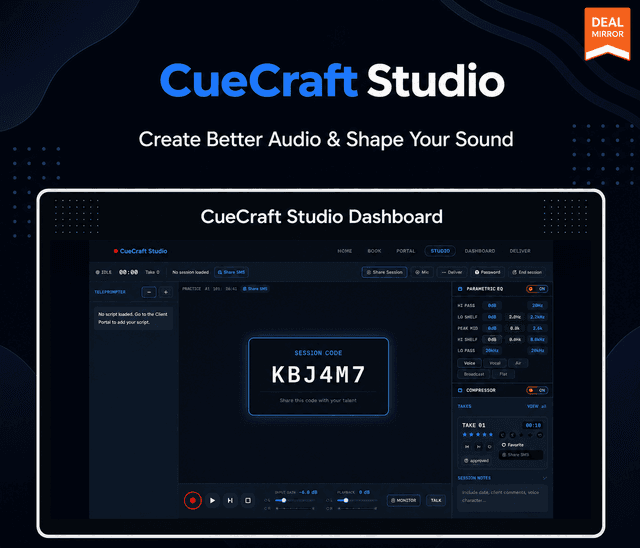
Not every voice job wants a synthetic voice. If you direct human talent, CueCraft Studio is a browser recording studio with a live teleprompter, remote sessions and a processing chain, for $49 once. It is not text-to-speech, and its AI noise reduction is listed as roadmap, not shipped. Treat it as a tool for recording voices, not generating them.
Then decide whether one payment and a monthly character cap beats the bill you would otherwise pay. The AI voice deals page lists everything GrabLTD carries in this area.