Video & Audio · Lifetime deal
Aicoosoft
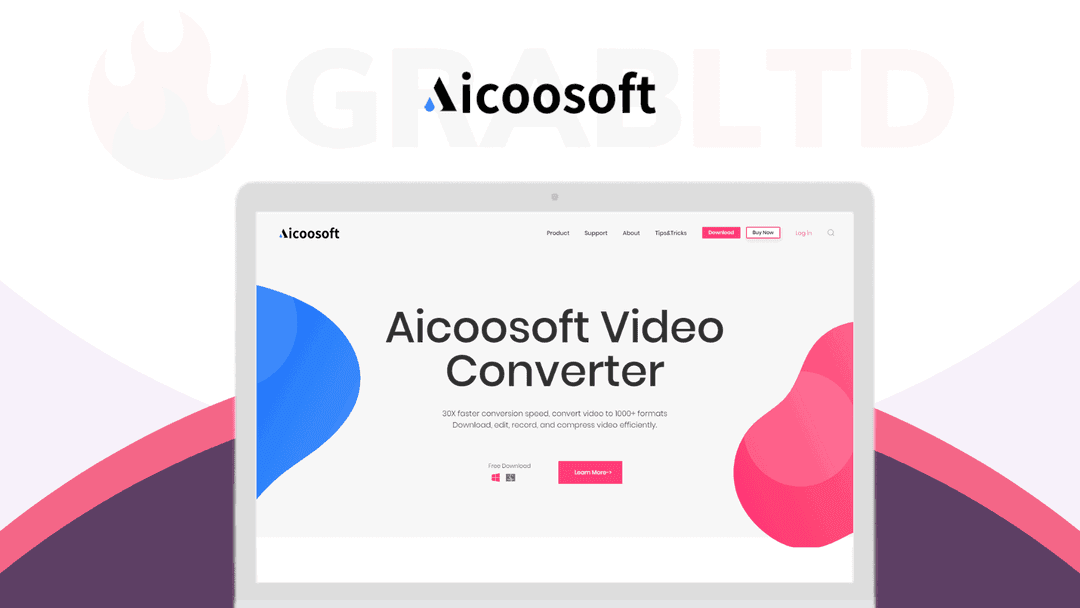
An all-in-one video toolkit: convert HD and 4K to 1,000+ formats at up to 30x speed, edit and add subtitles, compress in batches, and download from 1,000+ sites. Lifetime access.
Which Aicoosoft plan do you need?
Prices in USD, excluding tax.
| Plan | |
|---|---|
| Includes | Convert: Convert videos to 1000+video and audio formats; Edit: Trim, crop, rotate, add effect, add subtitle, adjust audio, add watermark, etc; Download: Save online video/playlists from 1000+ sites; Compress: Custom video compression with high quality; Merge: Merge videos into one easily; GPU Acceleration: 30X faster converting speed; DVD: Convert DVD to MP4, MOV, MKV, etc; Screen Capture: Powerful screen capture tool with audio; Player: Build-in video player to preview edited video |
What is Aicoosoft?
Most people end up with one app to convert video, another to trim it, a third to pull clips off the web, and a compressor buried somewhere in the downloads folder. Aicoosoft folds all of that into a single tool, so the file you shot and the file you publish never have to leave one window.
What Aicoosoft actually does
It handles the full path from raw clip to finished, sharable file, covering five jobs that usually need five separate programs.
- Convert HD and 4K video to over 1,000 formats without losing quality, at up to 30x speed - Edit clips: trim, merge, crop, resize, rotate, and add subtitles, watermarks, or filters - Compress HD video with custom settings, in batches and with one click - Download video and audio from more than 1,000 sites, including 1080p and 4K - Pull audio straight to MP3, or rip a DVD to a digital file in three clicks - Capture your screen with system or microphone audio
The claim worth testing is the speed. Aicoosoft says it converts at up to 30x while keeping output quality intact, which matters most when you're batch-processing a folder of 4K footage rather than a single clip. The editor won't replace a dedicated suite for heavy color work, but for the everyday jobs of cut, caption, watermark, shrink, and post, having them in one place beats juggling four logins.
The downloader and capture tools are where the all-in-one idea earns its name. You can pull a reference clip from one of a thousand-plus sites, record your own screen with either system or microphone audio, convert both to a shared format, and trim them into one cut without opening a second program. The DVD-to-digital step is a small thing until you actually have a shelf of discs you want as files, at which point three clicks per disc is the difference between doing it and never getting around to it.
Who it's built for
Aicoosoft suits creators, course makers, and small teams who move a steady volume of video and don't want a separate paid app for every step. If your workflow is mostly converting, light editing, and getting files small enough to upload, this covers it. Anyone doing frame-precise editing or pro color grading will still reach for a specialist tool, which isn't the job this one is trying to do.
The deal
A one-time $39.99, down from $99, buys lifetime access to the full converter, editor, compressor, and downloader. If your video tools are scattered across four tabs, consolidate them on [GrabLTD](https://grabltd.com/recommends/aicoosoft/).
Video review
We have not reviewed Aicoosoft on video yet.
Get notifiedBuyer reviews
No reviews yet. Bought Aicoosoft? Add it to your workspace and share what it replaced.
Add to your workspaceAicoosoft questions
What is Aicoosoft Video Converter?
Aicoosoft is an all-in-one video toolkit for Windows and Mac. It converts video and audio between 1,000+ formats at up to 30x speed using GPU acceleration, and bundles a video editor, batch compressor, subtitle tool, and a built-in downloader that pulls video from 1,000+ websites.
Is the Aicoosoft lifetime deal still available?
No. The Aicoosoft lifetime deal has expired and is no longer available for purchase on GrabLTD or other deal platforms. The listing is kept here for reference only.
Does Aicoosoft support 4K video?
Yes. Aicoosoft converts HD and 4K footage without quality loss and uses hardware acceleration (Intel, NVIDIA, AMD) to reach conversion speeds up to 30x faster than software-only tools.
Can Aicoosoft download videos from YouTube or other sites?
It includes a built-in video downloader that supports 1,000+ video-sharing and streaming sites. Paste the URL and the tool fetches the file at your chosen quality.
What editing features does Aicoosoft include?
The editor covers trimming, cropping, rotating, adding subtitles, watermarks, effects, and basic audio adjustments. It is not a replacement for a full NLE but handles the common clean-up tasks most people need before sharing a clip.
Who is Aicoosoft best suited for?
Content creators, small-business video marketers, and anyone who regularly needs to reformat video files — converting a GoPro clip to web-ready MP4, compressing footage before upload, or downloading a reference video for offline use.
What are good alternatives now that the deal is gone?
Handbrake is a free open-source converter. Movavi Video Converter and Wondershare UniConverter are paid alternatives with similar feature sets and ongoing subscriptions.
Often compared with
These are other tools in the same space, not deals on GrabLTD.
- Handbrake
- Movavi Video Converter
- Wondershare UniConverter
- Any Video Converter
- Freemake Video Converter