Video & Audio · Lifetime deal
CaptionSaver
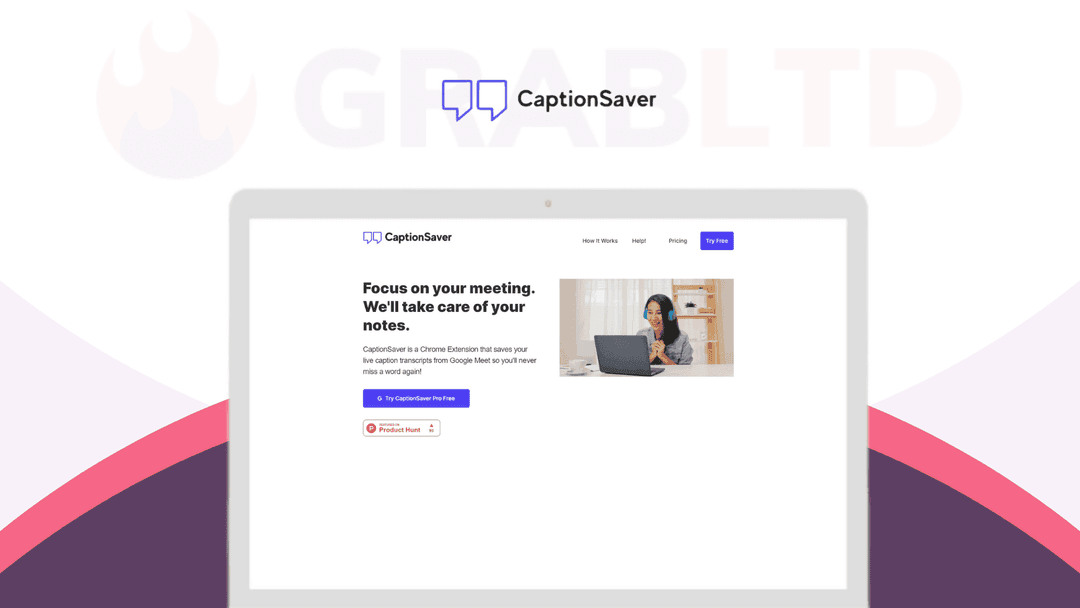
CaptionSave will take care of your notes. It's a Chrome extension that automatically saves Google Meet live captions to Google Drive.
Which CaptionSaver plan do you need?
Prices in USD, excluding tax.
| CaptionSaver Pro | |
|---|---|
| Includes | Unlimited Auto Saves to Google Drive; Highlighting; Timestamps; Download .TXT; Google Chrome Browser |
What is CaptionSaver?
These days, people are spending more time on video conferences than they ever have before – for business as well as for leisure. While you may have spent some time considering the do’s and don’ts of video conferencing, you may not have thought as much about how to get the most out of your video meetings.
One of the most important things you can do in any meeting is to take notes – and with [CaptionSaver Pro](https://grabltd.com/recommends/captionsaver/), you’ll have the power to do so automatically without losing your focus on the meeting at hand.
Focus on your meeting. [CaptionSave](https://grabltd.com/recommends/captionsaver/) will take care of your notes. It’s a Chrome extension that automatically saves Google Meet live captions to Google Drive. Pro comes with features such as highlighting and timestamps to enhance the automated note-taking capabilities, so you can focus your attention on your meetings. Never miss a word again@
*Featured on [Product Hunt](https://www.producthunt.com/posts/captionsaver-pro-for-google-meet?utm_source=badge-featured&utm_medium=badge&utm_souce=badge-captionsaver-pro-for-google-meet) with 213 upvotes*
How It Works
1. Join any meeting as you normally would 2. CaptionSaver will turn on captions for you once you join the meeting, so you don’t have to click anything 3. CaptionSaver will save the caption transcript as your meeting goes on 4. Click the Chrome extension to view the captured captions 5. Click on *“Save To Drive”* or *“Download .TXT”* to get a copy of the entire meeting’s captions 6. If you’re on Pro, you can Auto-Save to Google Drive!
Get lifetime access to CaptionSaver now!
Video review
We have not reviewed CaptionSaver on video yet.
Get notifiedBuyer reviews
No reviews yet. Bought CaptionSaver? Add it to your workspace and share what it replaced.
Add to your workspaceCaptionSaver questions
Is the CaptionSaver lifetime deal still available?
No. The CaptionSaver Pro lifetime deal has expired and is no longer offered. The deal was sold through StackSocial for a one-time payment of $24.99. CaptionSaver may still be available as a subscription — check the Chrome Web Store for current status.
What does CaptionSaver do?
CaptionSaver is a Chrome extension that automatically saves Google Meet live captions as a transcript during your meeting. It turns on captions for you automatically when you join a meeting, saves the transcript in real time, and lets you download it as a .TXT file or auto-save it to Google Drive.
Who is CaptionSaver useful for?
CaptionSaver is useful for anyone who attends frequent Google Meet calls and wants an automatic written record — remote workers, students, consultants, journalists, and anyone who prefers to stay focused in meetings rather than manually typing notes.
What extra features does CaptionSaver Pro include?
The Pro version adds highlighted timestamps, unlimited caption saves, and auto-save to Google Drive — making it easy to search and review transcripts after the meeting without any manual copy-paste.
Does CaptionSaver work with Zoom or Microsoft Teams?
No. CaptionSaver was specifically built for Google Meet. It is not compatible with Zoom, Microsoft Teams, or other video conferencing platforms.
Are there alternatives to CaptionSaver that are still available?
Yes. Otter.ai, Fireflies.ai, and Tactiq are actively maintained tools that offer meeting transcription across Google Meet and other platforms, generally with free tiers and paid subscription plans.
What was the lifetime deal price for CaptionSaver?
The CaptionSaver Pro lifetime license was $24.99 as a one-time payment through StackSocial.
Often compared with
These are other tools in the same space, not deals on GrabLTD.
- Otter.ai
- Fireflies.ai
- Tactiq
- Fathom