

Video & Audio · Lifetime deal
CursorClip
Native Mac screen recorder that auto-zooms around your cursor for quick, polished demos.
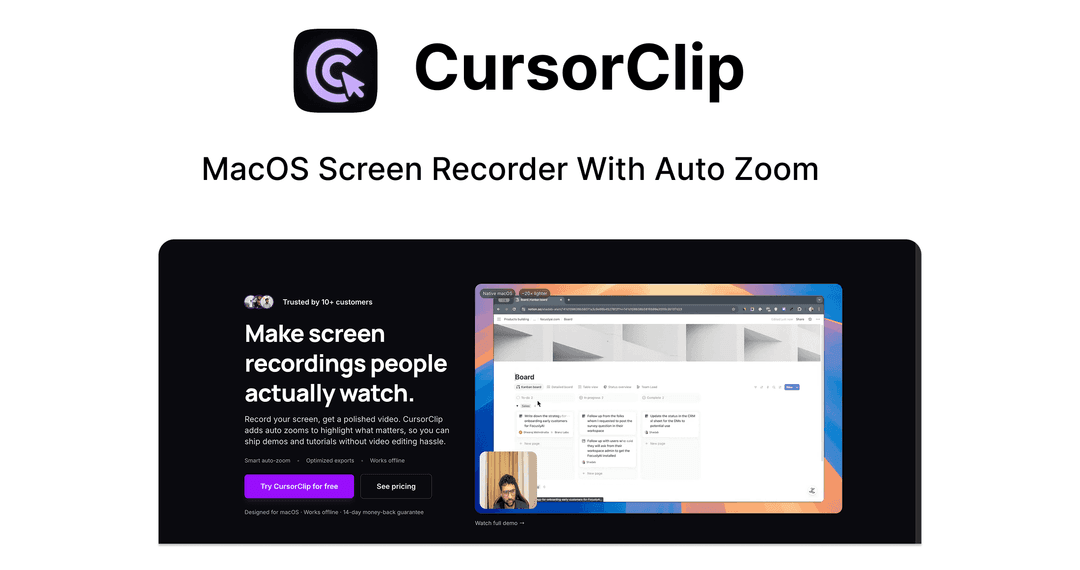
CursorClip at a glance
- Platform
- macOS
- Note
- One-time license. Instant shareable links are listed as upcoming.
Our take
Is CursorClip worth buying?
Based on the Dealify listing, this is a single one-time license for a Mac screen recorder that automates the editing of demos. It suits Mac users who make demos often. It is Mac only, and shareable links are not available yet.
Good fit if
- You use a Mac and make product demos or walkthroughs.
- You want polished zooms without learning a video editor.
- You want unlimited watermark-free exports for one payment.
Skip it if
- You use Windows or Linux.
- You need instant shareable links today.
Which CursorClip plan do you need?
Prices in USD, excluding tax.
| Lifetime Subscription | |
|---|---|
| One-time price | $59 |
| Regular price (Dealify) | |
| You save | $38 |
| Exports | Unlimited, no watermark |
| Offline use | Yes |
| Requires | macOS 13.1+ |
| License | One-time |
Before you buy: Dealify's terms and extra costs
- Refund. 30-day money-back guarantee through Dealify, requested by message.
- Redeem. Redeem your code within 60 days of purchase. The code arrives by email.
- Platform. Mac only. macOS Ventura 13.1 or later, 8 GB RAM minimum. Apple M1 or later recommended; Intel MacBook Pro 2018+ and MacBook Air 2020+ also supported.
- Note. One-time license. Instant shareable links are listed as upcoming.
What is CursorClip?
CursorClip is a native macOS screen recorder that zooms and pans to follow your cursor, so demos look edited without a timeline. You record, preview and export. It can record webcam, system audio and microphone, and it works offline. The lifetime license covers all core features and unlimited exports without a watermark. It is about 18 MB.
What CursorClip says it does
- Automatic zoom and pan that follows the cursor
- Unlimited, watermark-free exports
- Works fully offline
- Native app of about 18 MB (CursorClip's figure)
Why CursorClip
A plain screen capture usually needs editing to look sharp. CursorClip applies the camera movement automatically so a quick demo is ready fast. It is Mac only, and instant shareable links are listed as upcoming, not available.
How does CursorClip work?
Redeem the code
Buy through Dealify and redeem your emailed code within 60 days.
Install the app
Install CursorClip on a Mac running macOS 13.1 or later.
Record
Record your screen, with webcam and audio if you want them.
Preview
Check the automatic zooms and pans.
Export
Export a watermark-free video.
Then it handles:
- Recording product demos
- Auto zoom and pan around the cursor
- Webcam picture-in-picture
- Capturing system audio and microphone
- Custom backgrounds
- Exporting without watermarks
Who is CursorClip for?
Built for
- Founders recording product demos
- Course creators and educators making walkthroughs
- Support and agency teams making tutorial clips
Not for
- Windows or Linux users, since it is Mac only
- Macs older than macOS 13.1
- Buyers who need instant shareable links, listed as upcoming
What is included in CursorClip?
Recording
- Cursor-following auto zoom and pan
- Webcam recording picture-in-picture
- System audio and microphone
- Custom backgrounds
Workflow
- Record, preview, export no timeline or keyframes
- Unlimited watermark-free exports
- Works offline
Video review
We have not reviewed CursorClip on video yet.
Get notifiedBuyer reviews
No reviews yet. Bought CursorClip? Add it to your workspace and share what it replaced.
Add to your workspaceCursorClip questions
What is CursorClip?
A native macOS screen recorder that automatically zooms and pans to follow your cursor, so demos look edited without a video editor.
What does the lifetime license include?
All core features, unlimited watermark-free exports and offline use, for a one-time payment.
Which Macs are supported?
macOS Ventura 13.1 or later with at least 8 GB of RAM. Apple M1 or later is recommended, and some Intel Macs are listed as supported.
Does it record audio and webcam?
Yes. The listing says it captures system audio, microphone and webcam alongside the screen.
What is the refund policy?
Dealify lists a 30-day money-back guarantee. Redeem your emailed code within 60 days of purchase.
Are shareable links included?
Instant shareable links are listed as upcoming, not yet available.
Often compared with
These are other tools in the same space, not deals on GrabLTD.
- Screen Studio
- Loom
- Tella
- Descript
- ScreenFlow
Sources
Checked . Prices and terms on this page come from: