

SEO · Lifetime deal
Screen Bolt
Native Mac screen recorder with a built-in editor, auto zoom and local processing.
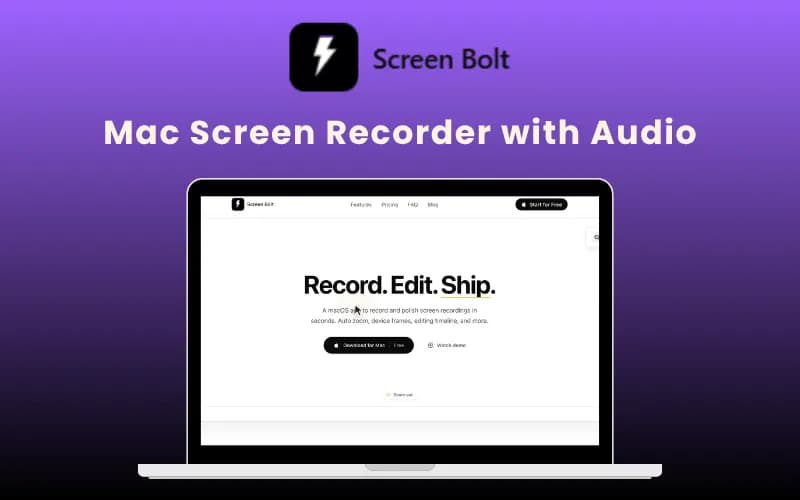
Screen Bolt at a glance
- Platform
- macOS
- Upgrades
- Stacking is not mentioned.
- Support
- A support email is listed on the page.
Our take
Is Screen Bolt worth buying?
Based on the DealMirror listing, this is a single lifetime tier for a native Mac recorder with an editor. It suits Mac users making demos. The page countdown reads zero, so confirm the deal is open.
Good fit if
- You record demos or tutorials on a Mac.
- You want recording and editing in one app.
- You prefer local processing.
Skip it if
- You use Windows or Linux.
- You are on macOS older than 14.
Which Screen Bolt plan do you need?
Prices in USD, excluding tax.
| Pro | |
|---|---|
| One-time price | $29 |
| Platform | macOS 14 or later |
| Recording length | Unlimited |
| Watermark | None |
| Export | 1080p, 4K or original |
DealMirror's plan names: Lifetime.
Before you buy: DealMirror's terms and extra costs
- Refund. DealMirror lists a 30-day money-back guarantee, or 60 days for Prime members.
- Redeem. Redeem within 60 days of purchase.
- Upgrades. Stacking is not mentioned.
- Platform. Mac only. Requires macOS 14 (Sonoma) or later and runs natively on Apple Silicon and Intel.
- Support. A support email is listed on the page.
What is Screen Bolt?
Screen Bolt is a native Mac screen recorder with a built-in timeline editor. It captures screen, window or a custom area together with webcam, microphone and system audio, then adds auto zoom, cursor effects, device frames, blur and a teleprompter. Processing is local with no uploads. The deal is a lifetime license with no watermark and unlimited recording length.
What Screen Bolt says it does
- Records screen, webcam, mic and system audio in one session
- Auto zoom, cursor effects, backgrounds and blur tools
- Exports at 1080p, 4K or original resolution, in MP4, MOV or GIF
- Processing happens locally with no uploads (Screen Bolt's figure)
Why Screen Bolt
Demo videos on a Mac often need a recorder, an editor and an audio cleanup tool. Screen Bolt keeps them in one app. It is Mac only and needs macOS 14 or later, and the page lists no seat or device limits either way.
How does Screen Bolt work?
Redeem
Redeem your DealMirror code within 60 days of purchase.
Install
Install the app on a Mac running macOS 14 or later.
Record
Capture screen, webcam, mic and system audio.
Edit
Trim, retake and reorder scenes in the timeline.
Export
Save as MP4, MOV or GIF with no watermark.
Then it handles:
- Screen, window and area capture
- Webcam and audio recording
- Auto zoom and cursor effects
- Timeline editing
- Annotations and blur
- Teleprompter
- Exporting in several formats
Who is Screen Bolt for?
Built for
- Mac users recording demos and walkthroughs
- Product teams making async explainers
- Creators who want local processing
Not for
- Windows or Linux users, since it is Mac only
- Anyone on macOS older than 14
What is included in Screen Bolt?
Recording
- Screen, window and custom area
- Webcam, mic and system audio
- Teleprompter
Editing
- Timeline editor
- Auto zoom and cursor effects
- Device frames and overlays
- Annotations and blur
- Backgrounds and presets
Export
- 1080p, 4K or original resolution
- MP4, MOV and GIF
- No watermark
Video review
We have not reviewed Screen Bolt on video yet.
Get notifiedBuyer reviews
No reviews yet. Bought Screen Bolt? Add it to your workspace and share what it replaced.
Add to your workspaceScreen Bolt questions
What is Screen Bolt?
A native Mac screen recorder with a built-in editor, local processing and no watermark.
Which Macs does it support?
The page says macOS 14 or later, on Apple Silicon and Intel.
Is there a recording length limit?
The page says recording length is unlimited.
Does it upload my recordings?
The page says processing happens locally with no uploads.
What is the refund policy?
DealMirror lists 30 days, or 60 days for Prime members.
Is the deal still live?
The page still shows a buy button but its countdown reads zero. Confirm with DealMirror.
Often compared with
These are other tools in the same space, not deals on GrabLTD.
- Screen Studio
- Loom
- Claquette
- Rottenwood
- ScreenFlow
Sources
Checked . Prices and terms on this page come from: