

Video & Audio · Lifetime deal
AWZ Screen Recorder
Desktop screen recorder with webcam, system audio, a built-in editor and no watermark.
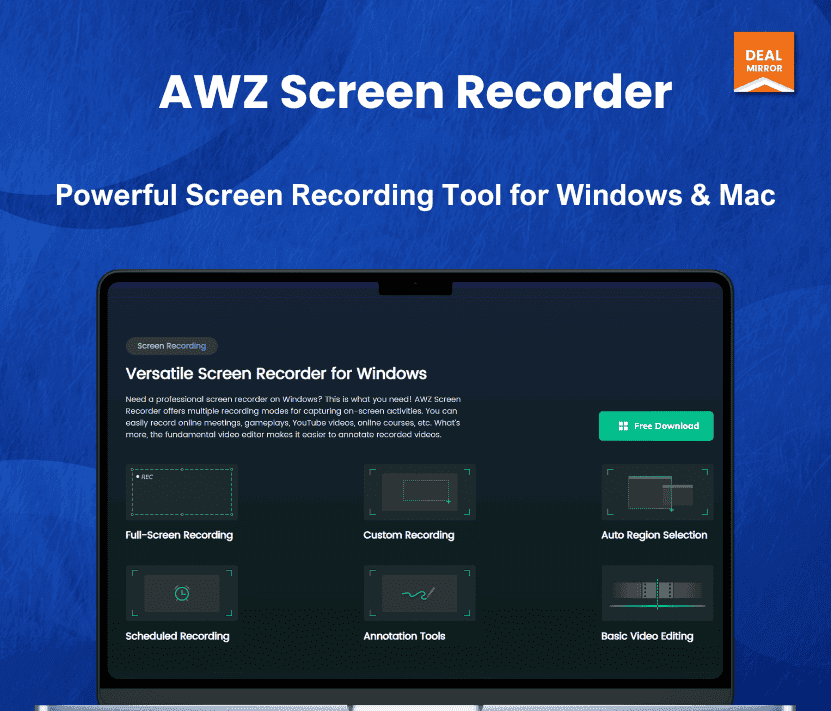
AWZ Screen Recorder at a glance
- Platform
- Windows, Mac
- Support
- Email or a support ticket through the vendor website.
Our take
Is AWZ Screen Recorder worth buying?
Based on the DealMirror listing, this is a lifetime screen recorder sold as separate Windows and Mac licenses, with no watermark or time limit. It suits tutorial and gameplay recording. The listing does not state a limit on the number of computers.
Good fit if
- You record tutorials, demos or gameplay regularly.
- You want no watermark or time limit without a subscription.
- You use Windows or macOS.
Skip it if
- You need advanced multi-track editing.
- You use Linux.
Which AWZ Screen Recorder plan do you need?
Prices in USD, excluding tax.
| Tier 1 (Windows) | Tier 2 (Mac) | |
|---|---|---|
| One-time price | $9.99 | $9.99 |
| Regular price (DealMirror) | ||
| You save | $70 | $80 |
| Desktop OS | Windows 7 to 11 | macOS 10.13 and later |
| Recording time | Unlimited | Unlimited |
| Watermark | None | None |
Before you buy: DealMirror's terms and extra costs
- Refund. 30-day money-back guarantee on DealMirror, 60 days for DealMirror Prime members, per the listing.
- Redeem. Redeem your code within 60 days of purchase.
- Platform. Windows 7 to 11 or macOS 10.13 and later. Tiers are sold separately for Windows and Mac.
- Support. Email or a support ticket through the vendor website.
What is AWZ Screen Recorder?
AWZ Screen Recorder captures your screen, a window or a region in HD, with system audio, microphone and webcam. It records 2D and 3D gameplay, adds live annotations and includes a built-in editor for trimming and cropping. Exports have no watermark and recording time is unlimited. The deal offers separate Windows and Mac lifetime licenses.
What AWZ Screen Recorder says it does
- Unlimited recording time with no watermark
- Records full screen, a window or a custom region in HD
- Captures system audio, microphone and webcam together
- Exports to MP4, MOV and other formats, with sharing to YouTube, TikTok and Vimeo
Why AWZ Screen Recorder
Free recorders often add a watermark or a time limit. AWZ Screen Recorder removes both and adds an editor. It is a desktop app, so recordings depend on your computer, and the page does not state a limit on how many PCs a license covers.
How does AWZ Screen Recorder work?
Redeem the code
Redeem your DealMirror code within 60 days of purchase.
Install the app
Install the Windows or Mac version.
Activate
Open the three line menu, choose Activate License and enter your key.
Record
Pick the full screen, window or region, plus audio and webcam.
Edit and share
Trim, crop, annotate, then export or share.
Then it handles:
- Recording the screen in HD
- Capturing system audio and microphone
- Adding webcam footage
- Recording 2D and 3D gameplay
- Annotating while recording
- Trimming and cropping clips
- Taking screenshots
- Sharing to YouTube, TikTok and Vimeo
Who is AWZ Screen Recorder for?
Built for
- Tutorial and demo creators
- Gamers recording gameplay
- Teachers and presenters recording lessons
Not for
- Users who need a full multi-track video editor
- Linux users, since only Windows and Mac are offered
What is included in AWZ Screen Recorder?
Recording
- Screen, window or region capture in HD
- System audio, microphone and webcam
- Game recording 2D and 3D
- Unlimited recording time
Editing and sharing
- Built-in editor trim and crop
- Live annotations
- Screenshots
- Export and share MP4, MOV, YouTube, TikTok, Vimeo
Video review
We have not reviewed AWZ Screen Recorder on video yet.
Get notifiedBuyer reviews
No reviews yet. Bought AWZ Screen Recorder? Add it to your workspace and share what it replaced.
Add to your workspaceAWZ Screen Recorder questions
What is AWZ Screen Recorder?
A desktop screen recorder with webcam and audio capture, a built-in editor and no watermark.
Which tier do I need?
Tier 1 is for Windows and Tier 2 is for Mac. Features are the same.
Is there a time limit or watermark?
The listing says unlimited recording time and no watermark.
How many computers can I use?
The page does not state a limit for either tier.
What are the system requirements?
Windows 7 to 11, or macOS 10.13 and later, with 256MB RAM minimum on Windows and 8GB on Mac.
What is the refund policy?
30 days on DealMirror, or 60 days for Prime members. Redeem the code within 60 days of purchase.
Often compared with
These are other tools in the same space, not deals on GrabLTD.
- OBS Studio
- Camtasia
- Loom
- Bandicam
- Movavi Screen Recorder
Sources
Checked . Prices and terms on this page come from: