Video & Audio · Lifetime deal
EasySplitter
The Most Innovative Technology in the Music Industry That Upload Tracks, Remove Vocals & Provide 2 Separated Music Versions — Vocal and Instrumental
Which EasySplitter plan do you need?
Prices in USD, excluding tax.
| Lite Plan | Pro Plan | |
|---|---|---|
| Includes | Lite package items allows you to split any song into: Vocal and Instrumental; Fast processing; Web & mobile synchronization; Bug-free; Audio without quality loss; File history; Beautiful & simple UI | PRO package items allows you to split any song into: Vocal, Instrumental, Drums and Bass; 4 STEMs; Fast processing; Web & mobile synchronization; Bug-free; Audio without quality loss; File history; Beautiful & simple UI |
What is EasySplitter?
Are you tired of wasting your time while trying to remove vocals from a song manually?
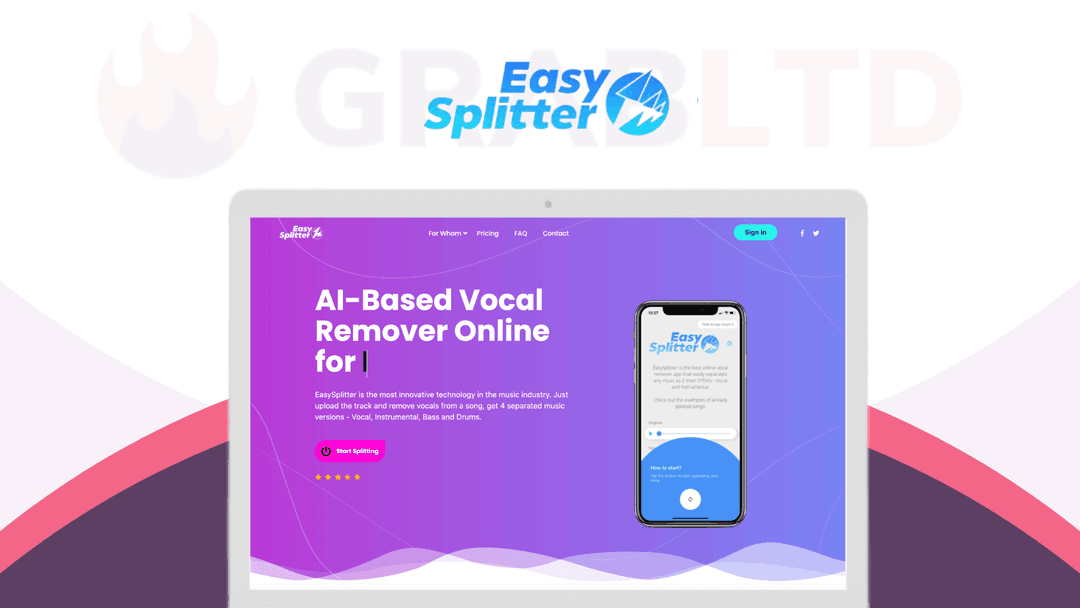
[EasySplitter](https://go.grabltd.com/easysplitter) is the most innovative technology in the music industry. Just upload the track and remove vocals from a song, get 4 separated music versions – Vocal, Instrumental, Bass and Drums.
With [EasySplitter](https://go.grabltd.com/easysplitter) Lite, you will forget about splitting songs into separated STEMs manually.
With the fastest processing speed, this AI-based vocal remover will split any song into 2 STEMs: Vocal and Instrumental. Each split song can be played in real-time in the built-in audio player at your own dashboard.
All the files can also be downloaded at any time. The file history feature will allow you to keep your split files on hand. All the files will be stored in your cabinet.
- Fast processing: Allows users to split the song much faster - Web & mobile synchronization: All functions have the web version plus files converted in web version will be available for the mobile app - Bug-free: Developed with the cleanest code & was tested by professionals to avoid any bugs - Audio without quality loss: Allows users to remove vocals from songs without any audio quality loss - File history: Store split audio files so you can access it anytime - Beautiful & simple UI: Smart UI allows users to understand how to work with splitter in just a few seconds
How it Works
1. After you Sign In, Push the blue button at the bottom of your account’s dashboard. Then choose how many STEMs do you want to split your song and tap on “Choose Audio File”. Pick the file you want to be split and wait for the splitting process 2. After the splitting is done, you will get your file split into 2 STEMs. Here, you can listen to both versions using the player or simply download the files you need. All the converted files are kept in the “Files History” tab (both in mobile and web app)
*NOTE:* *Your files will be stored 30 days from the day you created them. After 30 days, they will be removed.*
Get a Lifetime Deal to EasySplitter now!
Video review
We have not reviewed EasySplitter on video yet.
Get notifiedBuyer reviews
No reviews yet. Bought EasySplitter? Add it to your workspace and share what it replaced.
Add to your workspaceEasySplitter questions
Is the EasySplitter lifetime deal still available?
No. The EasySplitter lifetime deal is archived and no longer active. The product details are preserved here for reference only.
What does EasySplitter do?
EasySplitter is an AI-based vocal remover and audio stem splitter. You upload a track and it separates it into distinct stems — the Lite version produces 2 stems (Vocal and Instrumental), while the Pro version splits into 4 stems (Vocal, Instrumental, Bass, and Drums).
How long are split files stored?
Files are stored in your account cabinet for 30 days from the creation date. After 30 days they are automatically deleted, so download your outputs promptly.
Does EasySplitter work on mobile?
Yes. EasySplitter has web and mobile synchronisation. Files processed in the web app are accessible in the mobile app and vice versa.
What audio quality does EasySplitter produce?
EasySplitter advertises audio separation without quality loss. Split tracks can be previewed in a built-in real-time audio player before downloading.
What are the best alternatives to EasySplitter today?
Active alternatives include LALAL.AI, Moises, and Adobe Audition. LALAL.AI and Moises offer subscription and credit-based plans with up to 6-stem separation, and are widely regarded as among the best in the category.
Often compared with
These are other tools in the same space, not deals on GrabLTD.
- LALAL.AI
- Moises
- Spleeter (open source)
- Adobe Audition
- Audacity with plugins