Video & Audio · Lifetime deal
FineShare
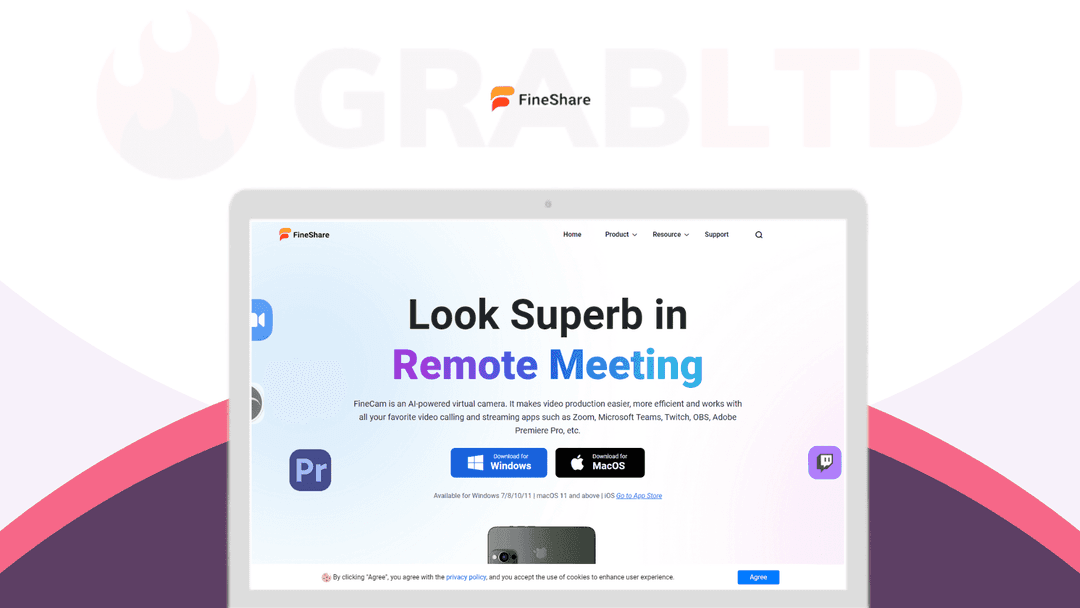
FineCam is an AI-powered virtual camera that can easily turn your iPhone into a high-definition webcam, up to 4K.
Which FineShare plan do you need?
Prices in USD, excluding tax.
| FineShare | |
|---|---|
| Includes | Unlimited camera devices / 2 Computers; AI-powered webcam color and image correction; Capture snapshots & record videos – up to 1080P; Use iPhone, iPad, GoPro as HD webcam for PC; Remove, blur and change the background without a green screen; Change webcam background using Chroma Key; Cinematic filters & effects; Shot iPhone’s front/rear cameras in one window; Custom branding; Customize temp away screen image; Unlock iPhone 4K full HD camera; Create multiple videos scenes; No Watermark; 24/7 Free and priority support |
What is FineShare?
No built-in webcam? Poor webcam quality? Webcam not working?
Meet FineShare FineCam Lifetime Deal
FineCam is an AI-powered virtual camera that can easily turn your iPhone into a high-definition webcam, up to 4K. It allows you to turn iPad, GoPro, digital cameras, and DSLR cameras into an HD webcam.
Instantly remove the webcam background and improve your appearance in videos and live streams. No need to buy an extra HD webcam and green screen.
FineCam features background removal, webcam overlay, multiple video scenes, multi-camera setup, branding templates, autofocus, and more.
To make your live video unique and fun, it offers 60+ filters & special effects and millions of free virtual background images.
- Easily turn your iPhone into an HD webcam, up to 4K. - Works with iPad, GoPro, digital cameras, DSLR cameras, webcams, etc… - No limit on the number of cameras. - Build a multi-camera setup for your video. - Capture one shot from multiple angles, seamlessly switch between lenses, change video resolution, and so on. - Making a professional multi-shot video is so easy! - Bring a studio-like video experience to your audience with awesome features like AI enhancement, autofocus, advanced adjustment, and webcam effects. - Brighten the video, keep moving subjects in focus, adjust white balance, saturation, hue, and sharpness, and spice up your video with over 60 filters & special effects. - Bring a studio-like video experience to your audience. - Working with Unsplash, allows you to access millions of stunning video background scenes directly from Unsplash. - Set PowerPoint slides, videos, YouTube videos, and webpages as virtual backgrounds to bring your content to life. - Resize the webcam overlay and drag it to the desired position. - With semantic analysis and edge detection, quickly remove the background to help protect your privacy without the need for expensive green screens and complicated lighting setups. - Record the video on your computer and share it with others. - There are some simple pre-made branding templates available for your business. - Add your company logo, adjust the logo transparency, and change the logo layout & theme color. - Easily create a perfect branding design, with no design skills required. - Millions of free and ready-to-use virtual backgrounds for you to use. - It builds a bridge between users’ devices and communication tools. - Just one click to connect your device to any communication tool.
System requirements:
Windows System Requirement (Minimum)
System: Windows 7, Windows 8.1, Windows 10, Windows 11.
CPU: Intel Core i3 or faster processor (i5 or greater preferred).
RAM: 2 GB RAM.
Hard Disk Space: 200 MB and above free space.
1. GPU: Graphics card drivers must be up-to-date.
Mac System Requirement (Minimum)
System: macOS 11 and above.
2. CPU: Intel or Apple Silicon.
Deal Terms:
- Length of Access: Lifetime. - 60-Days Refund Policy.
Video review
We have not reviewed FineShare on video yet.
Get notifiedBuyer reviews
No reviews yet. Bought FineShare? Add it to your workspace and share what it replaced.
Add to your workspaceFineShare questions
What is FineShare FineCam?
FineShare FineCam is an AI-powered virtual camera app that turns your iPhone, iPad, GoPro, digital camera, or DSLR into a high-definition webcam — up to 4K — for video calls, live streams, and recordings.
What AI features does FineCam include?
FineCam offers real-time AI background removal, autofocus, AI-powered image enhancement, over 60 filters and effects, and advanced brightness and color adjustments for a studio-quality look.
Which video conferencing apps is FineCam compatible with?
FineCam works as a virtual camera source in Zoom, Microsoft Teams, Google Meet, Skype, OBS, and most other apps that support virtual cameras.
Can I use multiple cameras at once with FineCam?
Yes. FineCam supports unlimited multi-camera setups so you can switch between angles seamlessly during a stream or call.
Does FineCam include branding features?
Yes. FineCam includes pre-made branding templates where you can add your logo, adjust transparency, and create branded video scenes for business use.
What was the price of the FineShare lifetime deal?
The FineShare FineCam lifetime deal was priced at $49.99 as a one-time payment, with free lifetime updates included.
Is this deal still available?
No. The FineShare lifetime deal is archived and no longer offered. FineShare FineCam continues to sell directly at fineshare.com on a subscription basis.
Can I share my screen or play videos with FineCam?
Yes. FineCam lets you share your screen, web pages, images, videos, and YouTube videos as camera input in real time.
Often compared with
These are other tools in the same space, not deals on GrabLTD.
- Camo
- EpocCam
- Mmhmm
- OBS Studio
- Logi Capture