Video & Audio · Lifetime deal
Piktostory
Easily repurpose your webinars, Zoom recordings, virtual events, and more into shorter clips with Piktostory.
Which Piktostory plan do you need?
Prices in USD, excluding tax.
| Plan A | Plan B | Plan C | |
|---|---|---|---|
| Includes | Lite Plan; Perfect for creating videos semi-regularly; 180 minutes total videos length (no rollover) – per month; No watermark – custom logo upload; Importing videos from Zoom, Google Drive or record using webcam; Unlimited storage; Unlimited downloads at original max resolution; Customizable subtitles | Pro Plan; Ideal when regularly creating and repurposing videos; 900 minutes total videos length (no rollover) – per month; No watermark – custom logo upload; Importing videos from Zoom, Google Drive or record using webcam; Unlimited storage; Unlimited downloads at original max resolution; Customizable subtitles | Best when requiring advanced video; 2,400 minutes total videos length (no rollover) – per month; No watermark – custom logo upload; Importing videos from Zoom, Google Drive or record using webcam; Unlimited storage; Unlimited downloads at original max resolution; Customizable subtitles |
What is Piktostory?
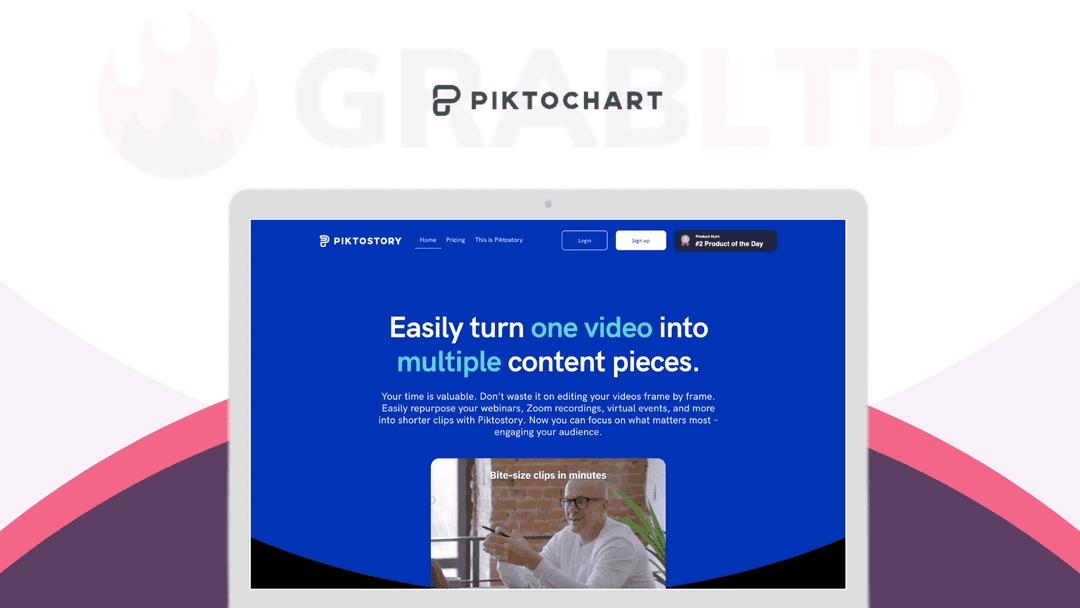
Your time is valuable. Don’t waste it on editing your videos frame by frame. Easily repurpose your webinars, Zoom recordings, virtual events, and more into shorter clips with Piktostory.
Now you can focus on what matters most – engaging your audience. Videos are bite-sized and are social media ready. Customize them too. Change color, type, and size of subtitles’ font. Download your clips and share it on any social media platform.
Create bite-size clips in minutes: Highlight the parts you need from the transcript and instantly turn them into bite-size videos.
Automated subtitles: Piktostory generates captions from the transcript automatically. It’s there for you to edit easily.
Social media ready: Download your clips and share it on any social media platform.
Customize your video: Stay on brand. Change color, type, and size of subtitles’ font. Customize the video background color to match your needs.
#2 Product of the Day on Product Hunt
- Turn your webinars, virtual events, Zoom, or webcam recordings into shorter clips - Highlight the parts you need from the transcript & instantly turn them into bite-size videos - Generate captions from the transcript automatically - Change color, type, & size of subtitles’ font - Customize the video background color to match your needs - Download your clips & share it on any social media platform
*“Piktostory is the tool I use to post social media videos. The ease of use in formatting and transcribing saves me time and effort.” – Len C., Founder and Executive Director*
Get a Lifetime Deal to Piktostory Now!
Video review
We have not reviewed Piktostory on video yet.
Get notifiedBuyer reviews
No reviews yet. Bought Piktostory? Add it to your workspace and share what it replaced.
Add to your workspacePiktostory questions
Is the Piktostory lifetime deal still available?
The GrabLTD listing is archived and no longer available for purchase here. Piktostory was also sold via StackSocial and PCWorld but those offers have ended too. Check piktostory.com for current subscription pricing.
What is Piktostory?
Piktostory is a video repurposing tool that turns long recordings — webinars, Zoom calls, virtual events — into short, branded social media clips with auto-generated subtitles.
How does Piktostory generate clips?
You upload a video and Piktostory transcribes it. You then highlight any section of the transcript and it instantly generates a clip of that portion — no manual frame-by-frame editing required.
Does Piktostory add subtitles automatically?
Yes. Piktostory auto-generates captions from the video transcript. You can edit the text and customize the font color, type, and size to match your brand.
Which social media platforms does Piktostory support?
Clips can be downloaded and shared to any social media platform. You can customize the video background color to match platform or brand requirements.
Who is Piktostory best suited for?
Piktostory is ideal for content marketers, course creators, event organizers, and founders who regularly record long video sessions and want to extract multiple social clips efficiently.
Was Piktostory well-received?
Yes — it was ranked #2 Product of the Day on Product Hunt at launch, indicating strong initial community reception.
Often compared with
These are other tools in the same space, not deals on GrabLTD.
- Opus Clip
- Descript
- Vidyo.ai
- Kapwing
- Munch