Video & Audio · Lifetime deal
Publitio
Lifetime access to Publitio's Hacker plan: host, transform, and monetise images and videos via a URL-based API with 100GB storage and 500GB bandwidth per month, custom CNAME included.
Which Publitio plan do you need?
Prices in USD, excluding tax.
| Plan | |
|---|---|
| Includes | Hacker Plan; 100 GB storage space; 500 GB monthly bandwidth; 10 Players; 10 Ad tags; 10 Watermarks; 1 Custom CNAME; Domain Level protection; HLS video encryption |
What is Publitio?
Publitio holds your images and videos on its own infrastructure and serves them through a URL-based API. You stop paying a monthly bill to a media host and start paying once. The trade-off is reading a short set of docs, because every transformation you would normally do in Photoshop or a CDN dashboard gets done by editing the URL itself, on the fly, for every request.
What Publitio actually does
Think of it as a small private CDN with a built-in editor. Upload your media once, then resize, crop, convert, or monetise the file with the URL you embed on your site.
- Host images and videos on infrastructure built to serve millions of requests - Crop, resize, and convert media on the fly using URL parameters - Optimise WordPress images via the official Publitio plugin - Add in-video ads to monetise existing content - Apply a custom CNAME so the media URLs stay on your own domain - Protect uploads with domain-level restrictions
Who it is built for
Most teams arrive at Publitio after the monthly Cloudinary, Imgix, or AWS bill stops being amusing. The deal slots in cleanly next to a WordPress site, a Shopify storefront, or a custom app where you control the markup — anywhere a URL transformation can replace a manual export. If you are running a media-heavy blog or a video tutorial library, it is the kind of swap that pays itself back inside the first quarter, mostly because the on-the-fly URL parameters mean you never re-encode the same asset twice.
The lifetime tier covers the Hacker plan with 100GB of storage and 500GB of monthly bandwidth, plus the custom CNAME, which is enough room for an active publication, a SaaS marketing site, a podcast feed, or a video-tutorial library to run without metering anxiety. The opinion here: this only makes sense if you are comfortable wiring up the API yourself or have a dev who is. The savings against a per-GB CDN bill compound from day one for anyone in that position.
The deal
One payment of $299 buys the lifetime Hacker plan: 100GB storage, 500GB monthly bandwidth, custom CNAME, domain-level protection, and access to future product updates. Retail sits at $948. For a media host that scales with traffic instead of with invoices, that maths is hard to argue with. [Pick up Publitio direct from the vendor](https://grabltd.com/recommends/publitio/).
Video review
We have not reviewed Publitio on video yet.
Get notifiedBuyer reviews
No reviews yet. Bought Publitio? Add it to your workspace and share what it replaced.
Add to your workspacePublitio questions
Is the Publitio lifetime deal still available?
No. The Publitio lifetime deal (Hacker plan, $299 one-time) is no longer being sold. Publitio continues to operate at publit.io with pay-as-you-go subscription pricing. The Premium Plan starts at $19/month for 50GB storage and 100GB monthly bandwidth.
What does Publitio do?
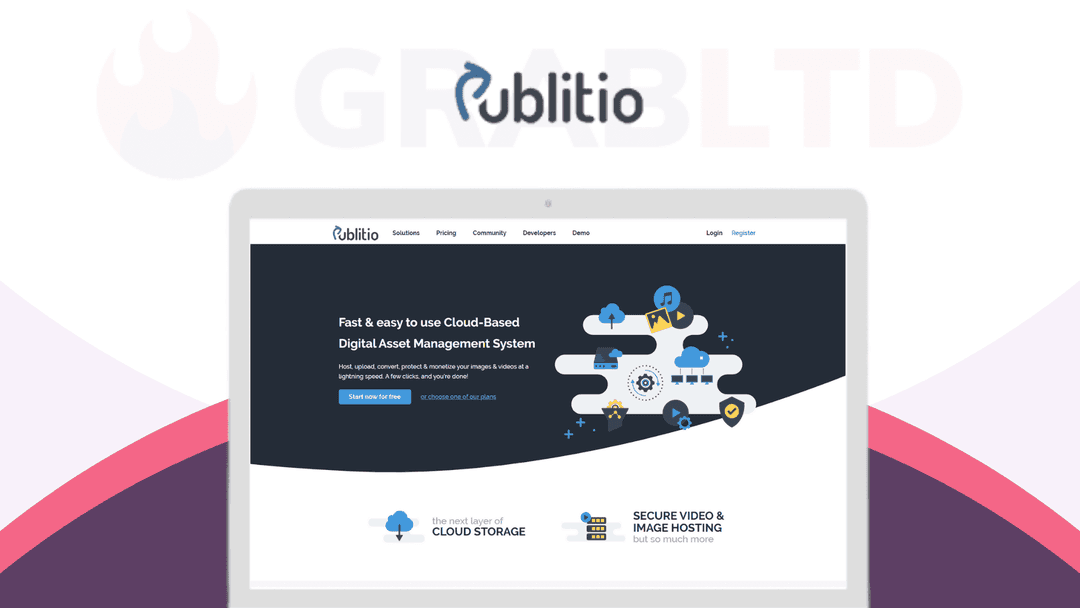
Publitio is a cloud-based media asset management platform. It handles storage, processing, and delivery of images, videos, audio, and PDF files via a URL-based API. You upload media once and then resize, crop, convert, watermark, or monetise it on the fly by modifying the URL parameters — no re-encoding required.
What was included in the Hacker plan lifetime deal?
The lifetime Hacker plan included 100GB of storage, 500GB of monthly bandwidth, a custom CNAME (subdomain on your own domain), domain-level access protection, HLS video encryption, in-video ad monetisation support, and access to future updates.
How does Publitio's URL-based transformation work?
Every file you upload gets a base URL. You append parameters to that URL to apply transformations on the fly — for example, appending width, height, crop mode, output format, or watermark parameters. The CDN serves the transformed version without storing a separate copy.
Does Publitio work with WordPress?
Yes. Publitio offers an official WordPress plugin for media offloading, which automatically serves your WordPress media library through Publitio's CDN and transformation API instead of your own server.
Who is Publitio best suited for?
Publitio works best for developers, SaaS teams, media-heavy blogs, and video tutorial libraries who are comfortable wiring up a REST API or URL-based transformations. Teams with a per-GB cloud bill from Cloudinary, Imgix, or AWS S3+CloudFront are the primary target.
What alternatives to Publitio are currently available?
Active alternatives include Cloudinary (the market leader, free tier available), Imgix (URL-based transformations, no free tier), Bunny.net (CDN with storage, competitive pricing), and Mux (video-focused). For WordPress-specific offloading, WP Offload Media is an option.
Does Publitio have an affiliate or referral program?
Publitio lists a Referral Program at publit.io/referral. Check there for current terms and commission structures.
Often compared with
These are other tools in the same space, not deals on GrabLTD.
- Cloudinary
- Imgix
- Bunny.net
- Mux
- WP Offload Media