Every "X vs Y" comparison you read this year was built backward. Someone listed every feature both tools share, dropped checkmarks into a grid, counted the marks, and crowned a winner. It looks objective. It is mostly noise.
A spec sheet measures what a tool can do. It tells you nothing about whether you will actually do it, whether you can walk away when the tool stops fitting, or whether the company behind it will still be answering support tickets in three years. Those are the questions that decide whether a software choice was shrewd or expensive. Here is the uncomfortable part: feature parity is overrated. A tool that matches a rival on 92% of its feature list is not 92% as useful to you. It might be 40% as useful, or 130%, depending on which features you touch daily and which you will never open.
So this is a framework for evaluating alternatives that ignores the checkmark count and scores the five things that move money. It works whether you are weighing two CRMs, two email tools, or a subscription giant against a lifetime deal. Run it once and the comparison tables on review blogs will start to look like what they are: marketing dressed up as analysis.
The checkmark trap
Feature-count tables exist because they are easy to make and easy to skim. A vendor's marketing team loves them, because their product always wins the version they publish. The trap is that every feature gets one vote, so a button nobody clicks weighs exactly as much as the one capability your business runs on.
Take checkout software. A tool like ThriveCart lists dozens of features: bump offers, upsells, affiliate management, subscription billing, A/B tests. A cheaper rival might match 80% of that list. But if the only thing you need is a clean one-time checkout that does not leak customers at the payment step, then 90% of both feature lists is irrelevant to your decision, and the comparison collapses to one question the table never asked. Feature counts flatten that signal into a tie.
The fix is not a better table. It is a different set of questions, asked in a deliberate order, weighted by what your business actually does. Five axes cover almost every real decision.
The five axes that decide it
Feature fit, data ownership, integration depth, total cost over 36 months, and vendor stability. That is the whole framework. Notice what is missing: a raw feature count, a star rating, and the word "best." Nothing is "best." Things are fit or unfit for a specific operator at a specific stage.
The order matters too. Feature fit and data ownership are the axes that can disqualify a tool outright, so you score them first. Integration depth and cost are where most decisions are actually won or lost once a tool clears the disqualifiers. Vendor stability is the tiebreaker that becomes the headline when you are buying a lifetime deal, because you are betting on a company's survival rather than renting month to month.
Score each axis from zero to five. Do not average them blindly at the end. A zero on data ownership or vendor stability should sink a tool no matter how high the other four scores climb, and the worked example later shows why.
Axis one: feature fit beats feature count
Feature fit means this: of the features a tool offers, how many map to a job you do at least weekly, and how well does it do those specific jobs? Everything else is decoration you are paying to store.
Start by writing down your five most frequent jobs in the category. Not the aspirational ones. The boring, repeated ones. For a CRM that might be: log a call, see today's follow-ups, find a contact in two clicks, move a deal between stages, send a templated email. Then judge each candidate on those five, ignoring the other ninety things on its page. A copywriting tool like ClosersCopy is a clean example of why this works. It does long-form sales copy and frameworks deeply, and it skips a lot of the general-purpose chat features rivals advertise. On a feature count it loses. On feature fit, for someone who writes sales pages every week, it can win outright, because the depth lands exactly where the work is.
The opinion worth holding here: a tool that does five jobs excellently beats a tool that does fifty jobs adequately, every time, for a small team. You will never extract value from breadth you do not use, and breadth usually comes with a busier interface that slows down the five things you do touch. When you evaluate a webinar tool such as WebinarKit, the question is not whether it matches Zoom feature for feature. It is whether automated and live webinars, the two things you will actually run, feel fast and reliable. The rest is brochure.
Score a five when a tool nails all five of your weekly jobs and the daily interface stays out of your way. Score a two when it technically covers the jobs but buries them three menus deep, because friction you hit daily compounds into hours you never get back.
Axis two: who owns the data, and what leaving costs
This is the axis founders skip and regret. Every tool is easy to join. The question that matters is how hard it is to leave, because the day you want to leave is the day this axis sends you a bill.
Ask three things. Can you export your full data in an open format, not a screenshot or a crippled CSV? Do you control the assets that live in the tool, or does the vendor? And if you stopped paying tomorrow, what would you lose permanently? A cloud storage choice makes this concrete. A lifetime plan like pCloud stores files you can pull back out in their original formats at any time, so your exit cost is basically the time it takes to download. Compare that to a tool where your work only exists inside proprietary project files that open in nothing else. The second tool can match the first on every feature and still be the worse choice, because it is holding your data hostage and you signed the ransom note on day one.
Data ownership is also where lifetime deals quietly outperform subscriptions. With a subscription, the moment you stop paying you often lose access to the data, not just the features. With a one-time tool you keep using, the exit pressure is lower, so you make the switch on your timeline rather than under a renewal deadline. That asymmetry rarely shows up in a comparison table and it should weigh heavily in yours. If you want the longer argument on how marketplace terms shape this, the breakdown of where to find legit lifetime deals beyond AppSumo covers the platform side.
Score a zero here and the tool is disqualified, full stop. No feature list buys back data you cannot retrieve.
Axis three: integration depth, the axis everyone underweights
Most comparison tables treat integrations as a yes or no checkbox. "Integrates with Slack." Great. Does it send one canned notification, or can it pass structured data both ways and trigger actions? Those are different products wearing the same checkmark.
Integration depth decides whether a tool becomes part of your operation or stays a silo you copy-paste out of. The practical test is to pick one real workflow that crosses two or three of your tools and ask whether the candidate can carry its part. A common one for a small team: a form submission creates a contact in the CRM, adds the person to an email sequence, and posts a note where you will see it. If the tool can only fire a generic webhook, you will be gluing the rest together yourself. If it speaks fluently to an automation layer like Pabbly Connect, the same workflow takes an afternoon and then runs itself.
This is where the lifetime-tool stack earns its keep, and also where it can quietly fail you. A tool with shallow integrations forces you into manual work that eats the time you supposedly saved on subscription fees. So weight this axis by how many of your tools the candidate needs to talk to. A standalone note-taker can score low here and still be a fine buy. A CRM or an email platform that does not integrate deeply will cost you hours every week for as long as you own it. For the email side specifically, the Mailchimp alternatives with lifetime pricing piece walks through how shallow versus deep automation changes the math.
Score a five when the tool plugs into your existing stack natively or through a real automation bridge with two-way data. Score a one when "integration" means a webhook and a prayer.
Axis four: the real number is 36 months, not the sticker
Pricing pages are designed to make you compare the wrong number. A subscription shows you a small monthly figure. A lifetime deal shows you a larger one-time figure. Side by side, the subscription looks cheaper and the lifetime deal looks like a splurge. Over the life of the decision, that impression is usually backward.
Run every option to the same horizon: 36 months, the realistic lifespan of a tool choice for an early-stage business. Take the lifetime price as is. Take the subscription price, plug in the current published rate yourself rather than trusting a number a blog wrote two years ago, and multiply across 36 months including the seats and the tier you will actually be on by year two, not year one. Then add the switching cost from axis two to whichever option you would abandon partway.
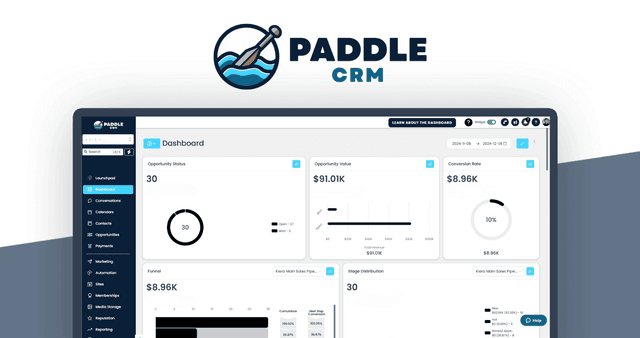
The numbers move fast once you do this honestly. A document tool like Designrr sits around $27 one-time on GrabLTD right now. A subscription competitor at even $15 a month crosses that in two months and never stops. By month 36 it has cost roughly twenty times as much, for the same job. The gap is less dramatic on pricier tools, but it still favors the one-time buy more often than founders expect. A CRM at $297 once, like Paddle CRM, versus a subscription CRM at a plausible $39 per user per month, breaks even inside eight months for a single user and looks absurd by year three.
The opinion: most "it's only $X a month" decisions are made because the monthly number is small enough to skip the math, and skipping the math is how a bootstrapped business ends up with $1,400 a month in subscriptions it forgot it had. Do the 36-month arithmetic on every tool over $10 a month. It takes ninety seconds and it routinely changes the answer. The full version of this calculation, applied across a whole stack, lives in the HubSpot alternatives that skip the enterprise sale write-up.
Axis five: will the vendor outlive your decision
Every tool you adopt is a bet on a company. With a subscription you can leave when the bet sours, so the stakes are low. With a lifetime deal you have already paid, so vendor stability stops being a footnote and becomes the whole game. This axis is why a brilliant tool from a shaky company can be the wrong buy and a merely-good tool from a steady one can be the right one.
You cannot see a company's bank balance, but you can read the signals. How long has the product existed? Is the changelog active in the last 60 days, or did updates stop a year ago? Does support answer in hours or in weeks? Is the company funded in a way that needs a giant exit, which makes a sunset more likely, or is it a profitable small operation that just wants to keep shipping? AI tools deserve extra scrutiny here, because many are thin layers over a model API they do not control. A tool like SEOBrain is useful, and its long-term stability is partly hostage to what the underlying model providers charge next year. That is not a reason to avoid the category. It is a reason to weight vendor stability higher for anything in the AI tools section than you would for a mature, self-contained utility.
Score this axis on evidence, not vibes. An active changelog, multi-year track record, and fast support is a five. Silence on all three is a one, and a one here should make you think hard no matter how the other axes scored. The deeper checklist for reading a vendor's health before you buy is in the ConvertKit alternatives for founders watching their burn breakdown, which leans on the same stability questions.
A worked comparison: picking a CRM before 100 customers
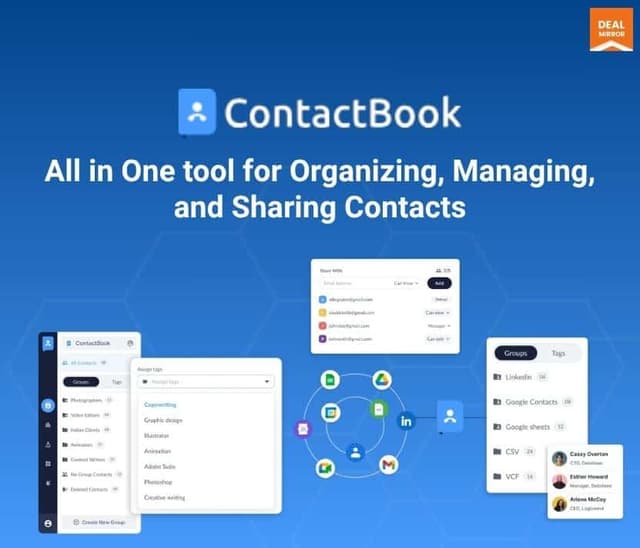
Frameworks are easy to nod along to and hard to apply, so here is the whole thing run end to end on a real decision: choosing a CRM when you have fewer than 100 customers. Two candidates, both available as lifetime deals, both in the sales tools category: Paddle CRM at $297 one-time, and ContactBook at $89 one-time. A spec sheet would hand this to Paddle CRM on feature count and move on. The framework does not.
Five weekly jobs for a founder at this stage: log an interaction, see today's follow-ups at a glance, find any contact fast, move a deal through a simple pipeline, and fire a templated follow-up email. On feature fit, both cover all five. Paddle CRM has more depth in pipeline reporting, which you will not need until well past 100 customers, so for your actual weekly jobs they score close, call it a four each. The extra reporting is real value later and dead weight now.
On data ownership, both let you export contacts as open CSV, so both clear the disqualifier. Score them four and four, with a note to verify the export covers interaction history and not just names, which is exactly the kind of thing a feature table never tells you.
On integration depth, the gap opens. Your CRM has to talk to your form and your email tool, and if it speaks to an automation layer like Pabbly Connect you can wire the whole lead flow once and forget it. Whichever tool integrates more deeply takes this axis by a point or two, and for a CRM that you will route every lead through, that point matters more than the reporting depth Paddle CRM won on feature fit. This is the axis to actually test with a free trial or a refund-window experiment before you commit.
On total 36-month cost, both are one-time, so this is not lifetime-versus-subscription. It is $297 versus $89 against the value each unlocks. ContactBook at $89 is the lower-risk bet if your needs are genuinely the five jobs above. Paddle CRM at $297 is justified only if you will grow into the reporting and seats within the 36 months, which is a forecast, not a fact, so be honest about it. On vendor stability, you score each on changelog activity, age, and support speed, and that evidence, not the price, breaks the tie.
Add it up and the decision is usually clear, and usually not the one the feature count predicted. For a true beginner who needs the five jobs and nothing more, the cheaper tool that integrates well and comes from a steady vendor wins, because the expensive tool's advantages all sit in features you will not reach for a year or two, by which point you may have outgrown both. That is the framework doing its job: it priced the future correctly instead of rewarding the longest feature list today.
The two axes founders weight wrong
Even people who run the framework tend to misweight it in the same two directions, so it is worth naming them.
The first mistake is over-weighting feature fit. Feature fit is the most satisfying axis to score because it feels productive, like real research, and it produces a tidy "this one does more of what I want" answer. The problem is that feature fit is the axis most likely to change in your favor over time. Vendors ship features. A gap you see today may close in two releases. What does not change is whether you can get your data out or whether the company survives, so do not let a feature-fit win override a data-ownership or stability loss. The shiny axis is the least durable one.
The second mistake is under-weighting integration depth, usually because it is the hardest axis to test before you buy. You can read a feature list in a minute. Confirming that a tool actually passes structured data into your automation layer takes a trial account and a real workflow, so people skip it and assume the checkbox is true. It often is not. This is where SEO and content tools trip founders up constantly: an SEO tool that cannot export its data into your reporting or feed your content pipeline becomes a tab you open, copy from, and resent. Spend the extra hour testing integration on any tool you will route daily work through. It is the axis most likely to surprise you after the money is spent, and the one a refund window exists to protect you from.
Both mistakes share a root cause. The easy-to-judge axes get over-weighted and the hard-to-judge axes get ignored, which is exactly backward, because the hard-to-judge axes are the ones that bite later.
Turning five judgments into one decision
You now have five scores per tool. Do not just sum them, because that treats a zero on data ownership the same as a two on feature fit, and those are not the same kind of problem. Use two rules instead.
First, any zero on data ownership or vendor stability is a veto. A tool you cannot leave, or a vendor who may not be here next year, is a no regardless of how it scored elsewhere. Second, among the tools that survive the veto, weight the axes by your situation. A solo founder weights cost and integration depth highest. A small team that has already been burned by a sunset weights stability highest. Someone in a regulated field weights data ownership highest. There is no universal weighting, which is the entire reason a generic comparison table cannot make this decision for you.
Write the scores down somewhere you will keep, even a single note. Six months from now, when the tool either earned its place or annoyed you into switching, you will want to see which axis you misjudged. That feedback loop is how you get better at the next decision, and there is always a next decision. The same five axes apply when you compare scheduling tools or any other category, so the work compounds.
The point of all this is not to make software evaluation feel scientific. It is to stop you from outsourcing a real decision to a grid of checkmarks built by someone who profits from your answer. Score the five axes, respect the vetoes, weight by your own stage, and the right tool tends to announce itself. The feature count almost never will.